HTC Touch: the transformation Elf'a

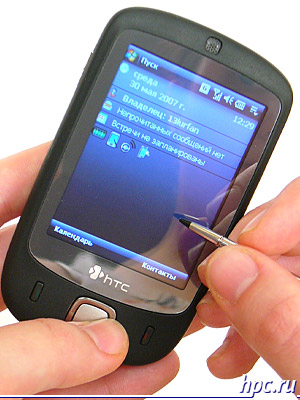
Once again, HTC is in our court conceptually new mobile device. Looking for a hero of our today's review, the communicator HTC Touch, can not help recalling the days when smart phones were big, smart and and even more so with the device easily holds a large man's palm. Much water has flowed since then. The first was a magnificent triumph for the compactness of HTC Magician (Qtek s100), it was followed by no less successful HTC Prophet (s200), quickly won the hearts of users. End of the past and the beginning of this year witnessed the arrival of a couple of HTC Artemis (P3300) and HTC Love (P3350). However, only "descended from slipways" communicator HTC Touch, formerly known as Elf or HTC P3450, can doubt the miniature all its glorious predecessors. Indeed, the machine - a champion for compactness and weight, but on this below. With regard to its filling, it is identical to what we saw in the recent HTC P3350 (Love). Contrary to the popular rumors about the lack of Wi-Fi, this wireless interface is still present. In addition, HTC Touch is the first product from HTC, running the new operating system Windows Mobile 6 Professional. However, the main difference between the apparatus of the majority of smartphones still is not it, and the unique interface of TouchFLO, focused on managing through ... a finger instead of the usual stylus. We must assume, the machine got its present name, thanks to the original organization of the interface (hello, iPhone:)). As a result, HTC Elf was renamed the HTC Touch. Understand how the new interface, visit spetsstranichku site www.htctouch.com. We proceed to consider the direct communicator and begin, as usual, with its characteristics:
HTC Touch: the transformation Elf'a
  • Operating system: Windows Mobile 6 Professional
  • Processor: Texas Instruments OMAP850, 200MHz
  • Memory: 128MB ROM (ROM), 64MB RAM (RAM)
  • Screen: TFT LCD with 2.8 "diagonal and a resolution of 240x320, 65536 colors
  • Memory Expansion: microSD
  • Wireless interfaces: GSM / GPRS / EDGE (900/1800/1900MHz), Bluetooth 2.0, Wi-Fi 802.11b / g
  • Battery: removable Li-Ion Battery 1100 mAh
  • Audio: microphone, speaker, headphone jack extUSB
  • Camera: 2.0 MP
  • Dimensions: 99.9 x 58 x 13.9mm
  • Weight: 112 g with battery.
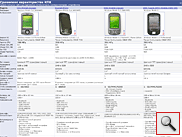
Just below you can see the comparative table, which together with our hero today got HTC P3350, HTC P3400 and Voxtel W520. All models are very similar in their capabilities and costs, is allocated only P3400 lack Wi-Fi.
HTC Touch: the transformation Elf'a
Comparative table of the characteristics of HTC Touch, HTC P3400, HTC P3350 and Voxtel W520

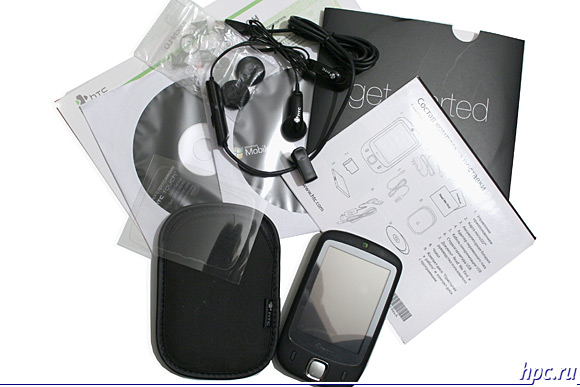
Supplied

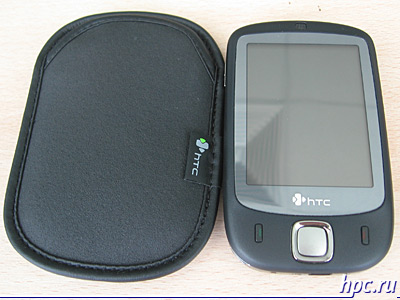
As amended HPCru visited pre-production device, respectively, as a complete accessories, however. Personally evaluate only managed to cover, which will be bundled with the machine. The solution - a very unusual, like the ones that come with modern MP3-players, ultrathin sizes. A sort of pocket, where you can place the device.
HTC Touch: the transformation Elf'a
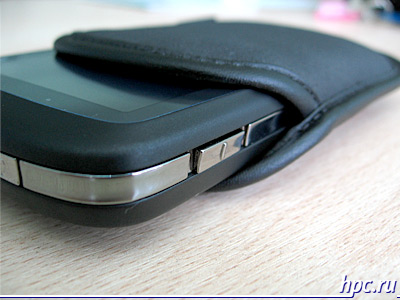
Quality of execution - above all praise, the surface is made of porous synthetic material with leather trim around the perimeter. The inner part is covered with soft material, so as not to scratch the surface of the display and casing of the communicator.Protective functions of case work out to 100%, the walls of his thick and dense, that will not damage the device even in the event of a fall from a low altitude. What about ease of use is not so unique, yet quickly remove the machine from the tight-fitting "clothes", such as when an incoming call - no easy task. Definitely need the skill. The problem is partly solved through a wired or Bluetooth headset.
HTC Touch: the transformation Elf'a
    Supplement edition. In complete set will include:
  • Communicator
  • Cover
  • Wired Headset
  • Rechargeable Battery 1100 mAh
  • MicroSD Card 1 GB
  • USB sync cable
  • Mains Charger
  • Protective film
  • User Guide
  • CD c ActiveSync and a trial version of MS Outlook 2007
  • CD with additional software (Spb GPRS monitor, Sprite Backup)
  • Warranty Card
HTC Touch: the transformation Elf'a

Ergonomics and Design

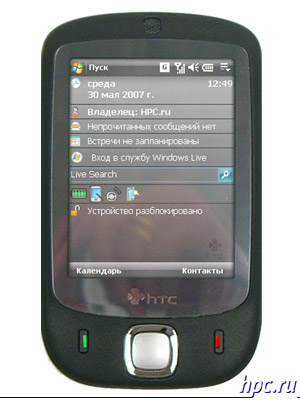
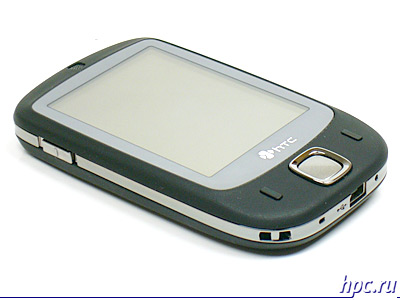
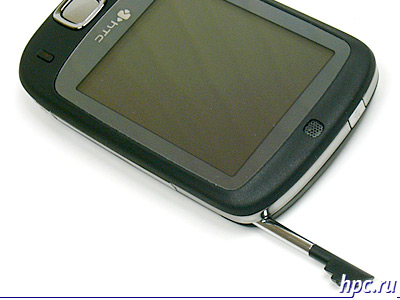
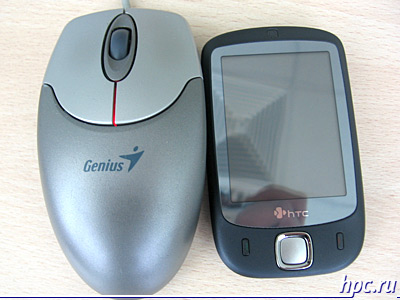
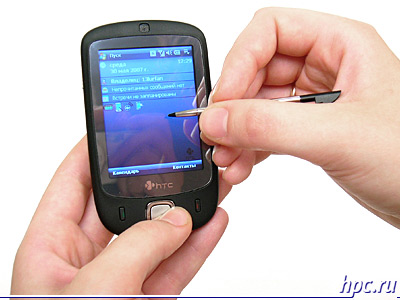
This is probably the most interesting section in the case of the HTC Touch. Designers and engineers really did their best. Not every cell phone (not to mention the phone!) Can boast of such a compact. Smooth-cut casing, rounded corners, stylish plain and very small thickness causes a stable association with the iPod, the that, of course, play into the hands HTC. For us to test Touch came in a black casing, but we know that there are also variants of white and green colors. All items are covered with plastic coated soft-touch, which allows the device to hold in your hand without fear that it slip. However, the invariable consequence of such a decision - fingerprints on the procedure considerably, as compared with conventional plastic. Outlining the case is made out of metal. The developer has decided to minimize the number of controls that are not in the best way impact on ergonomics. On the front panel, the bulk of which takes 2.8-inch (!) Display, made only 4-hpozitsionnaya navigation key with the confirmation button in the center and the traditional start button and complete the call. Navigation key is executed successfully, the directions are chosen without difficulty, to touch the key confirmation is difficult. It has a convex surface, which is why it is easy to work with her, pressing is accompanied by a characteristic clicking sound. Progress in directing the keys is somewhat smaller, but it does not keep them well to cope with their responsibilities. Above the display you can find a small hole dynamics, which is located under the grate status LED device. The display is surrounded by mirror-silver inlay, the lower part of which adorns the logo of HTC.
HTC Touch: the transformation Elf'a
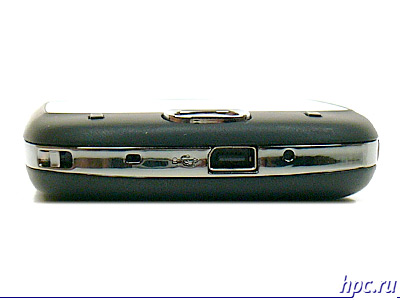
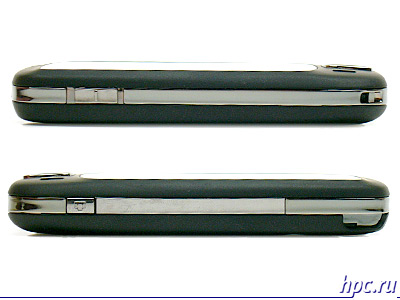
Phone keys, as usual, is on the right and left of the navigation buttons. They are pretty small, but thanks to the convexity of the body, find them quite easily. Pressing the illuminated red and green, respectively. Unfortunately, the manufacturer refused to use the classic six-or at least, four of the keys. There are no buttons context menus, and especially the menu button Start and return. It's quite a strange decision, given the amount of free space beneath the screen device. In the absence of wheel Jog Dial, navigation without stylus is extremely difficult. However, partially solve this problem will help additional software, such as Spb Mobile Shell.Recall that HTC is preparing a unique interface for easy management through a touch-screen smartphone, but because in our sample, this interface add-in is missing, we have to operate so that we can estimate on the fact. At the lower end devices are already traditional slot for HTC ExtUSB, designed to synchronize with your PC and charge your device, as well as for connecting a wired headset. You can also find the opening Soft Reset. On the left hand corner mount for the strap. Perhaps this is the first device, where it is really justified, given the small size and weight of the device.
HTC Touch: the transformation Elf'a
In addition, the left face adorns the machine volume control, the same used in the model P3300/P3350, and on the right is the camera button.
HTC Touch: the transformation Elf'a
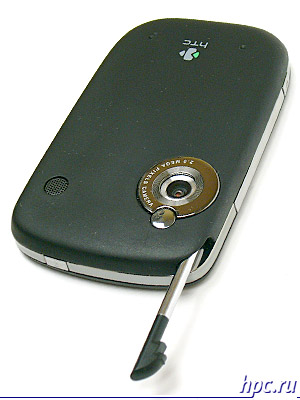
Location and execution of the stylus very well. Its nest is located in the upper right corner. Needless pen - monolithic and made of metal with a plastic tip. The length and thickness of the stylus - medium, and certainly will please most fans of smartphones and PDAs. Particularly pleased with well-shaped protrusion for its removal from the pencil case, no complications, this process does not cause. Also note that the pen tightly, "sitting" in the case, his accidental loss is extremely unlikely.
HTC Touch: the transformation Elf'a
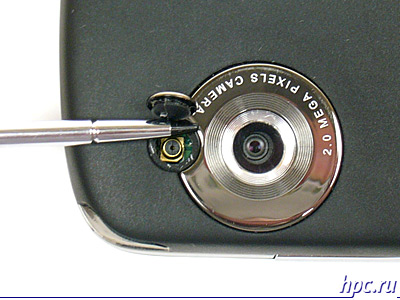
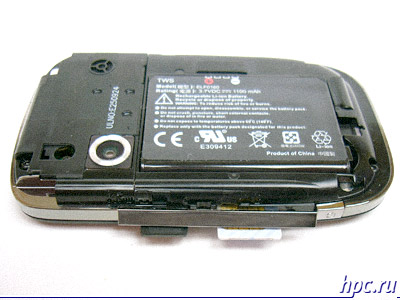
On the back side of the device can see the lens 2 megapixel camera, topped with a small mirror for self portraits, under which there is a connector for an external antenna. The flash is missing. Right of the camera is small, but pretty loud speaker. Under the battery cover is Li-Ion battery.
HTC Touch: the transformation Elf'a
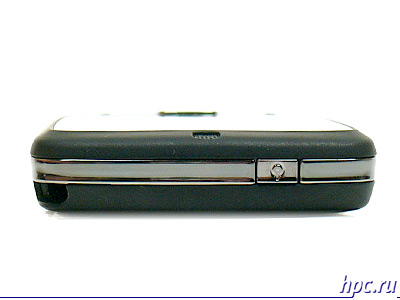
Oh, and completes the picture of the power button on the upper side of the device.
HTC Touch: the transformation Elf'a
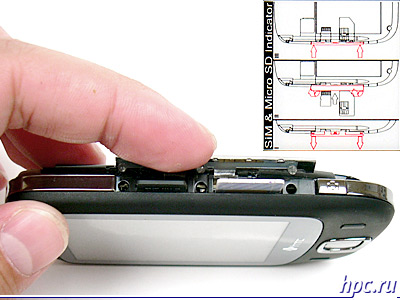
Definitely something we forgot to include in the enumeration. Well, of course, not enough slots for SIM-card slot for memory cards. Well, HTC continues to experiment with the placement of these is certainly the most important components of any device.Not so long ago we saw an unusual solution, used in the model HTC S710 (Vox), when the connector for SIM-card is on the top side of the device, so that its replacement is not required to remove the battery. Our hero for the replacement SIM-card and memory card is also not necessary to remove the battery. Just remove the back cover and open a long plastic cover, ideal inscribed on the right side of the device. Of course, the extraction of "Simka" device is turned off. Indeed, the solution is very good, unlike the HTC P3300/P3350, which to this day blamed for the lack of hot-swappable memory card.
HTC Touch: the transformation Elf'a
Summarizing the interim results, for example, that the ergonomics of HTC Touch deserves a good rating. The main complaint - a lack of hardware buttons. In addition, the standard means the user can override only one of them - down call camera. However, to draw final conclusions of the comfort control device yet. We'll have to wait until the shell TouchFLO, which may compensate for the lack of hard buttons and really allow you to work comfortably with the communicator, moving on to applications and running their fingers without the stylus. Well, in terms of quality performance and design Touch deservedly awarded an excellent rating.
HTC Touch: the transformation Elf'a

Screen

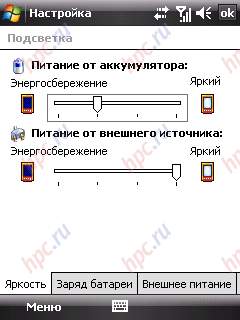
Screen device has a diagonal of 2.8 "and displays 65,536 colors. As mentioned above, it takes up most of the front panel. It is gratifying that in creating such an ultra-compact devices, HTC has not followed the ways of reducing the diagonal screen. When you work with the Touch it seems that his touch screen - slightly convex and protruding from the surface of the device, although it is not so. Glass, hiding the display rather thick, which is why it seems that between the surface of the screen and the part where the image is formed, there is a gap of 2 -3 mm. In many respects, this effect is achieved by the fact that the display is not "drowned" in the body, and is on par with them. Meanwhile, the sensitivity of the screen - not the tallest, but its enough for comfortable control device. backlighting apparatus has all four levels of adjustment. minimum value is sufficient for reading electronic books in a bad light or absent, and the maximum level of the communicator is convenient to use in bright sunlight or artificial light. For the daily work of sufficient illumination, corresponding to the second level. viewing angles and at a height .
HTC Touch: the transformation Elf'a

Speed ​​and memory

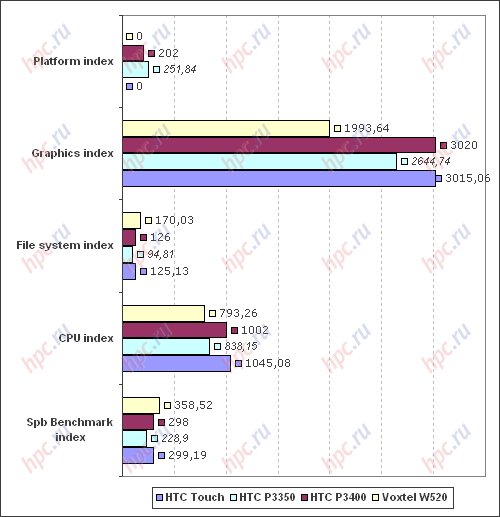
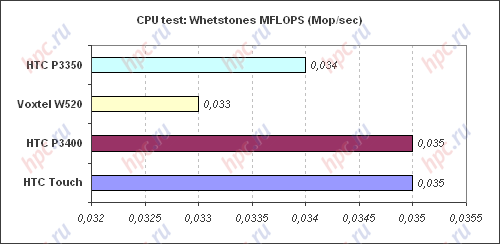
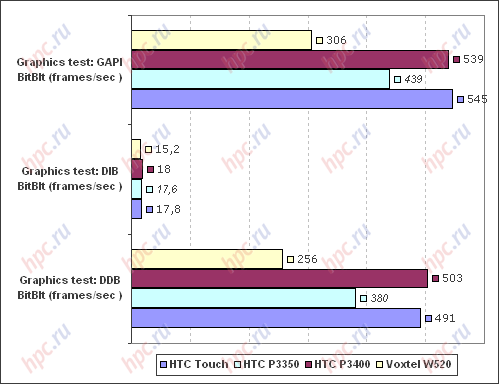
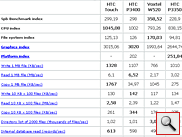
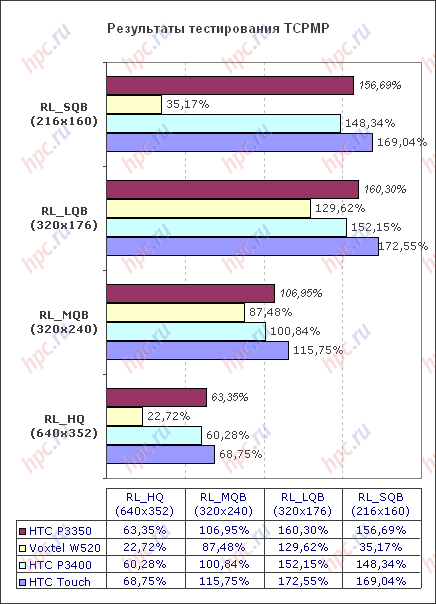
HTC Touch is based on all of the same OMAP 850 from Texas Instruments with a clock frequency of 200 MHz, which is usually blamed for not very high performance and praise for a very decent power. Fans of the exact figures and tables will be able to find the test results Spb Benchmark and TCPMP just below, but for now we note that the performance of cars subjectively slightly higher than P3300/P3350. Presumably, the presence of a new operating system. As always, significant delays occur only when opening large documents and run heavy applications, and for the basic needs of the communicator, such as working with documents, internet and e-mail TI OMAP 850 is enough.
HTC Touch: the transformation Elf'a
Spb Benchmark: summary indexes
HTC Touch: the transformation Elf'a
Spb Benchmark: the speed of the graphics
HTC Touch: the transformation Elf'a
Spb Benchmark: a table of test results
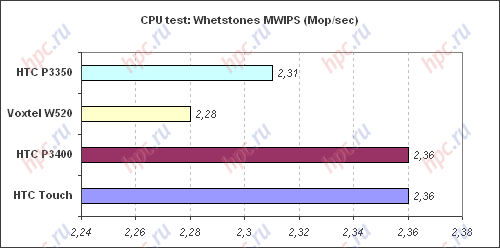
In most tests, P3400 and Touch showed almost identical results. Among competing devices, they were the fastest. Voxtel W520 lag can be explained using a different processor (it is TI OMAP 730), but the worst performance P3350 is difficult to rationalize. In any case, among equals on the filling of communicators, our hero keeps a very worthy. In the traditional test using TCPMP, our hero passes the nearest competitor. Communicator loses quality video resolution of 320x240, but with a heavier cinematic things are not so good. A serious drawback to call it impossible, given the QVGA screen machines. In any case, among equals communicator HTC Touch is one of the best for playing videos.
HTC Touch: the transformation Elf'a

Memory

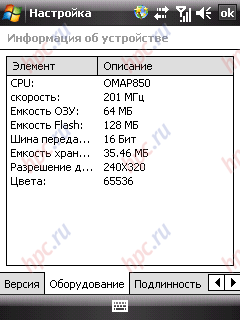
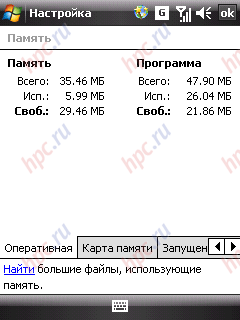
Device has a standard memory capacity, namely, 128 MB ROM and 64 MB of RAM. When you first turn machines available to the user about 22 MB of RAM and about 35 MB of memory for data storage. If the amount of RAM in most cases lacking, then the amount of available ROM more than skoromen. Affects availability of the new operating system. However, the user can replenish the memory with cards microSD. Incidentally, the manufacturers claim that the kit will be available in the card of 1 GB. Recall that the maximum amount of cards of this type available in the market is 2 GB.
HTC Touch: the transformation Elf'a

Runtime

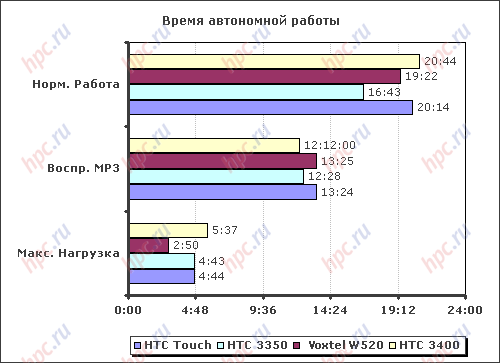
The back cover hides HTC Touch Li-Ion battery capacity of 1100 mAh. The test device on the battery life is traditionally held in three modes: 1. Maximum load.Vykruchena the brightness to maximum, the speaker volume - too, including Bluetooth and Wi-Fi network when searching through the Windows Media Player Mobile to play a video loop. Battery life in this mode was - 4 hours 44 minutes. 2. Normal operation. All wireless modules are disabled. The brightness set to minimum. On the PDA was started reading the text in Haali Reader with automatic scrolling. Time work was - 20 hours 14 minutes. 3. MP3 Playback. Wi-Fi and Bluetooth turned off. Display brightness set to minimum (fully off the screen using standard can not). Listening through headphones at maximum volume. We used Windows Media Player Mobile and files with a bitrate of 192 Kb / c. Hours - 13 hours 24 minutes. It is noteworthy that the first test runtime player mode, the communicator has worked a total of about 6 hours. This result seemed to us suspicious, because of what the second test, the results of which are reflected in the survey. Most likely, this feature of the test instance. In other tests showed the machine numbers, more similar to what we observed, for example, P3350, built on the same platform.
HTC Touch: the transformation Elf'a
Under normal conditions, including 10-15 minutes of calls per day, 20-30 minutes of music and about an hour to use Bluetooth and Wi-Fi, HTC Touch discharged by the end of the second day. This figure is standard for the majority of smartphones running Windows Mobile.

Sound

Audio capabilities HTC Touch merit scores above average. Particularly pleased with the volume of the main speaker. Do not hear it when an incoming call it will be difficult, even if the volume level corresponds to the fourth-fifth division of the available six. It's nice that even when played at maximum volume tracks with pronounced bass or treble, the speaker almost no wheeze, the sound remains clean. Vibrate your device has an average power, his strength will be enough to not miss a call, if the machine is in the pocket. Note also that the rear of the enclosure there are small protrusions, and the speaker a few recessed into the case. So, if your device is on a flat surface, the sound is not wilderness, but rather increased. Listening to music through the headset nothing special stands out, a big difference compared to the P3300 or P3350 was observed. Fans use the communicator as a player, Touch easily replace an inexpensive MP3-Player. We only recall that to get better sound, it is desirable to use the player (not Media Player Mobile), as well as to acquire an adapter for 3.5 mm for a good headphones. As you know, in the latest products of HTC to connect headsets, cables and charger uses a single connector ExtUSB. Voice speaker proved to be not as good as primary. Its volume of no claims. During testing, the volume was set at the fourth position of the six, and this is quite enough for comfortable intercourse. The main inconvenience caused quite a dull sound of voice dynamics. It is not excluded that this feature of the test sample, and a commercial version of the device is no problem with the speaker will not. I want to note and traditional high quality microphone for HTC. In the absence of serious interference, you can record voice from a distance of 5-6 meters, it is noticeable even when recording video. Of course, not without automatic adjustment of the microphone (in the settings of the item is called "AGC"). Recall that this option allows you to automatically adjust the microphone sensitivity, depending on the remoteness of the source.

Wireless interfaces

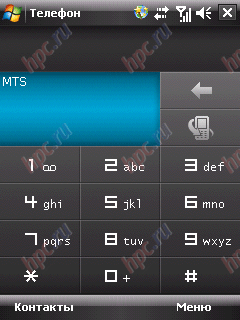
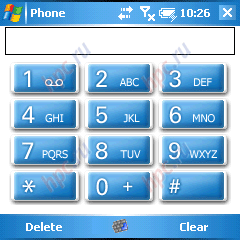
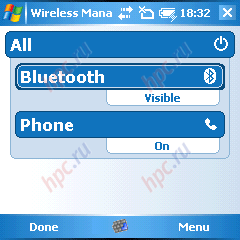
In terms of wireless capabilities, the hero of our review is fully consistent model HTC P3350. Telephone part represented by 3-band GSM-module, operating at frequencies 900/1800/1900 MHz. Switching between modes is not provided.As with all the latest products from HTC, Touch supports EDGE, which allows to increase the data rate of approximately three-fold. Ability to work on 3G is not available. To dial through a standard program Phone in black and white with an add-Smart Dialer, which allows to easy search for phonebook and dialed.
HTC Touch: the transformation Elf'a
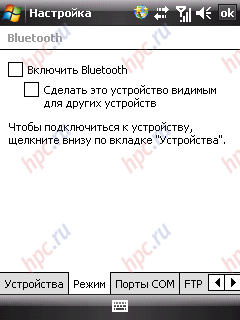
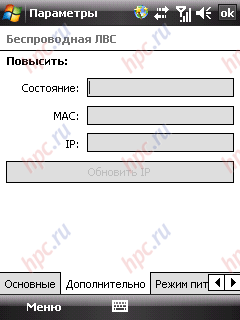
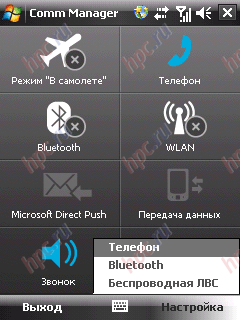
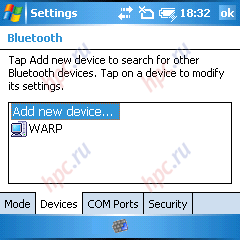
In the device installed Bluetooth module version 2.0, which supports all the necessary profiles, among which wants to highlight:
  • File Transfer Profile - used to exchange data between devices
  • Network Access Profile - to create a wireless network using the resources of Internet access
  • OBEX Object Push - to exchange business cards
  • Voice Gateway - for speakers and a microphone connected to your PC as a handsfree headset
  • A2DP for listening to music through Bluetooth stereo headset
  • AVRCP to control the player via the hardware buttons headset.
Average speed data transmission via Bluetooth fluctuated in the range of 45-50 kb / c, not bad, given the lack of support for high-speed technology EDR. Bluetooth-module running the standard drivers from Microsoft.
HTC Touch: the transformation Elf'a
With regard to Wi-Fi, we recall that numerous rumors hovering around Touch, agree on one thing: a new device from HTC will be deprived of Wi-Fi. Fortunately, the popular wireless interface is still present in the machine, but also supports both the standard 802.11b, and in high-speed 802.11g, delivers transfer speeds up to 54 MB / c. Transmitter power - average. For example, in a home network based on Wi-Fi communicator Glofiish worked at greater distances from the source than the novelty from HTC. Nevertheless, it is worth noting that with respect to signal stability HTC Touch proved to be quite decent. Wi-Fi-Network of access in the area were fast enough, the connection kept confident. As a result, during the test is no failure of the Wi-Fi has not been noticed.
HTC Touch: the transformation Elf'a

Luggage

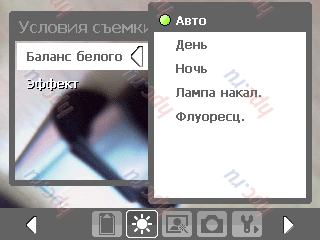
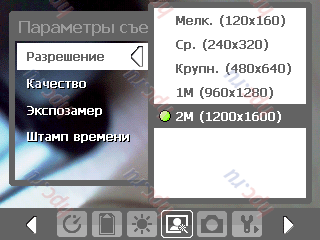
HTC Touch is equipped with a camera with CMOS matrix, and 2 Mp. This is a standard solution for today's phones and communicators. Autofocus and flash are not available. The camera interface has remained virtually unchanged compared to previous models of HTC. We list the main options available in camera mode:
  • White Balance: auto, day, night, incandescent, fluorescent (it should be noted that the automatic white balance works pretty decently, and to resort to the preset settings will not often)
  • Effects: grayscale, sepia, cold, negative
  • Metering: center, an integral (though much of a difference in the camera when you select different metering modes have been reported)
  • Resolution: 120x160, 240x320, 480x640, 1200x1600.
Also has a self-timer (2 seconds or 10 seconds), enable or disable the shutter sound, display a composite grid and otpechatyvanie "time in the picture. In short, many settings, it is unlikely the majority of owners will use them in full.
HTC Touch: the transformation Elf'a
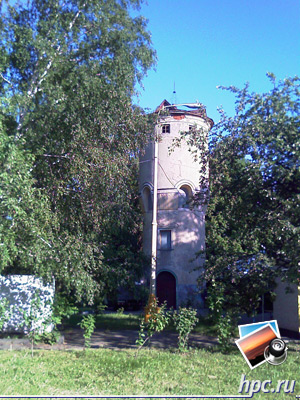
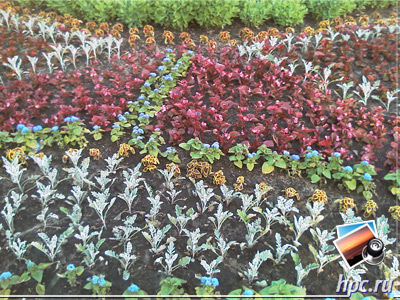
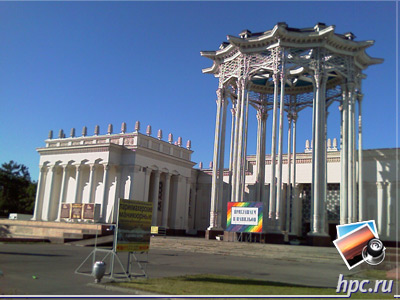
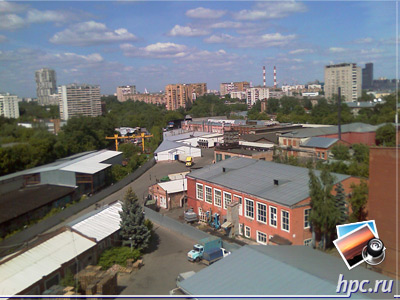
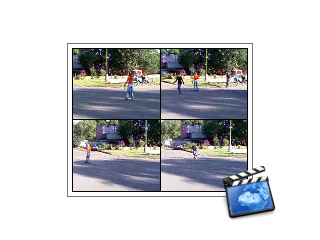
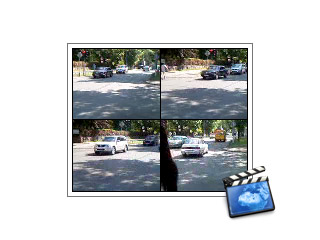
The quality of images - a common for communicators. Photos obtained by a fairly sharp, but colors seem oversaturated at times. Also catches the eye a large amount of color distortion and noise, which is not surprising, given the small matrix, used in communicators. Subjectively, when viewing the impression that the photos passed through the automatic filters sharpness and contrast. In fairness, once again, we note that images are obtained fairly sharp, and their quality can satisfy most users of such devices. Of course, not without its video recording capabilities. You can choose the format of the three options: H263 (3GP), MPEG4 and MJPEG. It is possible to enable or disable sound, as well as limit the duration of the video. With examples of photos and video you can see below.
HTC Touch: the transformation Elf'a
HTC Touch: an example of the photo (jpg, 1600x1200, 783,6 Kb)
HTC Touch: the transformation Elf'a
HTC Touch: an example of the photo (jpg, 1600x1200, 814,0 Kb)
HTC Touch: the transformation Elf'a
HTC Touch: an example of the photo (jpg, 1600x1200, 456,9 Kb)
HTC Touch: the transformation Elf'a
HTC Touch: an example of the photo (jpg, 1600x1200, 523,8 Kb)
HTC Touch: the transformation Elf'a
HTC Touch: an example of the photo (jpg, 1600x1200, 459,4 Kb)
HTC Touch: the transformation Elf'a
HTC Touch: an example of the photo (jpg, 1600x1200, 445,2 Kb)
HTC Touch: the transformation Elf'a
HTC Touch: Video sample (mp4, 176x144, 731,9 Kb)
HTC Touch: the transformation Elf'a
HTC Touch: Video sample (mp4, 176x144, 737,9 Kb)

Soft

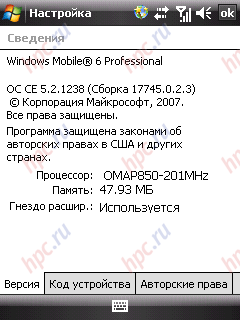
Recall that the HTC Touch is the first communicator of this manufacturer, running Windows Mobile 6 Professional.
HTC Touch: the transformation Elf'a
The main changes the new OS, we will not list with them you can read in a recent review of the communicator Glofiish X500 +. We note only those components that are absent in the communicator HTC Touch. So we were not able to find:
  • Appendix Marketplace, designed to simplify the purchase of third-party software via the Internet.
  • Smart Dial, which allows a quick search on the note-book device. This is not surprising, because the built-in shell with consonant with the name Smart Dialer performs a similar function.
  • Live Search Mobile - socket search on the home page of Internet Explorer. Instead, it displays the default page with the logo of HTC. All other services were in place.
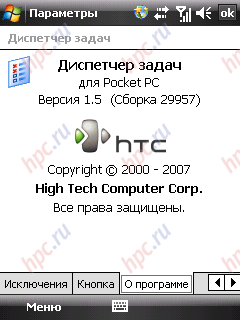
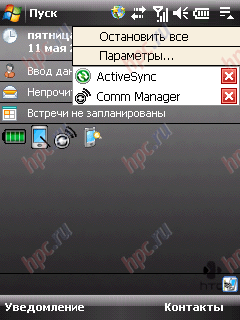
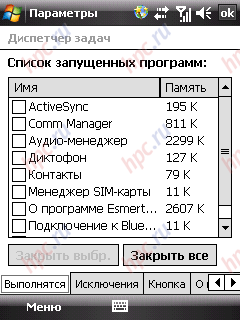
The variety of bonuses in the form of additional software was never a strong point of HTC. Recently, the situation is slowly beginning to change, it suffices to recall P3400 or P3350. In the case of our guinea in the list of additional software have been discovered: the Task Manager version 1.5. At one time, HTC offers users built-in to close the application and windows by pressing or holding down the «X» (as you know, by default, this button only turns off the window, respectively, the program remains "hanging" in memory). It's nice that the idea has continued as a full-fledged task manager. A neat application icon in the top right corner of the screen and by pressing a list of all running applications. You can close a custom program or all applications at once. Change the location of the icon can not.
HTC Touch: the transformation Elf'a
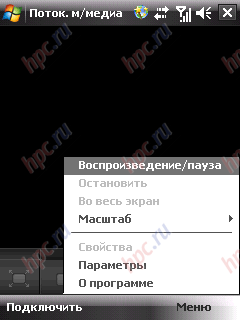
Streaming Media - a program designed to listen to music and watch video over the Internet. The interface resembles a simplified Windows Media Player Mobile.
HTC Touch: the transformation Elf'a
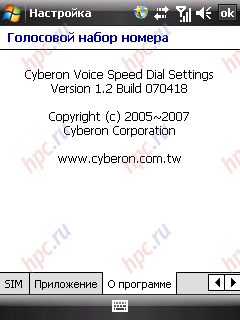
Voice dialing - the infamous application from the company Cyberon, adds communicator feature voice dialing and menu control. The program supports the Russian language.
HTC Touch: the transformation Elf'a
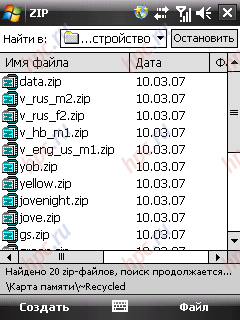
Zip - program from HTC to work with the archives of Zip.
HTC Touch: the transformation Elf'a
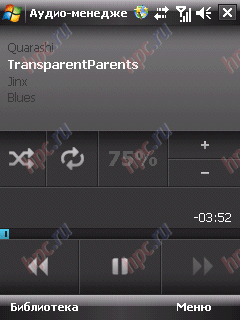
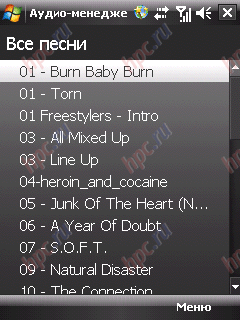
SIM-manager - a simple tool for working with contacts stored on SIM-card. Adobe Reader LE - needs no introduction to the program for viewing files with extension PDF. Audio Manager - a small add-on Windows Media Player Mobile, which allows for easy management of files and playlists
HTC Touch: the transformation Elf'a
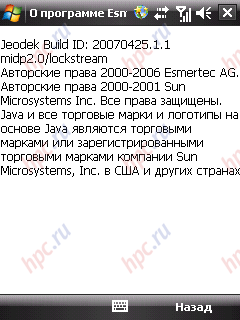
Esmertes Java - wrapper to run games and applications written in Java. Pleased that the company Esmertec finally decided the problem with openly crooked localization of your application.
HTC Touch: the transformation Elf'a
Again, that is in our hands proved to be a pre-sale version of the device. In commercial models Preinstalled software may differ from what is described in this review. Recall that the main highlight of the apparatus should become a software interface for easy management of the communicator via touch screen, a la iPhone. If so, then I want to believe that its implementation will brighten up the obvious flaws on the part of the ergonomic controls HTC Touch. Once in our hands will be the commercial version of Communicator, you, dear readers, will certainly get a detailed description of the add TouchFLO.

Price and Availability

HTC Touch will be released tentatively in the early to mid-July and will be available at a price of 16,990 rubles. Price adequate, considering that the device is unique at least in its size and control system. In addition, recall that the package includes a microSD card of 1 GB.

Conclusions

So, HTC Touch - the first communicator of the industry giants to the dimensions of an ordinary mobile phone. Small, lightweight and compact, this device is able to draw attention to themselves as those who choose an advanced phone, and buyers of "smart" machines, calling attention to the weight and size. Watching the latest trends in kommunikatorostroenii can talk about the gradual convergence of PDA with mobile phones. It suffices to recall the Samsung i710. However, in the case with this unit has played a decisive role is an outstanding program stuffing that simplifies the development of mobile Windows standard user. In short, if HTC, having gone in the footsteps of Samsung, is actually realized in the new model unique control system and make it qualitatively, certain sales of Touch provided.
HTC Touch: the transformation Elf'a
Despite the complete functional identity of our hero unit P3350, these devices still will not compete with each other. On the side last at least control RollR (albeit grabbed a fair share of criticism) and FM-radio (a music device all the same). HTC Touch - for those who prefer a radio compact size. Now put it all together and experience the traditional section of the advantages and disadvantages.
    Pros:
  • the most compact smartphone in the market
  • nice set of wireless interfaces, including EDGE and Wi-Fi 802.11 b / g
  • Good battery life
  • hot-swappable memory card and the possibility of replacing SIM-card without removing the battery
  • unique control system of the communicator
    Cons:
  • a single connector for charger, headset and cable ExtUsb
  • small number of hardware buttons
Part II: Review of the shell TouchFLO. The authors, translation:

Palm Treo 750v: Palm running Windows Mobile

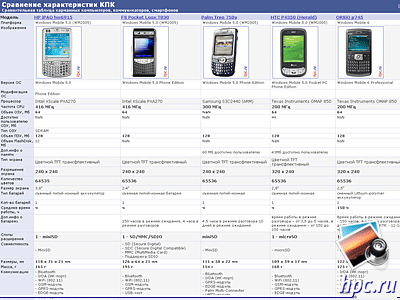
Word of Palm users in the circle of communicators and PDAs usually causes mixed reactions. Those few who had once happened to be the owners of machines on the Palm OS, usually sighing dreamily, remembering ergonomics and speed of the representatives of the series Tungsten and Zire. Rave reviews can be found and the owners have become classics of the Treo 650. Another part of the audience did not taste all the delights of Palm OS, mainly because of the short time to communicate with devices on this operating system is usually limited to a few remarks on the topic of the complexities of interaction with the "palm" a fancy interface, etc. All the same Palm OS in Russia has always been the operating system "is not for everyone," even in an era of handheld computers is much losing most popular Windows Mobile. But now times have changed, and now we face a product bearing the proud name of Palm Treo 750v, but running Windows Mobile 5.0. Interestingly, this model sold in Europe since late last year, but, nevertheless, still has not lost its relevance and deserves your attention. The fact is that the ergonomics of the Treo 750v has inherited the best of his illustrious predecessor, the Treo 650, but was much "closer to the people", thanks to the familiar "windows" interface. Our hero has an average to date features. For example, there is no rapidly gaining popularity interface Wi-Fi, and even the CPU is not the fastest - Samsung S3C2440 clocked at 300 MHz. C full specification Palm Treo 750v you can see in the attached comparison chart. Well, the closest competitor models, the unit can be called similar in form factor and functionality of HP iPAQ hw6915, FS Pocket Loox T830, ORSiO p745, i-Mate Jama, equipped with the same processor, as well as the HTC P4350 (Herald), a slider with a QWERTY-keyboard .
Palm Treo 750v: Palm running Windows Mobile
Comparison table
Palm Treo 750v: Palm running Windows Mobile

Supplied

Testing for us Treo 750v got almost all, like most of the test samples. From a kit could be seen only network charger. According to information from the developer, the machine is available in the following components:
  • Palm Treo 750v
  • battery
  • charger
  • Stereo
  • USB sync cable
  • User guide
  • Software CD

Ergonomics and Design

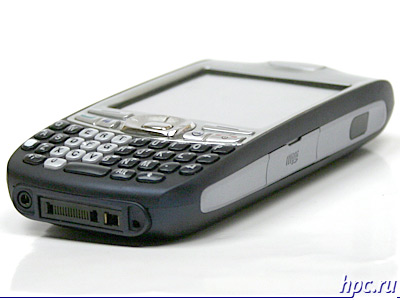
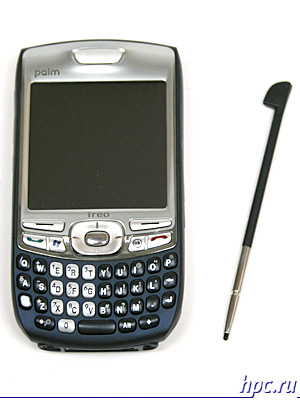
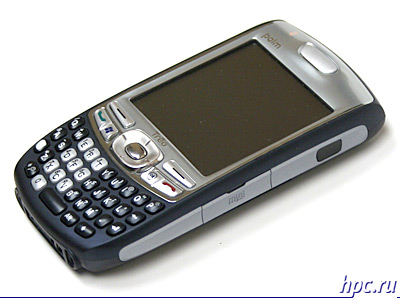
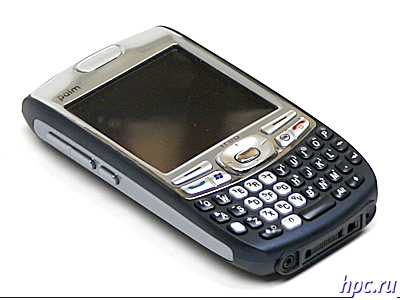
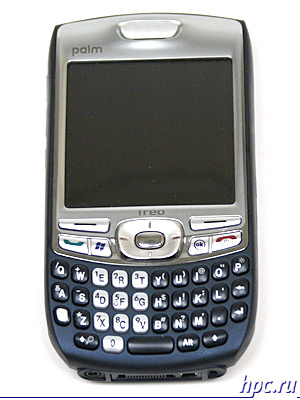
According to the novelty of the design closely follows the Treo 650 - the same rounded corners and tapered to the bottom of the hull form. Separate credit goes to the fact that all elements of the unit are covered with plastic coated soft-touch, which makes the communication with the device rather pleasant. Housing cars made in blue and silver colors. Of dark-blue plastic made rear of the unit, as well as part of the front panel, which is the keyboard. Outlining the main display and control buttons interface are colored in silver. Silvery plastic inserts can be found on the lateral side of the device. Materials used - a very high quality, device looks expensive, classic colors add a typewriter "status". We now proceed to a detailed examination of the functional elements of the Treo 750v. All space occupied by the display device under the hardware keys. Here are concentrated the main controls, namely, four-way control key with the confirmation button in the center and the control buttons context menu in Windows Mobile.
Palm Treo 750v: Palm running Windows Mobile
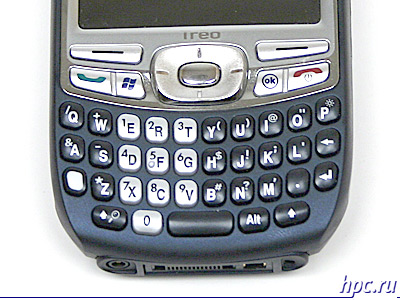
Just below, right, are call button and start menu «Start», and on the opposite side, respectively, the key "End" and "OK". All controls are few stand out above the surface of the device and clearly distinguishable to the touch. Accidentally pressed unlikely. At the bottom of the device is placed QWERTY-keyboard, which has remained almost unchanged since the Treo 650. The keys are small but tactile clearly distinguishable. Digital block is made ​​in silver and is clearly visible from the rest dark blue buttons. Font size - big enough, and the inscriptions on the keys are visible even in poor lighting. True, the English letters, and additional characters occupy almost the entire surface of each button, which inadvertently suggests the absence of Russification of the keyboard in commercial deliveries Treo 750v, as was the case with the Treo 650. Want to note the rather mild, but a clear course of keys, with a barely perceptible click from depression. In general, the impressions of the keyboard exclusively positive. A large number of hardware buttons and qualitatively realized QWERTY-keyboard to minimize the need to use the stylus to perform most common tasks such as working with the Internet, ICQ and e-mail. Difficulties arise only because of lack of Russification of the keyboard.
Palm Treo 750v: Palm running Windows Mobile
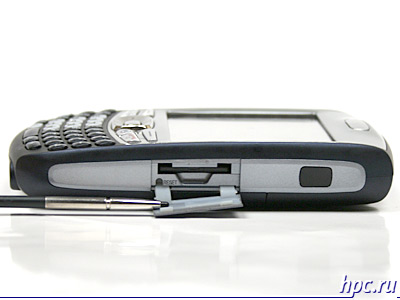
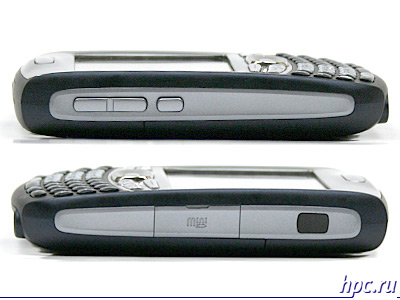
Now go through the side faces of the machine. Left of them are the volume keys, and under them - programmable function keys, the default causes Windows Media Player. On the right the same faces can be found only the infrared port (a rarity these days!) And a slot for memory cards miniSD, tightly closed plastic flap. In addition, under this flap has settled and a recessed reset button device.
Palm Treo 750v: Palm running Windows Mobile
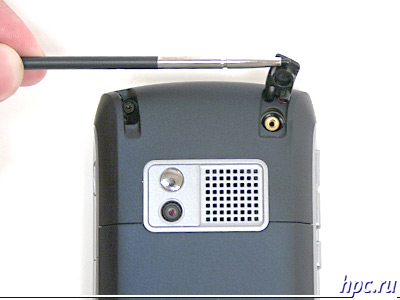
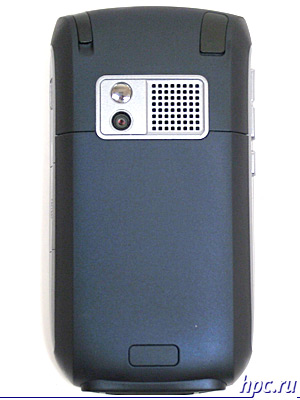
At the rear of the Treo 750v is a hole for an external antenna, hidden under a thick rubber cover, box cameras, topped with a small self-portrait mirror and speaker grill is large enough. In the left top part of the stylus holder. Yes, exactly, the hole for the stylus is located on the rear of the device, more precisely, it is located on the corner, but the form of device is that the back wall of Treo 750v is slightly narrower than the front, and because of the oblique angle, stylus has literally from the back wall of the machine. However, the special inconvenience this causes, especially given the fact that the stylus has a well-discernible overhang, so that problems with its extraction is not observed. Needless pen is not telescopic, rather long and made of plastic with small metal insert at the bottom.
Palm Treo 750v: Palm running Windows Mobile
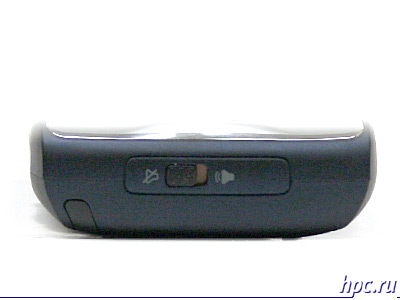
Moving on, and on the upper end device detects hardware button on / off silent mode. As shown, the thing is very handy when you need one machine to translate the motion into silent mode, the main thing to remember that when the switch is set to "mute", then no software to increase the volume will not make your device to cancel the "vow of silence."
Palm Treo 750v: Palm running Windows Mobile
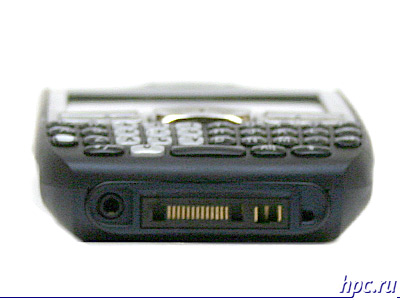
On the bottom face Treo 750v located nonstandard connector for the cable, adjacent connector for the charger, well, on the left - a hole for a headset having a cross section of 2.5 mm, on the opposite side from which you can find a hole-in microphone.
Palm Treo 750v: Palm running Windows Mobile
For ergonomics and performance of housing Treo 750v gets a fairly well-deserved rating of "excellent". Quality of materials, the absence of backlash and excellent performance controls do make contact with the machine is very, very comfortable.
Palm Treo 750v: Palm running Windows Mobile

Screen

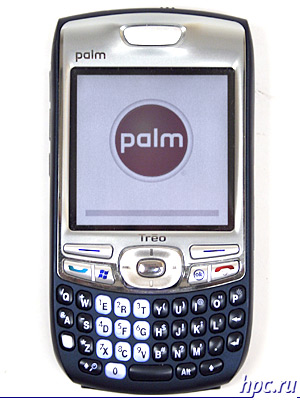
If guided by dry figures, the Palm Treo 750v has a screen resolution of 240x240 pixels and a diagonal of 2.5 inches. The picture quality is excellent viewing angles correspond to modern standards (about 180 degrees). In this case, let's try to answer the question: square screen - good or bad? At one time, this display allows the developer to make the device more compact, well equipped, or an additional field to enter information (as in the same PalmOne Tungsten E2 and Palm Zire 72, etc.). Our hero, in any case can hardly be referred to the compact. Obvious advantages in this case is not, well, the shortcomings could be considered a problem with some programs on a square screen.
Palm Treo 750v: Palm running Windows Mobile
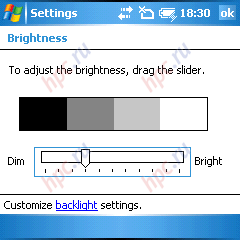
To adjust the backlight offers 11 levels. At a minimum illumination is missing, the maximum communicator can be used in bright sunlight or artificial lighting. Of course, in this case, even at maximum backlight image fades but remains visible.For everyday use, fairly light, corresponding to 6.5 division, well, for reading electronic books in poor light conditions, you can set the slider on 1-2 division.
Palm Treo 750v: Palm running Windows Mobile

Speed ​​and memory

As we have said above, Palm Treo 750v is equipped with Samsung S3C2440 processor clocked at 300 MHz. Among the competitors today communicators in concert with our hero stands i-mate JAMA, which has the same processor as the main competitor - ORSiO p745, made in a similar form factor and completes the picture of the HTC P4350, QWERTY-slider. Theoretically, the results must be also very average. But let's not get ahead of ourselves and to begin, we note that in order to perform everyday tasks, such as access to email, the internet and run small applications, processing power is more than enough. As always, there are delays when opening large documents and working with heavy software or games. For example, to open a text DOC-file of 1 MB, machine took about 30 seconds.
Palm Treo 750v: Palm running Windows Mobile
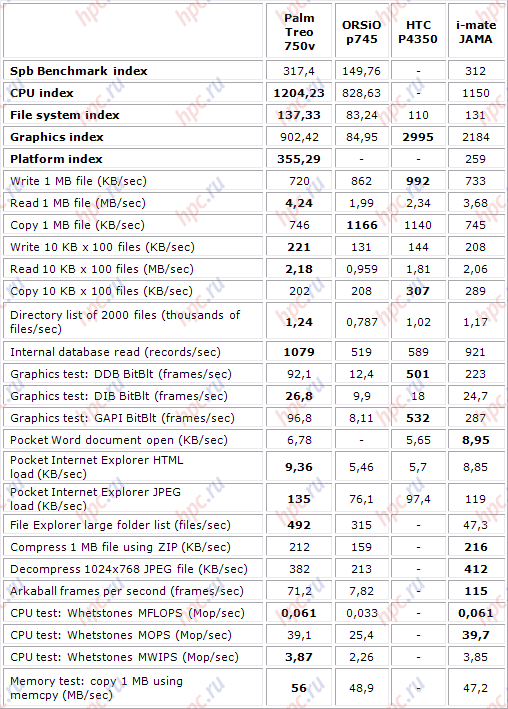
Spb Benchmark test results
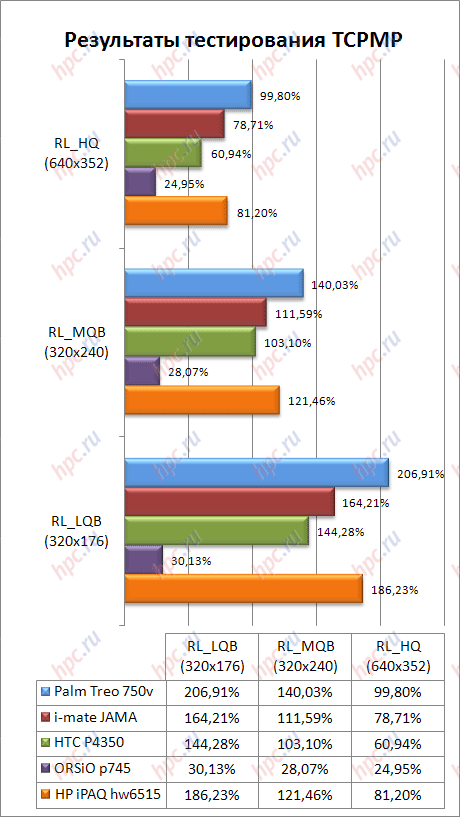
In general, our assumptions are justified. Indeed, Treo 750v showed results very similar to those that gave i-mate JAMA. Other members of the test, HTC P4350 and ORSiO p745 were slightly slower. Significant lag Treo from i-mate JAMA in graphics tests most likely explained by the peculiarities Spb Benchmark, in fact on board the Treo 750v is installed GPU ATI Imageon, which theoretically should cope better with graphics than the "stone» i-mate. Try to verify this with the traditional tester included a popular free media player TCPMP version 0.72RC1.
Palm Treo 750v: Palm running Windows Mobile
As we expected, the video capabilities of our hero proved to be very, very bad. Of course, movies with VGA resolution Treo 750v «not cope, and it is not required for a screen resolution of 240x240 pixels, but pleasantly surprised by what has been the video format 640x352 him well" in the teeth ", although when playing may cause slight delays. Clips with a resolution of 320x240 or less device reproduces more than confident.

Memory

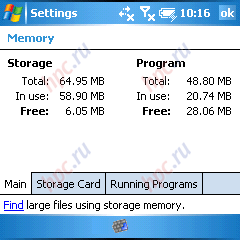
Treo 750v has a standard memory. For storing data, the user gets 128 MB of ROM, which is available from 65 MB, well and set aside to run applications 64 MB of RAM. After rebooting, the amount of RAM available to the user is 28 MB. RAM will almost always miss, well, storage capacity can be increased using memory cards MiniSD, which are available in the massive sale of up to 2 GB.
Palm Treo 750v: Palm running Windows Mobile

Battery

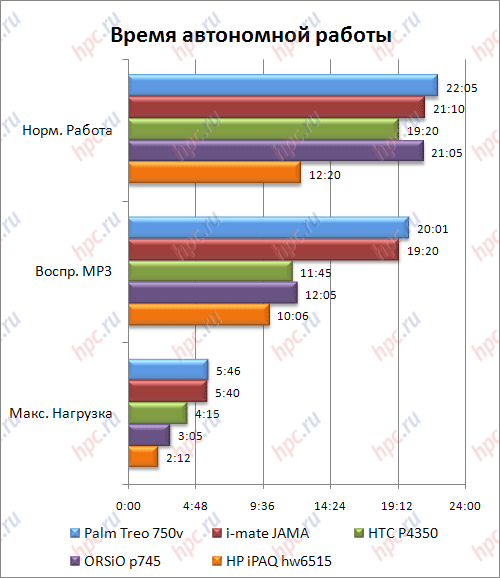
Testing was conducted with standard battery 1200 mAh. As always, the estimated time of the device in three basic modes: 1. Maximum load. The brightness set to maximum, the speaker volume - also included Bluetooth. Through Windows Media Player in the cycle is played a "heavy" video. Battery life in this mode was 5 hours 46 minutes. 2. Normal operation.All wireless modules are disabled. The brightness is set to the first division of the account. On the PDA was started reading the text in Haali Reader with automatic scrolling. Time work was 22 hours 05 minutes. 3. MP3 Playback. Bluetooth is turned off. Highlighting is disabled. Listening through headphones at maximum volume. We used a Pocket Media Player and files with bitrates 192 KB / c. Opening hours 20 hours 01 minutes.
Palm Treo 750v: Palm running Windows Mobile
The results shown Treo 750v in the duration of the test correspond to the mark "above average". By all accounts our today's hero beat the competition, which adds it to the collection of prize-winning points. But this figure is one of the main case with a device-oriented business segment. Potential buyers apparatus is clearly likely to appeal to the fact that his charge will have to think, at least not every day. With daily use, which includes 10-15 minutes of talking on the phone 20-25 minutes using the Bluetooth (including sync), and about half an hour to use the basic functions of the communicator (email, web browsing), Treo 750v bit did not reach 3 days. Accordingly, the average load machine will have to recharge about every 2 days, which is a very good indicator.

Sound

The quality of sound Treo 750v is very similar communicator HTC (by the way, the developer of the device is just a giant Taiwanese High Tech Computer). Without going into detail, then the sound you can put a good estimate. Traditionally, the first recommendation to the user - set the player on third-party developers, because Media Player Mobile is still very far from ideal. Well, a second piece of advice - buy an adapter from 2.5 mm to 3.5 mm. In this case, Treo 750v will be fully able to meet not too demanding to the quality of the sound the user.

Wireless interfaces

The assets of a Treo 750v - unusual by today's standards, a set of wireless means for data transmission. Here, of course, not without the Bluetooth version 2.0, but here's the place Wi-Fi stands for, to put it mildly, not the most popular interface IrDA. Certainly, the lack of Wi-Fi can be attributed to the shortcomings of the device, especially given the business orientation of the model and focus on the user is actively using all possible means to communicate in virtual space. Well, now, everything in order.

Phone

Telephone part is represented by 4-band GSM-module, which supports 850/900/1800/1900 MHz frequency, and, importantly, the module UMTS. In the phone menu you can select several modes of operation of the telephone:
  • Auto
  • GSM (900 +1800) + UMTS 2100
  • GSM (1900 +850) + UMTS (1900 850)
  • GSM (900 +1800) + UMTS (2100 850 800)
Of course, not without support EDGE, which allows triple the speed of data transmission in networks GSM. Having the support of UMTS features useless to most Russians are gradually transformed into a function, at least not too much, given the plans for domestic operators to enter the new level of high-speed data transmission. In a word, the telephone part of the Treo 750v is equipped to the max. The reception quality is high, the communicator quickly find a network (in the testing process used in SIM-card operator MegaFon-Moscow "and" Beeline "), works without a glitch. Quality of communication is also at altitude. Call control by the standard program Phone, albeit in an unusual form of Windows Mobile. In addition there are several add-ins to accelerate the process of dialing, but they will be discussed in the section of the software.
Palm Treo 750v: Palm running Windows Mobile

Bluetooth

Treo 750v is equipped with Bluetooth module version 2.0 with support for most popular profiles including A2DP for listening to music through a wireless stereo headset and AVRCP to control PLERIN through the same headset. During testing, our hero confidently interact with smartphones Nokia 7610, N-Gage QD, as well as communicator Voxtel W420. I want to note and correct data synchronization with PC, through all the same module Bluetooth (in the absence of cable included with the test specimen, inadvertently had to evaluate and process;). Support EDR was observed.
Palm Treo 750v: Palm running Windows Mobile

IrDA

About Infrared say, by and large, there is nothing. It is! Configure the infrared port available, as a class. It can be either on or off. As an outcome of this chapter, we note that the work of all wireless interfaces Treo 750v left only pleasant experience, not one failure was observed.

Soft

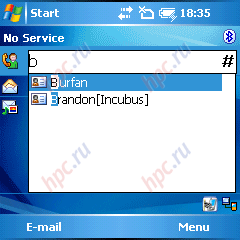
In the test instance Treo 750v wide variety of additional software was not observed. Nevertheless, on board the cars were seen lots of small software add-ons to simplify user interaction with the operating system Windows Mobile. Here they are: Today-Plugin for quick access to contacts from the phonebook. Works on the principle of simplified input T9.
Palm Treo 750v: Palm running Windows Mobile
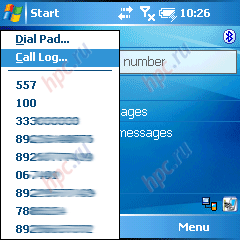
The add-on program Phone, which allows for the pressing call to see a list of dialed numbers, or if you want to move to a standard dial-in field. As shown, the thing is very useful, it is no secret that in most cases, we call it so, who contacted some time ago.
Palm Treo 750v: Palm running Windows Mobile
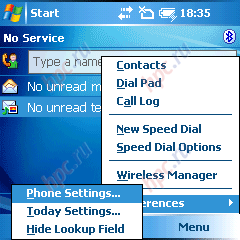
Soft-key Menu screen Today, causing a list of frequently used phone functions, such as a telephone dialer box, a list of calls, speed dial list and the standard application Wireless Manager. Hence, we can get into the setup menu of the Today screen and standard phone features.
Palm Treo 750v: Palm running Windows Mobile
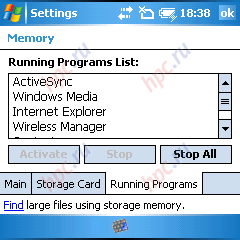
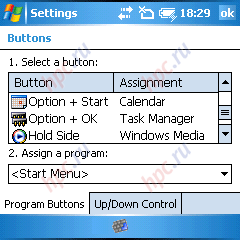
Hardware key rebound performs several functions. When pressed once it extinguishes the display device, while retaining - disables or enables the phone module. Add-in that allows retention of key «OK» to call a standard list of running applications. Of course, not a complete application manager, but still.
Palm Treo 750v: Palm running Windows Mobile
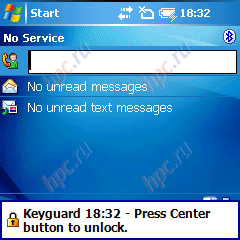
Program Keyguard, are is nothing like an automatic locker keyboard and screen. You can set a condition under which the keyboard and the screen will require unlocking. Unlock the way, by pressing a key rebound, and after her, the central key management device.
Palm Treo 750v: Palm running Windows Mobile
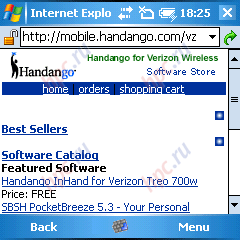
Program Sim Manager, familiar to us from communicators HTC. Simple uncomplicated application to communicate with contacts stored on SIM-card. Annex Email Setup, at the opening of which, we were somehow redirected to a directory of programs popular online store "Pocket" software - mobile.handango.com.
Palm Treo 750v: Palm running Windows Mobile
Known program PDF Viewer, designed, oddly, to view documents in PDF. We add only that in the commercial supply of Palm Treo 750v Preinstalled software may differ from those listed in this review.

Upgrading to Windows Mobile 6 Professional

More recently, Palm began releasing updates to WM 6 Professional for Treo 750 users in Europe, so far it is available only to subscribers of Vodafone in the Netherlands, Great Britain and Ireland. The plans of the developer - Issue updates for no operator's version of Treo 750, which is scheduled for September 2007. Among the most useful changes, in addition to the new OS, we can note the ability to use high-speed standard HSDPA in the new firmware, as well as several software add-ons.

Luggage

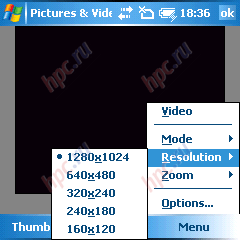
On your device, the camera with a resolution of the matrix 1,3 Mp. In the settings you can choose the resolution photos:
  • 1280x1024
  • 640x480
  • 320x240
  • 240x180
  • 160x120
    Scene:
  • normal
  • Burst
  • Shooting timer
    The value of zoom:
  • 1x
  • 2x
Also, you can select the image quality of three options:
  • Normal
  • Low
  • Excellent
Palm Treo 750v: Palm running Windows Mobile
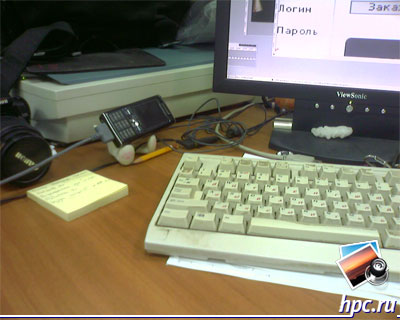
Quality of the photos - very bad for your device. Even in low light conditions, images are obtained sufficiently clear and contrasting. Weak spot camera Treo 750v - shooting objects at close range. Picture is blurred from a distance of approximately 10-12 cm from the subject. Shooting text using the Treo 750v is virtually impossible, the picture quality is far from ideal. Well, for shooting popular subjects, like friends or urban flower garden, camera features our hero will be enough. In short, the usual camera for your device.
Palm Treo 750v: Palm running Windows Mobile
Palm Treo 750v: example photo (jpg, 1280x1024, 308,7 Kb)
Palm Treo 750v: Palm running Windows Mobile
Palm Treo 750v: example photo (jpg, 1280x1024, 357,9 Kb)
Palm Treo 750v: Palm running Windows Mobile
Palm Treo 750v: example photo (jpg, 1280x1024, 373,8 Kb)
Palm Treo 750v: Palm running Windows Mobile
Palm Treo 750v: example photo (jpg, 1280x1024, 419,2 Kb)
Palm Treo 750v: Palm running Windows Mobile
Palm Treo 750v: example photo (jpg, 1280x1024, 525,2 Kb)
Palm Treo 750v: Palm running Windows Mobile
Palm Treo 750v: example photo (jpg, 1280x1024, 438,3 Kb)
Traditionally, maintained and shooting videos. Save video is possible only in format 3gp. Available resolution 352x288 and 176x144. The video quality - much higher than the quality of photos produced by the same camera. Even when you move the machine, the image is not converted into slideshows, with color and everything is in order. Evaluate the video quality can be slightly lower.
Palm Treo 750v: Palm running Windows Mobile
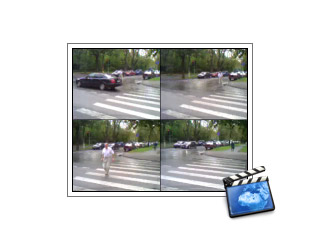
Palm Treo 750v: Video sample (3gp, 352x288, 15sec, 769.9 kb)

Price and Availability

Currently, Palm Treo 750v is only sold overseas. The cost ranges from 860 dollars for a standard package, to $ 950 per set with a GPS-set. Exports to Russia is still under question, and the price in this case plays a significant role. Still, in this price range there is a sufficient number of competitive models.

Conclusions

Palm Treo 750v - a perfect example of the communicator, focused on the business user. "During this" speak well thought out design and ergonomics, quality of materials and a full QWERTY-keyboard and compact design. The latter, incidentally, generally distinguishes our hero among the competitors. Certainly, in the arsenal of many manufacturers have and the QWERTY-monoblocks, for example, i-Mate JAQ3 or ORSiO p754, and touch QWERTY-sliders (HTC P4350, HTC TyTN, Glofiish M700, ORSiO g735), exactly like device with a full keyboard among smartphones (Samsung i320, Samsung i600, HTC S620).In our case, we get a combination of classical monoblock form factor, touch screen and QWERTY-keyboard, which at least allows typing with one hand, without denying yourself if necessary and in touch. Of course, with all the advantages of this device is unlikely to fall into the category of popular models, but the buyer, he certainly will. And very likely, they will be user for whom the first place are easy operation and high battery life, and only followed by high-performance and multimedia features. Well, now, by tradition, to express the impression of the Treo 750v in a form listing the advantages and disadvantages.
    Pros:
  • Excellent ergonomics
  • High quality of housing
  • Comfortable keyboard
  • Good battery life
    Cons:
  • Lack of Wi-Fi
  • Non-standard jack for cable and charger
  • Square screen (240x240)
The authors, translation: