What is a smart handheld assistant?
Mobile devices are becoming increasingly popular. That cell phone comes to mind when the word "mobility", but still the phone or player - it's a thing in itself. What can the player? Play music, show videos and photos. Everything. Phone, of course, can call or even allow you to stroll through the Internet. But it's not that. And here comes the main opponent of the phone - smart phone. Smart mobile phone will not only enjoy all the features of the phone, but also to add new features to your liking. The player can easily replace the PDA, which has just an incredible potential. But the apotheosis of all of these devices is now an instrument called a communicator. It has everything: player, phone, PDA and what you yourself might want, and then think of - programming still has not been canceled. Finally separate group navigators - the device will not let you get lost, as well as entertain outdoors or on the road. This part of the article about pocket assistants designed to help beginners in the difficult choice of his first multifunctional handheld device. And we begin the story with a PDA, then gradually move on to smartphones, communicators and conclude on a cheerful note navigators.
Personal digital assistant - PDA
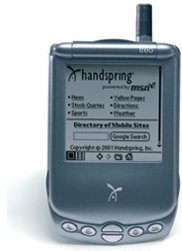
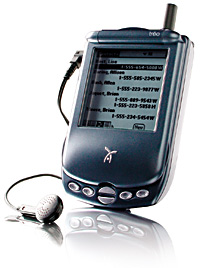
I'm sure many are not only heard this abbreviation - PDA, but also saw the device personally, at least in the picture. Incidentally, PDAs abroad know how to PDA (Personal Digital Assistant) - Personal Digital Assistant or Pocket PC (PPC) - Pocket PC. CCP is a flat box with a large screen that occupies most of the front panel and a minimum of buttons. Like Big Brother (BB - in forums, he's an ordinary home "personalka), PDAs, gifted with a CPU, RAM (random access memory - memory that is) and ROM (read-only memory - an analog of the hard drive). Each CCP is characterized by the frequency and the model of CPU, RAM, which is usually referred to as RAM (Random Access Memory) and ROM, that is, ROM (Read Only Memory), and the availability of expansion slots, resolution and screen diagonal, the presence of auxiliary elements, such as a means of connection and communication. A small number of buttons in handheld computers (remember the PC keyboard) because the active means of managing this difficult device supports touch screen, it shows the necessary controls - buttons, radio buttons, scroll bars. On the screen have to press a special wand - stylus (stylus), which included (usually not one - there is a spare in case of loss or damage).
Form factors PDA
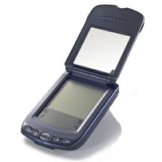
The main types of buildings PDA. The most common - a candy bar with big screen, in such performance is most PDAs.
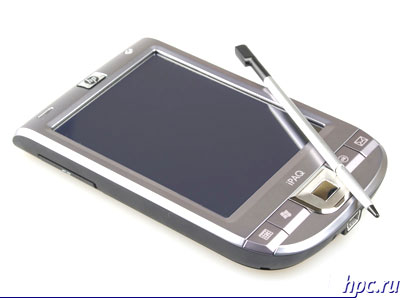 |
| HP iPAQ 114, operating system, WM6 Classic |
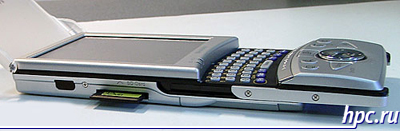
Rare PDA as a slider, basically, is a production company Sharp, they have also found and PDAs with a folding swivel screen.
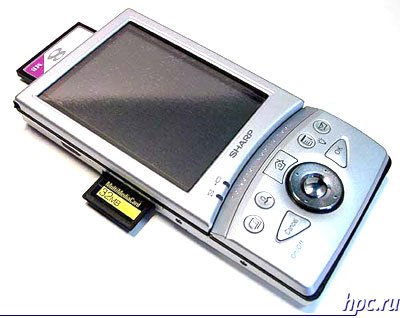 |
| Rare are the type of PDA-slider Sharp Zaurus SL-5000D |
| Part II - Devices "width =" 400 "height =" 378 "/> |
| PDA with a keyboard and swivel screen Sharp Zaurus SL-C3200 |
Further separation of the CCP is on the screen resolution. On well-known models handhelds Palm screen resolution of 160x160, 320x320 or 480h320 points.
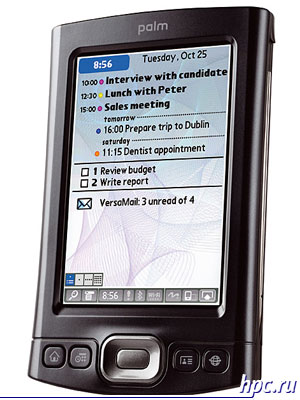 |
| PDA Palm T | X |
PDAs based on Windows Mobile have a display resolution of 320x240 usually, at least 640x480 pixels, and some models even 800x480 pixels.
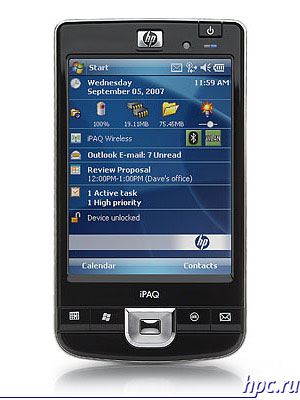 |
| PDA with a VGA-screen HP iPAQ 214 |
As you can imagine, the greater the resolution, the sharper the image will be on the screen. However, it should be at the same time due to screen size, which is expressed by a diagonal - the diagonal at low and high resolution to make out small items on the screen will be very difficult. Diagonal screen size on modern PDAs can be from 2.8 to 4 inches or more.
Operating Systems
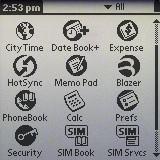
According to the type installed on it the operating system can distinguish two main types of PDAs. Most handheld computers powered by Pocket PC - is the operating system Microsoft: Windows CE, Windows Mobile. Palm brand devices operate on the same name by the operating system Palm OS. PDAs are equipped with Sharp's very very unique operating system - based on a lightweight version of Linux.
Communication
Among the features of handheld communications have such popular interfaces like Bluetooth and Wi-Fi. Any Pocket PC can transmit data and audio over Bluetooth, this technology is most often used to synchronize with your PC and you connect cell phone to browse the Internet. In addition, Bluetooth is used to connect various peripheral devices: you can connect a mouse, keyboard, GPS-receiver, and more.
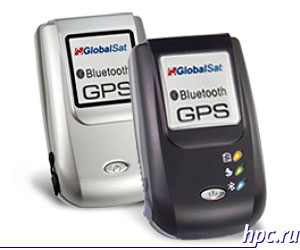 |
| Peripherals for PDAs: Bluetooth GPS-receiver |
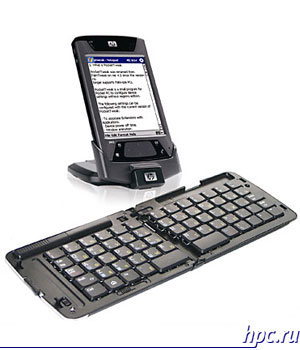 |
| Peripherals for PDAs: Bluetooth Keyboard |
Wi-Fi is used to connect the PDA to the computer, as well as for Internet access in the range of the access point, Wi-Fi. In some (especially older) PDA has an infrared port that is receiving less and less widespread. This port can be used to synchronize with a PC or to connect to a mobile phone, as well as for connecting peripherals. From Wireline icpolzuetsya USB port, which on some PDAs can act as a USB-Host - a special hardware port in the USB, enabling you to connect external USB devices, while devices are powered by batteries PDA (USB-flash drive, for example). With the help of a third-party software of any handheld computer can be recognized desktop as a removable disk, a standard connection to the PC is the bundled software - Sync Manager. Rarely used COM-port, and allows you to connect external devices.
Expansion Slots
Any Pocket PC supports the expansion of internal memory, ROM through flash cards. The most common types of slots are Compact Flash and SD / SDIO / MMC.
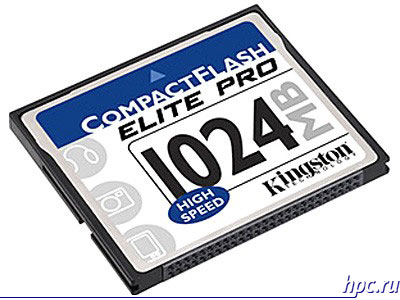 |
| Compact Flash memory card |
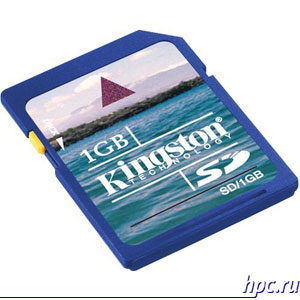 |
| SD Memory Card |
CCP supports SDIO can use special cards SDIO, for example, GPS receiver or Wi-Fi module.
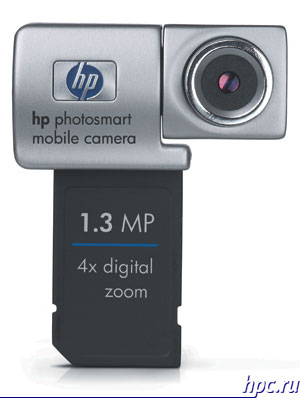 |
| SDIO camera |
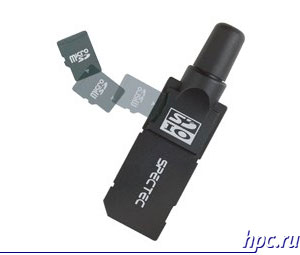 |
| GPS-module with built-in SDIO slot for memory cards microSD |
Some PDAs can even be equipped with a pair of slots, usually a CF slot and SD. Card type is usually specified in the description of a mobile computer, which also indicated and the amount of cards supported by the device.
Additional features
In general, PDA equipped with a built-in GPS, making it possible to use the computer as a handheld personal navigator.
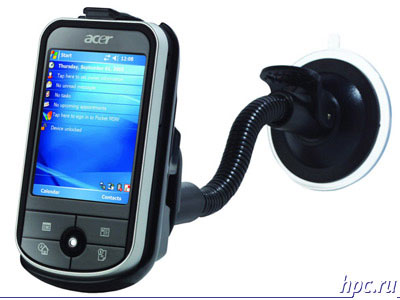 |
| PDA GPS-enabled Acer C531 |
At first glance, PDAs with integrated GPS is no different from the usual, but almost all of these devices present connector for external GPS-antenna, but on some computers, even the present flap GPS-antenna.
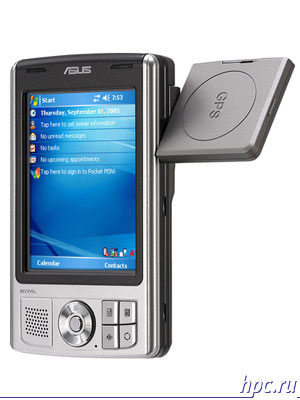 |
| Asus MYPAL A639 |
Manufacturing companies
Dell - a well known company that produces not only laptops, but also a very decent PDA. That only is the legendary model of Dell Axim X51v. However, not so long ago, Dell has refused to release the CCP, so is unlikely we will see new items under this brand. ASUS specializes in inexpensive PDA with a nice design. Simple and reliable device. Acer is known for thin, low-cost model N3xx, which was very popular. In the line of Acer at the moment are few models, including those with built-in GPS. Fujitsu-Siemens computers famous series LOOX, range is quite extensive and includes a model with a VGA-screen and GPS. Like Dell, said about leaving the PDA market, however, the model badged Fujitsu-Siemens can still be found on sale. HP, perhaps, the most active right now on the PDA market. IPaq Pocket PC series are quite popular, today announced new models. Palm - the most ancient platform, but, unfortunately, almost no new models, and the old is very difficult to buy. Examples of models of Windows Mobile Pocket PC with VGA-screen:
| Part II - Devices "width =" 300 "height =" 400 "/> |
| Dell Axim X51v |
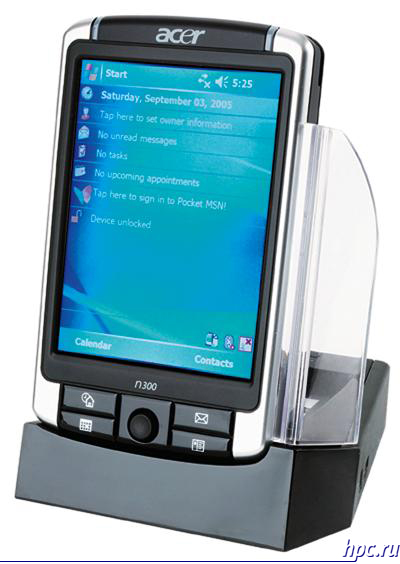 |
| Acer N311 |
Examples of models with built-in GPS:
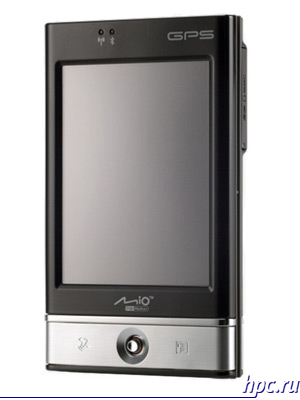 |
| Mitac Mio P560 |
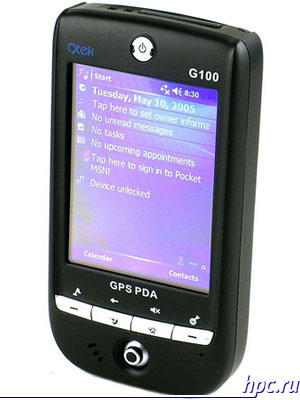 |
| Qtek G100 |
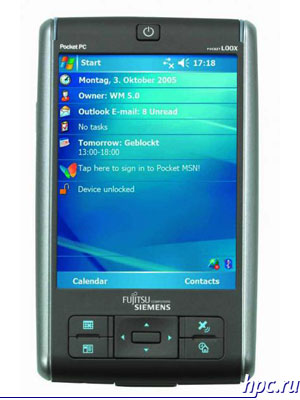 |
| Fujitsu-Siemens LOOX N560 |
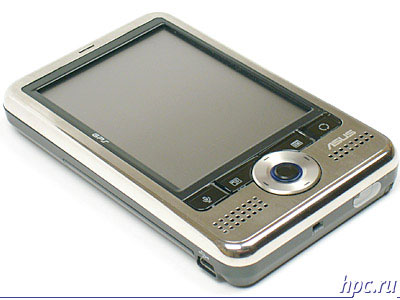 |
| Asus A686 |
Smartphones - the next stage of development Phones
Well, who among you did not hear the word smart? Probably everyone. Meanwhile, this concept all the stronger part of our vocabulary of everyday life. Unlike a regular phone, smartphone, as well as PDAs equipped with a processor, random access memory and flash memory (ROM), and manages all of these management common platform - the operating system. The smartphone does not have a touch screen, but it has a full-fledged phone module GSM, and new models also 3G. This allows you to use your smartphone as a normal phone: it has a full numeric keypad, but additional opportunities are much broader, but let's detail.
Form factors smartphones
The most popular and most common is a form-factor "monoblock", which is popularly aptly named bricks. But, nevertheless, "brick" the most reliable and convenient. In addition to the candy bar phone keypad, you can find candybar with QWERTY-keyboard, featuring more width and unfurled a 90-degree swivel screen.
 |
| Smartphone with QWERTY-keyboard HTC S620 |
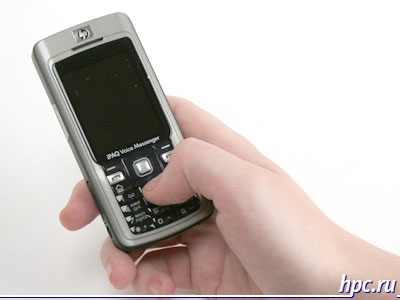 |
| Smartphone with a numeric keypad HP iPAQ 514 |
Next is a clamshell, this form follows the more the company Nokia. There is also a horizontal clamshell, but it's very rare model.
 |
| Qtek 8500 Smartphone |
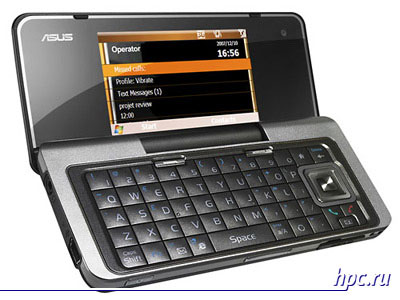 |
| Asus M930 Smartphone |
Slider, still popular among young people dress in the latest fashion. Normal slider includes an upper portion of the display, which moves up and gives you access to the numeric keypad.
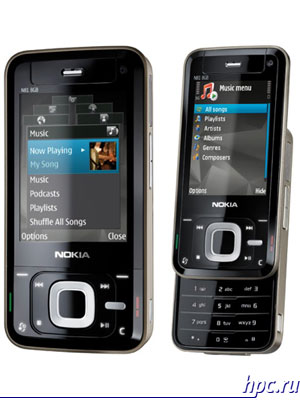 |
| Nokia N81 Smartphone |
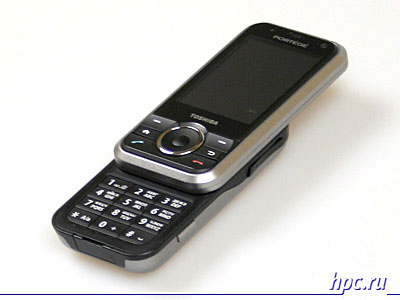 |
| Toshiba G500 smartphone |
Dual slider that became popular thanks to smartphone Nokia N95, can shift the display unit not only upwards but also downwards, which gives access to the keys, media player controls.
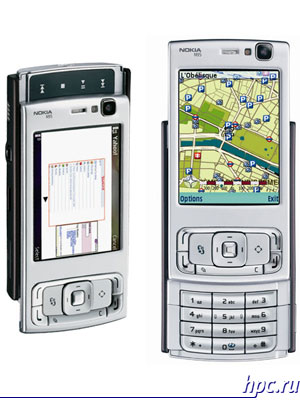 |
| Nokia N95 Smartphone |
There is also a specific form factor, as a horizontal slider. Outwardly, this smartphone looks like a normal phone, but it's worth to move the entire front panel sideways glance as opened a full QWERTY-keyboard and the display is rotated 90 degrees. On such a machine is convenient to write messages SMS, ICQ or email.
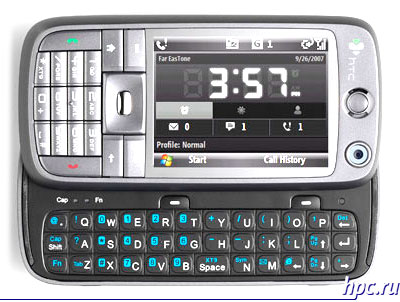 |
| HTC S730 Smartphone |
Screen resolution of most smartphones is from 176x208 to 320x240 pixels. Rarely used non-standard resolution, so smartphone Nokia N80 has a screen resolution 416h352 point, but this is an exception to the rule. Even a smartphone Asus m930 clamshell has an external screen is 320x240, and the inner a little more - 400h320 points. VGA-screens on smart phones are not used - this is due to the small diagonal of the screen, usually from 1.8 to 2.8 inches. Feature of any smartphone is the lack of the touch panel screen. All management is done through the keypad and five-way button (joystick), which simplifies the device and makes it look more like a cell phone.
Operating System
The handset is used, mainly operating system Windows Mobile (today there are 5.0, 6.0 and 6.1 of the OS) and Symbian OS (Nokia Series 60 platform). Sometimes there are Palm Treo smartphones based on Palm OS (but these devices are more to your device, rather than smart phones) as well as rare in our country Smartphones Blackberry with its own operating system.
Communication
Among the communication modules for smartphones, of course, the first in the list will be a module GSM / GPRS / EDGE, which allows to make calls, use the device as a modem for your PC and take advantage of mobile and more.And today we increasingly see communication module 3G/UMTS for third generation networks, whose use is not far off already in our country. Using third party software can be improved, and configure itself to work with SMS, email, phone calls, put the answering machine or recording conversations in the file. And most importantly, with the unit having the functionality of CCP, you do not need to carry a cell phone (or vice versa, the phone is not required to wear the CCP). Almost every smartphone (except for very old models) module equipped with Bluetooth, which is most often used for wireless headsets, GPS-receivers and home PCs, although the functionality of the module rarely concedes that of the CCP. IR port is almost no longer applies, since the standard is rapidly becoming obsolete. But Wi-Fi on the contrary can be seen more often - a standard suitable for the network connection for surfing the Internet, VoIP using Skype, Fring. But to build a full-fledged local network between smartphone and PC yt is always possible, due to the limited functionality of Wi-Fi smartphones. Of the wired interface is used by USB, more often than version 1.1 with a low data rate.
Expansion Slots
Thanks to its compact size, smartphones are equipped with compact version of flash cards, among them the most common miniSD and microSD. Any smart phone supports memory cards up to 2 GB, inclusive, and those devices that have support for SDHC (Secure Digital High Capacity) and more than 2 GB, this feature should be listed in the description of the model.
Additional features
Additional features include mention GPS-module, embedded in some smartphones Nokia, this device gets added functionality for a small amount, which is very important. FM-radio, and is implemented in some models, will not be bored on the road and give a feeling of oneness with the world. Like many phones, the vast majority of smartphone features built-in camera, with some recent models of these devices is very well filmed. The presence of the flash (usually LED) also depends on the model. Actually, the camera is not only equipped with devices targeted at the business segment, and even then not all. Better photo module have smartphones based on Symbian, but in WM-smartphones camera is a rather nice addition.
Manufacturing companies
Samsung manufactures both smartphones Symbian S60, as well as on Windows Mobile. Such devices have index «i» in the title, for example, SGH-i320. Nokia - trendsetter in the world of Symbian S60. A huge number of models, the entire N-and E-series phones Nokia - smartphones, even some models with a numerical designation based on the S60. HTC. This Taiwanese company has been producing vehicles exclusively on a platform of WM, and sold not only under the name HTC, but also makes the device available on request. The model number of the company have a few smart phones. Through this company, devices based on Windows Mobile is becoming increasingly popular. ASUS is not very long ago began to produce smartphones in the line of the company already has two interesting models: one-piece clamshell M530w and M930. In addition, in the camp of the smartphone market noted such famous companies as Fly, Toshiba, Palm, HP, RoverPC, Voxtel, Motorola, i-Mate and others, as well as some mobile operators (O2, Vodaphone), selling HTC devices under their own brands.
Communicators. When all in one
So we got to the most functional and expensive devices including smart devices. Communicator - it's almost a laptop. Only a pocket. Among the merits of communicators can select the full functionality of PDAs, cell phones, portable music player, the navigator (not all models), Internet Tablet, and more. And all because of a smartphone - it is rather a phone with built-in PDA, a communicator - on the contrary, PDAs with built-in phone. It is worth noting that the smartphone has become famous, basically, Nokia with its platform S60, and the vast majority of communicators based on Windows Mobile different versions.
Form factors
This is where the engineers cleared a fantasy, so it is in the design of communicators. After all, today is the most popular devices premium, an increasing number of buyers prefer a communicator, rather than a cell phone. The basic form factor, of course, remains the candy bar.This device looks like a classic PDA, also equipped with a touchscreen, but it has a key characteristic of the reception / reject the call.
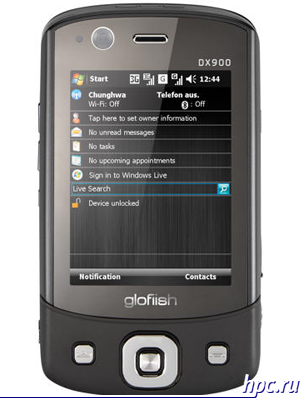 |
| Communicator glofiish DX900 |
As a complement, candy bar may have a numeric keypad, or the original QWERTY-keyboard below the screen. Keyboard famous models such as the Asus P750, P527, Sony-Ericsson P1i, M600i, and of course Palm.
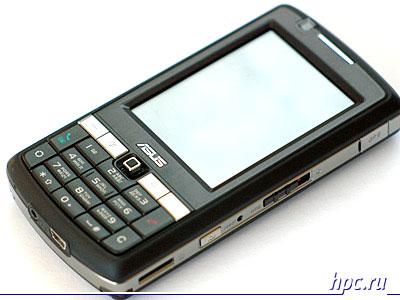 |
| ASUS P750 Communicator |
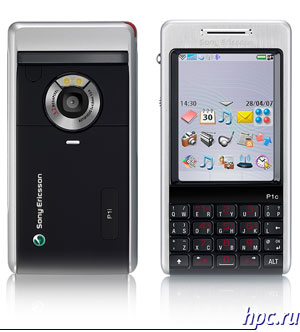 |
| Communicator Sony Ericsson P1i |
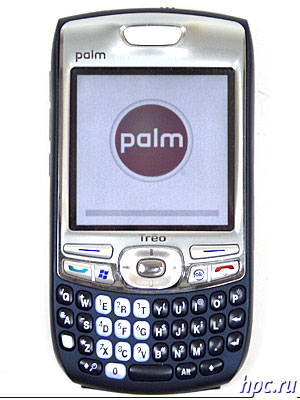 |
| Communicator Palm Treo 750v |
The slider also has occupied its niche in society and among communicators. Present as usual vertical slider (HTC Touch Dual, Samsung SGH-i750), and the more common horizontal slider with QWERTY-keyboard (HTC TyTN II, glofiish M800, Toshiba G900).
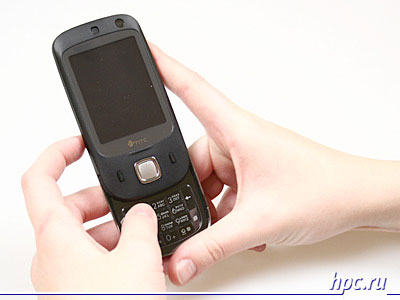 |
| Communicator HTC Touch Dual |
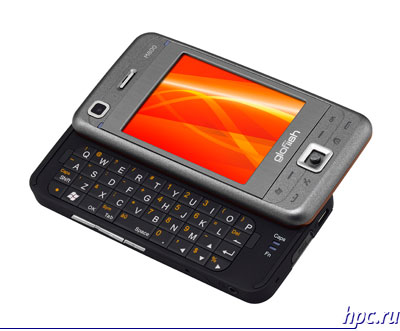 |
| Communicator glofiish M800 |
Clamshell communicator hardly any (if you have a view of the classic clamshell), although there were older models of Lenovo or RoverPC S2, now some popular models, performed in a horizontal clamshell laptop (Nokia E90, 9300i, QTEK 9000). Such devices necessarily include a full QWERTY-keyboard under the folding screen.
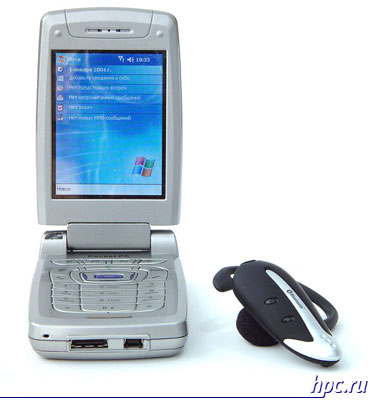 |
| Communicator RoverPC S2 |
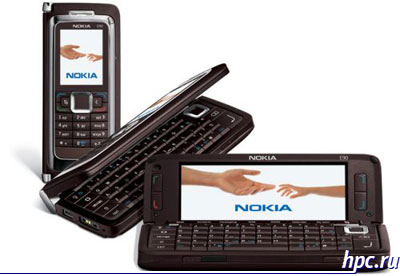 |
| Nokia E90 Communicator |
Finally, communicators with a flip. These models resemble a regular telephone. Flip these devices carry the keys phone module and partially conceals the touch screen in the closed position.
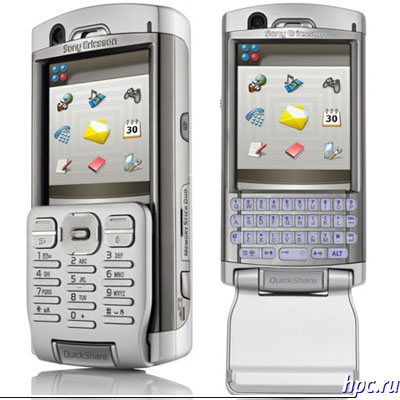 |
| Communicator Sony Ericsson P990i |
Screen resolution of 320x240 pixels (QVGA) common to almost all models of these devices. Palm Treo Communicators have a screen QVGA - 320x320 pixels, Toshiba G900 even has a screen of 800x480 pixels, finally, the producers started to pay attention to the screens with a resolution VGA (640x480 pixels). Diagonal screen size varies from 2.4 to 3 inches. Touchpad on the screen are 99% of all communicators. Only a few models of Nokia Communicator deprived of touch screen - a model E90 and the entire 9hhh series. However, the specific features and similarities with the laptop in the presence of GSM / UMTS module allows you to rank these models in particular to the device and not a smartphone, although in the folded position they are strongly reminiscent of the phone.
Operating System
If the majority of smartphones running Symbian OS, the majority of communicators in the power of Microsoft Windows Mobile. This operating system was originally developed for a PDA with touch screen and could not be better approached communicators by adding telephone functionality to the OS. Thus, most models of PDA runs on Windows Mobile 6.0 Professional and 5.0 Phone Edition. Communicators prefer Sony Ericsson Symbian UIQ3.0. This is a unique communicator with advanced features, but a limited set of third-party software. Palm OS carry a series of communicators PalmOne TREO, and Mac OS X has all-honored Apple iPhone, which has not yet acquired a rich selection of third-party software.
Communication
First there was marked by the GSM-module, which provides telephone communicator functionality. Immediately, and GPRS / EDGE, though, EDGE are not all models. Some models get built-in 3G/UMTS with mandatory HSDPA Internet channel at 3.6 Mbps. It only remains to wait for the introduction of 3G in Russia. Tellingly, the mobile unit can be turned off when flying in an airplane, and use the device as a conventional PDA. Each unit is equipped with Bluetooth 1.2 module, or 2.0 + EDR with communication range up to 100 m, and the module provides the full functionality of all external devices. Bluetooth can be used to connect to a PC, keyboard, mouse, stereo, GPS-receivers and other devices. Wi-Fi module is built into all communicators not only in the model of secondary and higher price range, fuel-efficient models it is usually not. The underlying protocols that support Wi-Fi - it IEEE802.11b and g, and with all the functionality. GPS today is built into almost all vehicles. This feature is very popular and is becoming more popular because there is no need to bring additional Bluetooth GPS-receivers. However, the small battery life of such a device makes it unsuitable for walking navigation, and here the car such a device would be very handy. With a computer device connects via USB, for which each unit is supplied the necessary cord.
Expansion Slots
Here, as well as in the PDA can be used by different types of cards. WM communicators use maps standard SD, 99.99% of all vehicles - their smallest ones - mini-and microSD. Some new models (Windows Mobile 6.0 and above) have support SDHC high capacity. Nokia uses, and RS-MMC cards. But communicators Sony Ericsson (except the new model Xperia X1) hold its own Memory Stick M2.
Additional features
As well as smartphones, communicators are equipped with built-in cameras, the flash is often absent, and if there is, it's usually white LEDs. Resolution cameras on today's communicators from 1.3 to 4 megapixels. Communicators with the 3G module and have a low resolution camera on the front, it is designed for video calls, possible third-generation networks. Some communicators are equipped with even a fingerprint scanner (Toshiba G900). Also occasionally in some models can be found FM-radio, and even with the support of RDS. The most powerful machines, such as HTC X7500, equipped with a built-in 3D-graphics accelerators and more powerful processors, but the handheld device is no longer pulls.
Producers Communicators
A large number of companies took up this trend. First among them we select a company HTC, which is the main company producing WM-communicators, and a large assortment. Asus makes a whole line of communicators WM for every taste. The latest models are equipped with all necessary modules. Gigabyte recently started producing devices based on Windows Mobile, but has already established itself with a good hand. Toshiba also involved devices WM, today in the range of the company has several models and it's pretty interesting. Especially model G900 - first communicator with big screen and a fingerprint scanner. E-Ten famous communicators class all in one GPS-enabled based on Windows Mobile. Sony Ericsson makes communicators based on Symbian UIQ 3.0, which have touchscreen and business-oriented. Sufficiently distinctive vehicles. On Windows Mobile announced yet, only one device Xperia X1. Nokia does not yet have in its line of large selection of smartphones, mostly non-touch line 9hhh/E90 and Internet Tablet N800/810, and already obsolete unit 7710.
Navigation - assistants on the road
Navigators are a specific device, if the previous category of devices can be divided clearly, the navigators are divided within their own group for several types of devices. Navigation based on Windows CE - represent almost PDA with built-in navigation, it's quite functional multimedia devices. There are several types, the most common personal and car. The latter, as a rule, have not exactly pocket size, high definition touch screen, and sometimes even a TV tuner for viewing gear in the car.
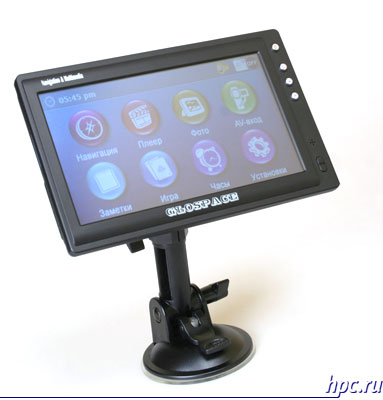 |
| Navigation Glospace SGK-70 |
Portable navigators - as the name intended for use in campaigns and the function they have only one - the navigation. There are simple models that show the position and speed, and more complex, with display cards.
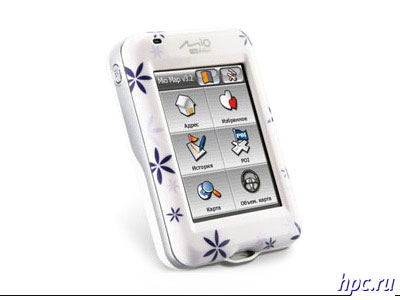 |
| MIO H610 Portable navigator |
Bicycle / motorcycle navigators did not differ from other than personal control (for lightweight drive) and mount on the handlebars.
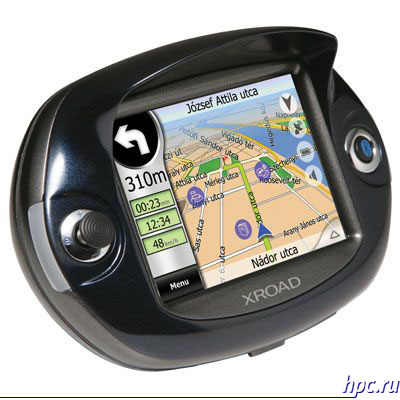 |
| Navigator for Moto TiBO A 4050 |
Marine Navigation - very very specific devices with the ability to display weather, ocean currents and even listen to satellite radio.
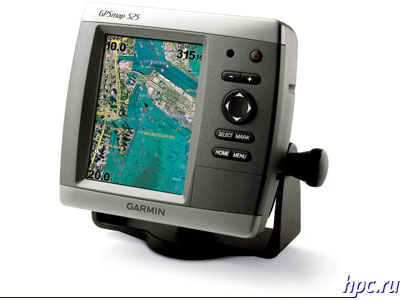 |
| Marine Navigation |
GPS-Receivers - fairly large class of devices. Can be both wireless and USB or SDIO with a direct connection to the device.
| Part II - Devices "title =" Smart handheld assistants. Part II - Devices "width =" 400 "height =" 300 "/> |
| USB GPS-receiver |
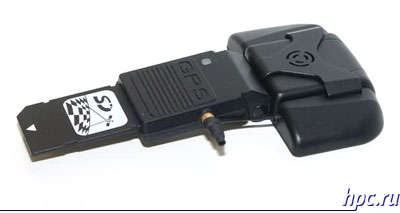 |
| SDIO GPS-receiver |
USB-receivers are designed for use with a laptop or PDA with USB-Host. This implies the presence of a laptop or PDA of a special program for navigation (like OZi Explorer), which determines the receiver and uses it to specify the coordinates on the map. SDIO / Compact Flash models are designed to work with the Handheld PC / PDA with the appropriate port (today almost all PDAs have a SDIO). But Bluetooth GPS-receiver can work with any device - be it PDA, Smartphone, laptop or PDA. It is natural for these devices require special software for GPS-navigation.
Summary and Conclusions
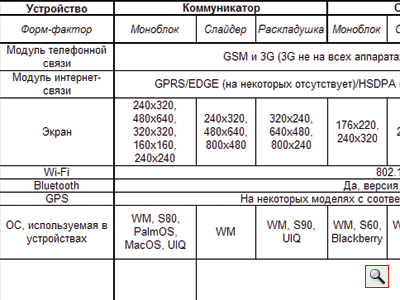
Of course, this text does not reveal the full capabilities of smart devices, the article only helps determine the choice of devices that you need. All the possibilities of pocket PCs and communicators can be described only in a very large book. So what we end up? Let's think logically. Let's start with the PDA. This device has a large screen, powerful enough processor, but the CCP will be plenty of phone in your shirt pocket not particularly like. Therefore, such a device is very useful as a fellow traveler on the road, because it can work, and the player, and a navigator, and the Internet in which case the exit, not to mention maintaining personal notes, address book, etc. - That is, in many ways a good alternative to a pocket notebook and is suitable for those who unnecessarily GSM/3G connection with the unit. The smartphone is now no longer a luxury. The size of a cell phone can not only replace a cell phone, but to become a great companion on the road, on vacation or picnic: this music and camera, and the Internet, and games, and navigation (when connected to the GPS-receiver, and in some devices already have built-in). Rather simple and reliable solution to all-in-one smartphone is perfect as the first intelligent machine for the novice fan of electronic devices. Communicator, you guessed it, combines the advantages of PDAs and smartphones. Here and quite a large screen, to the same sensor, and the size is almost like a telephone, and navigation. Is there anything that we can only wish for. A variety of form factors allows the user to find the right machine for your needs: who needs more telephone - he chooses candybar with a numeric keypad, who often speaks on ICQ, E-mail or SMS - select a horizontal clamshell, candy bar or a side-slider with QWERTY-keyboard , well, one who is more important than multimedia and navigation - select a simple one-piece (they are usually large screen). And those who are most of the time behind the wheel, or just likes autotravel probably opted for a specialized navigation device. The table below shows the main features and differences of intelligent assistants.
 |
The authors, translation: