GSM / GPRS module converts Audiovox Pocket PC to Smartphone

Today, the media, somehow related to portable electronics, it's hard not to meet a statement like "communicators and smart phones wiping out the usual PDAs. Vozozhno, it does so, moreover, that the new models communicators appear almost every week. Nevertheless, in itself, a PDA - the product is very popular and users of PDA while more than smartphones. This is especially important for our country, where the new items (especially if they can work in cellular networks), there are long overdue.
GSM / GPRS module converts Audiovox Pocket PC to Smartphone
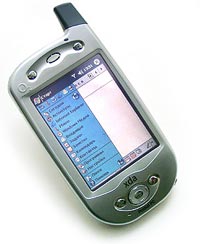
Audiovox RTM-8000
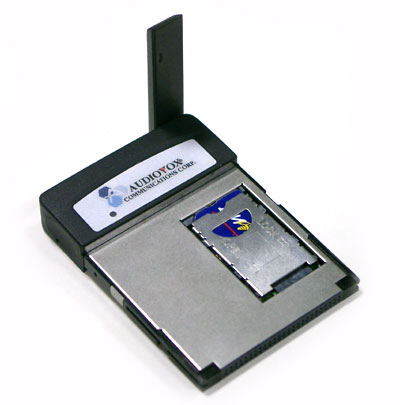
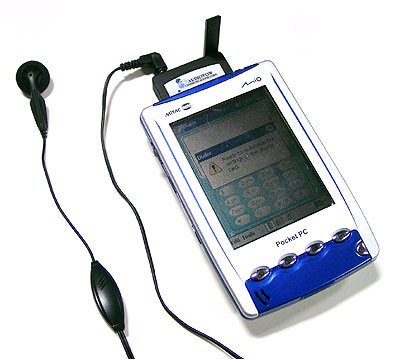
Nevertheless, desperately wants to reconcile. Than to carry two pieces of iron, is not it easier to sculpt them into one? To solve this problem, there are GSM / GPRS modules (usually on the cards form factor Compact Flash), which are connected to the handheld. One of these modules - RTM-8000 Audiovox - came to our office for testing. Of course, tastes, all different, but I would never have traded my mobile to this Audiovox. RTM-8000 - a typical example of ruined an excellent idea. IMHO. Outwardly, everything looks good: neat box with a plump instruction manual, the disk itself is a solid card in a transparent plastic cover and handsfree headset with microphone. For work, of course, will need additional software - Dialer from IA Style can be installed from the CD that comes with Included Parts supplies. In addition, the disk can find software for different versions of Windows, which will use the card as a wireless modem. Probably true for laptops. We are also much more interesting, how it will work on a PDA. As a guinea pig used the "average" Pocket PC Mitac MIO 528.
GSM / GPRS module converts Audiovox Pocket PC to Smartphone
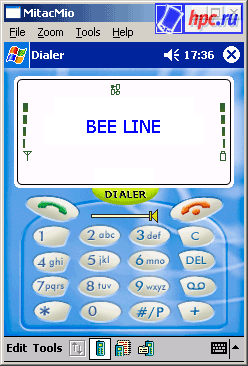
Mitac Mio as a phone
So, after installing a new program menu appears Dialer. Run, we see on the screen familiar to all owners of mobile phones number keys, plus two additional buttons: start a conversation, end the conversation. The middle place of honor on the volume control. Unfortunately, with a scroll wheel it has nothing to do, so the volume will have to adjust the stylus (or, to ascribe the "volume up", "volume down" to the other buttons on the body). The keys to the figures occupy a lot of space, but in practice dialing finger results in a heroic struggle with the CCP. Painted buttons obviously would not hurt to be a little more.
GSM / GPRS module converts Audiovox Pocket PC to Smartphone
The main screen
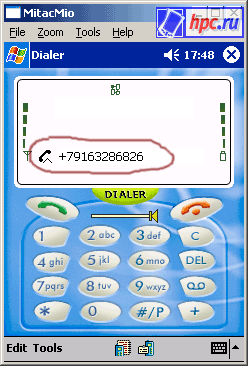
At the top of the screen - a field that performs the function display of a mobile phone. However, useful information here is not very much. Displaying the reception level, battery level Bater, operator logo, and, if access to the GPRS, the icon. It also displays the number from which the incoming call. When calling the top of the screen still flashes an icon with the phone. Unfortunately, as I tried, I could not catch it in a screenshot. If you are unable to answer the call, his number is on the screen. You can poke and call back. It also displays icons sinaliziruyuschie a new voice mail message, a new text message or mailbox is full, the roaming, etc. That is, in fact, all that is available from the main screen.
GSM / GPRS module converts Audiovox Pocket PC to Smartphone
Incoming call
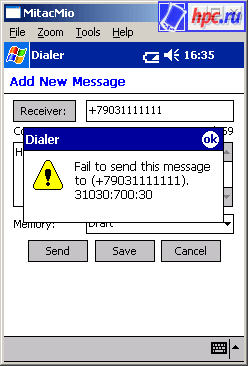
After just a few minutes of use it appears that the use of RTM-8000 in a phone fun, but inconvenient. For example, I often get a phone call from the list of recently dialed calls, to which almost any modern phone, you can get in one keystroke. Here, such a list, not at all - there are three separate for missed, received, and dialed. The manual says that a long press of a button start the conversation allows you to dial the last number dialed. Well, I do not know how I'm there which is not pressed, but I have nothing to type. Maybe hand curves, but the fact remains. A separate screen is designed to work with a list of contacts on the SIM-card. You can edit, create, delete. Call the selected number in two clicks. Here everything is predictable and easy. Just out of this mode is accessed by three lists of recent calls. Here you can specify one or more numbers to call in an emergency (112 and 911 calls can be made, even if you do not have money in the account or no SIM-card). Next comes a list of "Frequent" - often used numbers. Here you can add any number, but that this list to do and why we need it, I did not understand the instructions and I can not explain. In principle, there is room allocated to numbered positions, and possibly intended for a set of continuously pressing the corresponding number on the keypad. However, Mitac Mio this trick did not work. Recalling that did not work and claimed dialing, last number, the possibility that this bug personally Mitac Mio. Here is a list of contacts stored on SIM-card. Very nice that you can fully use the data from a database of contacts, which is stored on the PDA. Separate strochechkoy - Contacts. Here are just embarrassed that for each phone - a separate entry. That is, if you have the name of Bill Gates has recorded four phone, Dialer'e will be four separate Bill Gates. Three phone Steve Jobs - Three separate Steve Jobs. The last screen is for typing and sending SMS messages. Here, too, can be selected as the recipient of the entries in the SIM-card and the contacts on your PDA. You can even arrange a mass mailing - contacts on SIM cards can be identified all at once, and contact the PDA will need to add a Mailing List on one. I must say that sms sent out very badly. Normally sent only a tenth of messages come "sms" sometimes without the inclusion of the signal. You are removing commercials PDA module from his pocket, and then a dozen new posts.
GSM / GPRS module converts Audiovox Pocket PC to Smartphone
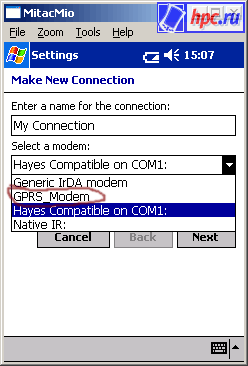
GPRS-modem
No special software "souvenirs" for setting up and connecting via the GPES not. There is only a shortcut that runs the standard setup dialog network connection. In the list of modems appears GPRS-modem, and use that. In terms of data transmission to the module no claims. I have a few days could not start the GPRS MTS, but I think it is the fault of the operator (GPRS MTS is not yet very reliable). With bilaynovskoy card connected to the third or fourth time, then the connection is stable. All settings are standard initialization string is needed. Theoretically, not needed and addresses DNS-servers, but without them, Mitac Mio refused to open the page. Much difference in speed compared with a bunch of Mio + Ericsson R520m was observed. GPRS as GPRS, 2-3 KB per second in the city center during working hours. But the "phone" features leave much to be desired. Reception is much worse than any cell phone in our office (there is also Ericsson'y and Motorol'y and Siemens'y, and LG).Acceptance of our so-so, but all cell still keep the network and allows you to talk, albeit sometimes with audio "artifacts". Audiovox network all the time lost from time to time with the inclusion of an error in the authorization network. After the network lost (released in off-line), not trying to get her back, as well as hanging useless appendage. And in general, creates a feeling of great "glyuchnosti. For example, the program has an option that allows you to leave the PDA on, even if the standard shut after a period of inactivity. Indeed, if the PDA off, the user will miss all incoming calls (and sms not only neglect, but do not always come). All would be great, but this option does not work. PDAs (Mitac Mio, at least), how to turn off both on and off.
GSM / GPRS module converts Audiovox Pocket PC to Smartphone
And so almost always! (In tests, of course, used the existing number)
SMS-messages, as already mentioned, the "go" with difficulty. Reinstall the software, changed the SIM-card (and cameraman) - still goes well if one out of ten. In Russian with sites of MTS and the Bee Line and the phone accepts, too, to send ships, but in Unicode. Most new mobile phone models such communications understand, but with the "old men" like the Siemens C25, S25 and other models of the same model years is better to use transliteration. But to the Handsfree any claims. Moderately clear and clean sound with headphones porollonovoy nasadochkoy (to ear does not hurt). High volume (the program may sound, and "extinguish"). The two sides said that they hear me very clearly, so that the microphone with their functions to cope. Buttons on the microphone you can answer an incoming call or end the conversation. In general, I want to confirm my conclusion - the idea is excellent, but too many glitches (although, certainly, the software is obnovltsya and glitches will be corrected). As a phone I'd use the RTM-8000 does not become (even more so that even in standby mode, it puts a fully charged battery for about half or two hours. The talk is literally seen as an indicator of battery level creeps down. But as a portable skorostonogo (relatively) a modem for GPRS networks, the device is well suited. Energy spent less, and glitches are not so much.'s only GPRS is far from universal even in Europe.

Opinion seller

Company Mobile advice, "the only dealer in Moscow RTM-8000, after reading this article, decided to express their own opinions about the usability of the device. I am pleased to publish this opinion - we are interested in all views. Here is the text sent to us without any changes and comments. Why use this device? As a phone? Not quite true. Still, it is primarily a modem that works in the network GSM / GPRS. Data module can be used as a phone, but it is just an additional feature and judge the merits and demerits of the module (Fe) based on the experience (and not entirely successful) testing program IDialer (software) would be extremely rash. Obviously, the "average" PDA is not quite working correctly with the specified module, and the program IDialer - not only in its class. ("But you never know in Brazil pedro!" - Exclaimed to Don Rosa). Experience in operating the module with "nizhestatisticheskim" PDA Cassiopeia E-115 gives the following results: Catering. Setting the prohibition of transfer of the CPC in standby mode (suspend mode) works! Energy consumption of the module during a call does not result in rapid discharge batteries PDA, and standby consumption is negligible. Speed ​​dialing. This feature is not implemented the program IDialer. Last number redial. To implement this feature, you must press and hold the call button. The implementation of this operation must be performed very precisely, because "Bounce" when you defined the program as a short-term depression and lead to an attempt to dial the number, dialed the phone. This raises the suspicion of leftism of the program, and the reason - shaking hands.Re-register on the network. In this regard, surely noticed that there are difficulties when registering to GSM network after the loss of the network. Obviously, the procedure is to search for and register the network module is implemented is not entirely correct. A bit of personal experience. From my point of view, the program was designed as an auxiliary IDialer (!!!) product. It is obvious that use 2 SIM cards for data transfer and making phone calls for most users PDA is a luxury, so the producers of the module made it possible to make and answer incoming calls with a minimum investment of time and effort. Thus, this device is an analog terminal GSM, while the CPC is used as the user interface (dialer, headset, power supply and everything else). A nice feature of this "phone" is the ability to programmatically change not only the front panel, but also options for audio signals, the location of buttons, their shapes, to improve the functionality of your device. Now the main thing - the modem. Support module standard and extended set of AT commands for data, voice and fax, with phone book and SMS makes it compatible with more software developed for PDAs and PCs, as well as without much difficulty to create new software products. The module opens up new prospects for integration of your PDA or PC in your mobile business. Especially it is necessary to note the possibility to send short messages via GPRS. On the phone. It should be noted that the device requires no complicated setup to work as a phone. Simply insert it into the slot of your PDA and a few seconds you can answer calls using the headset. Availability time of the module to receive calls is comparable to the time of registration in the GSM network standard telephone. IDialer program is used to provide a graphical user interface and access to additional services (SMS, phone book, etc.), thereby compensating for any inconvenience the lack of a SIM card from your phone. The LED on the front side shows the current state of the module. In case of detection and successful registration in the network indicator flashes green. The red flashes indicates the absence of a network or the impossibility of registration. When using the PC laptop (via an adapter CF-PCMCIA) connection to GSM network by default is not carried out. In this case, decreases the time a connection via GPRS because of lack of phase disconnect from the network of GSM. Accordingly, when a connection via the data GSM, shall be registered in the network and the further connection. PDA these procedures are performed by selecting the menu item in the program IDialer. The authors, translation:

Comdex Fall 2002: Pictures at an Exhibition

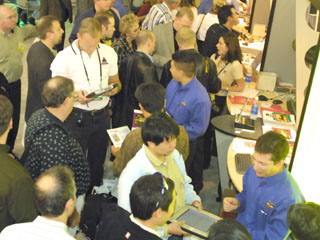
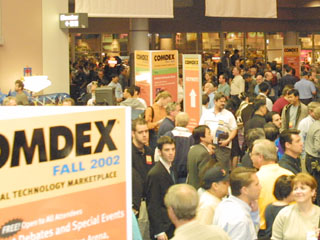
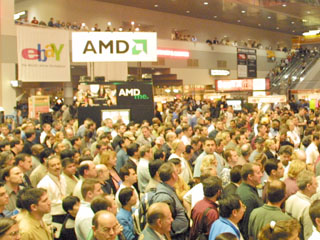
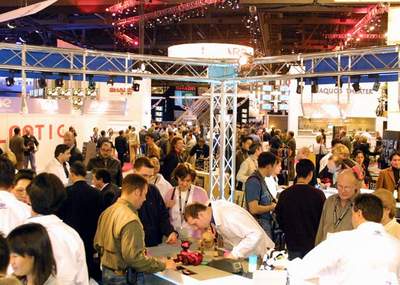
Autumn show COMDEX Fall 2002, we selectively, by subject, coverage in the news, was done on last week at the American Gaming Mecca - the glorious city of Las Vegas. Exhibition of Achievements of hi-tech economy, a distant and so attractive, not particularly serious at this time covered in the media: whether because of the economic crisis, or for some other reason - we do not know. But so wanted to at least a glimpse of action, started in the overseas pavilions in this year! Especially because so many well-known manufacturers gathered to organize within its framework to present their products and conceptually new kinds of devices. What to say Bill Gates with his Tablet PC! Collecting with the world on a string on the news we are interested in a topic to present to you pictures from the show.
Comdex Fall 2002: Pictures at an Exhibition
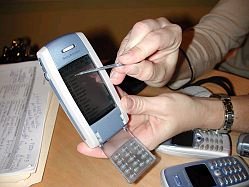
True, in this sketch, we will not talk in detail about various models of PDAs from HP, Dell or Palm - all information can be found in our news. Just take a look at the stands of some participants, companies, and not very solid. Japanese-Swedish alliance SonyEricsson, in addition to widely touted in Russia as a fashion T68i brought to the exhibition and sensational P800 smartphone, the issue of which is known to be postponed until next spring. Cerulean novelty equipped with the latest fashion: a digital camera, integrated Bluetooth, expansion slot Memory Stick Duo, running Symbian OS and threatens, in absentia, even become a killer PDA. Say, with its yield pocket-computer trend has run its course. Well, wait and see ...
Comdex Fall 2002: Pictures at an Exhibition
Pack. Spy Pack ...
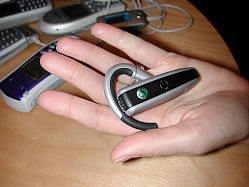
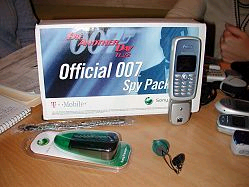
At the booth, in addition to major developments, one could see a mini-digital cameras for several models of cell phones, a tiny Bluetooth-headset, as well as "find for shpienov" - set 007 Official Spy Pack. It turns out that gentleman a set of secret agent, but the actual camera consists of a tiny flashlight that attaches to an instrument of espionage. All outrageously simple ...)
Comdex Fall 2002: Pictures at an Exhibition
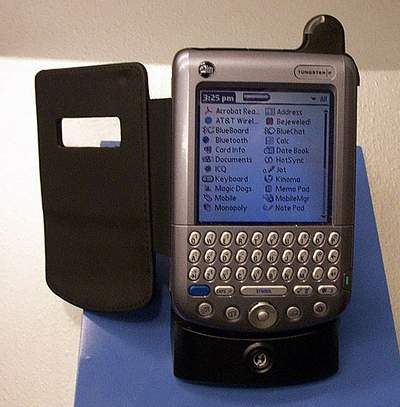
In the Palm booth was crowded as usual. Among the accessories was presented a wide variety of covers for the brand new Tungsten T, and especially beloved by "suits" can be purchased here in the exhibition that opens at the branch-line Store Palm Store.
Comdex Fall 2002: Pictures at an Exhibition
Of course, themselves Tungsten T and W were already there, but getting to them could only be elected. The greatest interest was the wireless Tungsten W handheld PCs based on the good old Palm OS 4.1, as the opener of T has been much discussed and written about. Palm representatives emphasize that this device is not an alternative to a mobile phone. A new wireless handheld designed to work with information.
Comdex Fall 2002: Pictures at an Exhibition
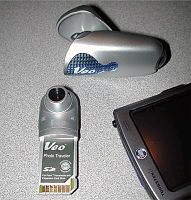
Among the accessories on the benches in the pavilion Palm was a place and a camp on the camera's SD card expansion for the company palmovyh Veo ...
Comdex Fall 2002: Pictures at an Exhibition
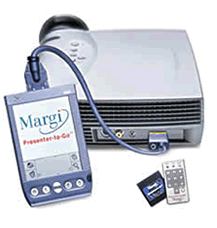
... And set to conduct presentations on the Palm Margi Presenter To Go, which is now compatible with devices based on Palm OS 5 ...
Comdex Fall 2002: Pictures at an Exhibition
... And even Real MP3 player for Tungsten T, which is developing at the moment the company Real. True, try to act soft reporters failed. The developers say the program is still quite raw ... (
Comdex Fall 2002: Pictures at an Exhibition
Rhinoskin also demonstrated the range of covers from inexpensive for Palm Zire to the representative for Tungsten, Handspring Treo and Sony Clie.
Comdex Fall 2002: Pictures at an Exhibition
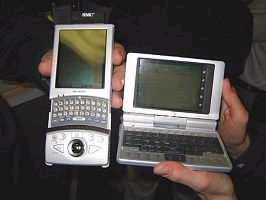
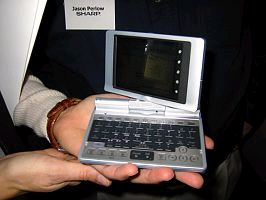
Sharp pleased with not only another linux-PDA SL-5600, but the presentation of the SL-C700, which is on sale now only in Japan. This device with an unusually bright screen reminds Tablet PC, but size does not exceed the average Pocket PC.
Comdex Fall 2002: Pictures at an Exhibition
The model is equipped with 3.7-inch VGA (640 x 480) screen (display PDA made ​​by the very acclaimed technology, with built-in glass substrate electronics), built-in keyboard QWERTY, (step keys - 10.75 mm), 400 MHz Intel processor PXA250 (XScale), 32 MB memory SDRAM, 64 MB flash memory (30 MB user area).
Comdex Fall 2002: Pictures at an Exhibition
PDAs equipped with two card slots for CF Type II and SD, IrDA interface and USB. Its dimensions are 120 x 83 x 18.6 mm and weighs 225 grams. Built-in battery capacity 1000 mAh battery is enough for a PDA work for 4 hours and 50 minutes. Approximate price Zaurus SL-C700 - about $ 420.
Comdex Fall 2002: Pictures at an Exhibition
On the territory of Pocket PC willing to offer to swap their Palm'y on Dell Axim. It is here that you could see and even purchase one of the cheapest and funutsionalnyh Pocket PC, which managed to grow a rumor long before its birth. Tastes differ, but according to eyewitnesses, the novelty velikovata and looks like a typical PDA economy class. However, that would not say spiteful critics, but at the time of the exhibition was sold about a thousand dellovskih firstborn.
Comdex Fall 2002: Pictures at an Exhibition
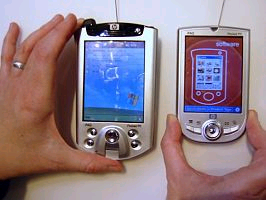
Especially memorable visitors new models from HP. Budget Pocket PC H1900, which we told you, striking a magnificent screen, a hi-end model H5450 high-tech. This PDA coexist zhva keenly competing wireless standard, Wi-Fi and Bluetooth, the system user identification by fingerprint, SD / MMC clot supporting SDIO (peripheral to memory cards), the special back battery and replacement battery 1350 mAh. By the way, if the time of its battery life you're not satisfied, HP is offering to purchase an extra battery - 2,500 mAh. But let's not talk in detail about the new product. This week in the "Library" will be a detailed review of the H5450 ...
Comdex Fall 2002: Pictures at an Exhibition
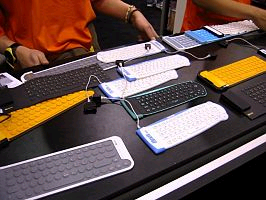
And where do without a keyboard! Flexible, multi-colored, all shapes and sizes, they held a huge stand ...
Comdex Fall 2002: Pictures at an Exhibition
Funny adapted could be found on the company Nite Ize. This miniature stands for lamps. What relation have these shutkoviny to high technology is not entirely clear, apparently fastened to them legs gave them the right to be called "mobile accessories "...:)
Comdex Fall 2002: Pictures at an Exhibition
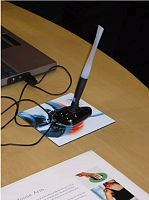
Another gadget that has attracted the attention of idle wobbly, became a computer mouse, which turned out to be not a mouse and a pen. Pen Clic Mouse is made as usual stationery. It is assumed that it can and write, and manage the desktop, but while it is somewhat velikovata ... So wait for improvements.
Comdex Fall 2002: Pictures at an Exhibition
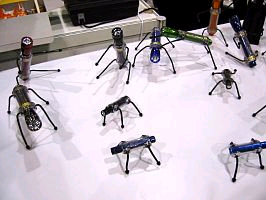
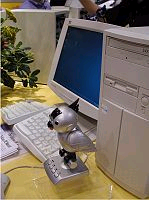
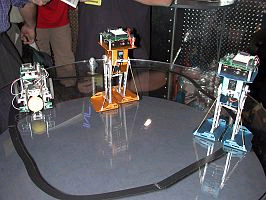
For lovers of exotic high-tech exhibition was presented at the talking parrot PC Mascot from Mitsumi. Iron "Polly", connected to a personal computer will alert the owner about incoming e-mails, read e-mail aloud, but also work as an answering machine ...) Just curious among the gadgets on display at the Fall Comdex in 2002 were seen robots operating on the software module Basic Stamp from Parallax Inc .. Company
Comdex Fall 2002: Pictures at an Exhibition
Robots - the inhabitants of other planets ...)
Comdex Fall 2002: Pictures at an Exhibition
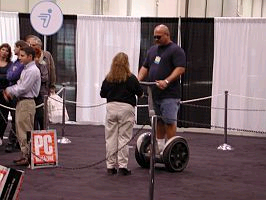
... And camokaty from the Segway, which has not made a revolution in the global automotive industry, however, significantly affect the movement of the masses of exhibition pavilions, creating an unauthorized queue of those wishing to ride in a vehicle of the future ...)
Comdex Fall 2002: Pictures at an Exhibition
So remember to visitors Somdex sample of 2002. The authors, translation:

Communicator or PDA?

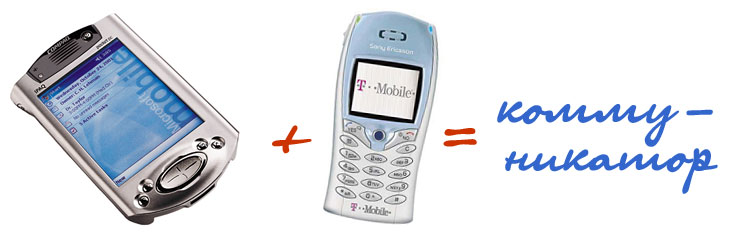
Communicator is a very attractive thing. To be always connected, informed, and at the same time - to have at hand a tool for working with text ... Dream, not technology. But there is a formidable communicator several drawbacks. The first - the price. Communicators expensive kit from a handheld computer and cellular phone, and considerably. The second shortcoming - the inability to separate the components of the communicator. If the battery sits down, you lose once, and communications, and computer. In addition, there are strict limitations on the use of smartphones, for example, in the cabin. I do not know whether it is possible in these situations to use handheld computers, but it seems to me that you can. Next - PDA somewhat larger in size and weight than a PDA. Not much, just a little bit, but it's enough to feel the difference (in a shirt pocket communicator will not fit - at least not everyone). Compare the size of the Nokia 9210 and, say, any of the Pocket PC Psion (5mx or Revo, the repose of their computer god innocent soul). Finally, there is at least one good reason to abandon the acquisition device in favor of retrofitting PDA cell phone. The reason for this - he PDA. Agree, change regularly work machine which you are absolutely satisfied, albeit at a very interesting, but not rasprobovali still a novelty, a risky business. Sell ​​used handheld is virtually impossible nowadays - the market is saturated with the newest models, and old cars (especially the family of Pocket PC) become obsolete as fast as desktop computers. Looking for very good reasons to spend at least 600-800 dollars on the communicator, gone a long desk drawer fully working PDA. And this despite the fact that the cell phone that can turn a PDA into a complete device, it is worth less than $ 200. However, this has already written a pile of papers. Will not be repeated. Better evaluate the proposal today - and the PDA market, and market mobile phones. And try to gather the most functional and at the same time the most accessible of the cost of the mobile unit. It will work no worse than the corporate communicator, but something may be convenient and practical. I hope that turns out to be ...

Part I - computed

In a privileged position are the owners of the most modern machines with integrated wireless adapter Bluetooth, such as iPAQ 3870 and Fujitsu-Siemens Pocket LOOX 600. Enough to buy a miniature phone Sony-Ericsson T68i - and the device (and even a PDA!) Ready.
Communicator or PDA?
However, this option is rather expensive. Judge for yourself - almost $ 700 computer, about 370 - the phone ... The cost of the laptop. Are there too? .. But functional. Bluetooth interface gives the bond "PDA phone" that degree of freedom, which is not in a wired connection. After all, with infrarkasnym port is much worse. For the smooth operation of their PDA and phone infrared transceivers should be placed as close as possible, directly against each other. In this case, IR-sensor Pocket PC is on the top edge of the shell, and the phone is usually on the side. To pair devices work together seamlessly and does not deliver further ado, it is necessary to find a flat, horizontal surface on which to expand the computer and phone ... But what about typing? And what about surfing the Web page? After all, when you connect to the Internet via cell phone to take the machine into the hands of not ... Will not help and folding (or portable) keyboard. Inserted into the slot PDA keyboard is almost vertical - with a slight tilt back. To attach the phone? How to orient the IrDA that communication is not interrupted? .. And here again should remember computers Psion. They are designed so that the window of the infrared transceiver is easy to orient to the same phone box without any tweaks. However, for this too, will have to find a horizontal surface, but the work will then be more convenient - the keyboard is a keyboard.Stuffing letters or messages in the pocket version of the "ICQ" through the keyboard is much easier than print pen Graffiti characters or the aim of the virtual keyboard buttons. Psion, regardless of the model, in general, the fittest for the text of the typewriter. But they, unfortunately, has no future. Have not enjoying considerable demand, they are gradually disappearing from the shelves of computer stores. Stocks are not unlimited ... what Palm `s? They are suitable for use in conjunction with a cell phone? Of course, the suit - just like the vast majority of PCs Pocket PC. Outlined above restrictions do not remove - with the relative positions of the CCP and the phone will pomudrit. But to work, "pocket-telephone" system would be (without the inherent beauty of the Pocket PC). Whatever heaped praise on their computers supporters Palm `s (I, too, among them), but viewed on screen (color or monochrome) with a resolution of 160x160 pixels normal web pages quite uncomfortable. As for WAP-resources ... But who they are, in fact, necessary? For this indulgence is enough for a miniature display of the phone. Although ... someone like ... Technique for PDA and cell phone are somewhat different from working with a laptop or desktop computer. Small amount of memory that does not allow you to save Web pages for delayed viewing, again a small screen resolution (even on a more or less spacious screen Pocket PC page has no end to move), and finally, the relatively high cost of wireless Internet connection, all this leads me to usual course of action ... At first we prepare to send a letter, remember the address of the page you should look into. Then - connects to the network, send and receive emails, load a Web page, turned off ... Basically, you can even cope without holding PDA in their hands. Separate discussion on the exchange of messages via ICQ. It simply sending-receiving can not do. Graffiti or other handwriting recognition program for obvious reasons, are not particularly suitable. It remains just a virtual keyboard, which can operate at a horizontal position cars, when the user is forced to lean over a PDA, like a scholar, a first grader ... Yet there is a sense in communicators, all of which are filling, and telephone and computer, located in the same enclosure? Of course there is. So that users able to spend a lot of money on a new fun, it's better to spend it, buying the same high-grade device.

Part II - Telephone

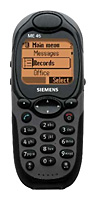
With computers seem to be sorted out ... But you have to specify - machines without an infrared port for Internet access via cell phone unusable. For example, the Casio BE-300, which would seem, "God himself commanded to" a portable terminal, an infrared port no. But the available cable for connection with a cell phone ... I think that comes as've only seen him on the site Casio, but in real life - no. In addition, this cable is not universal and is suitable to a limited number of phone models. Not worth the candle ovchinka ... Let's say your machine - Palm `a, Psion` or a Pocket PC - IrDA is. What pick up a phone? Let's look closely. But first, we reduce the balance requirements. Phone to work in conjunction with Pocket PC must have a built-in infrared port - this time. This phone must support the data exchange protocol GPRS (different to what this whole idea of ​​mobile internet?) - That's two. Finally, the device should provide a stable relationship and have all the necessary "telephone" quality - that's three. On the road (the "branding") machines do not pay attention ... Why? Yes, because the same Sony-Ericsson T68i, equipped with triple-in Bluetooth and a color display, in itself a great PDA. In any case, this outstanding smartphone is quite functional soft filling, converting it into a powerful electronic organizer. Very cheap phones for use in conjunction with handheld computers simply are not suitable because they have no support for GPRS and IrDA. Remain an average price of phones. And the best of them (in my personal opinion) are devices Siemens S45 and ME45.
Communicator or PDA?
The first model - Siemens S45 - equipped with everything you need for mobile connectivity to global network resources. The phone has an infrared port and built-in modem. In the S45 is fully implemented protocol support GPRS. High-capacity lithium-ion battery provides enough battery life. And so on and so forth - the device is indeed remarkable.
Communicator or PDA?
The second model (it has roughly the same cost - less than $ 200) - ME45 - different performance waterproof housing, more durable and constructs similar to the S45 features ... For mobile operation (when up hill and down dale, here today, gone tomorrow), the best choice will probably, Siemens ME45. While the S45 has a more traditional design and looks ... let's say - intelligent. Such phones let out and other companies. But the best combination of consumer characteristics (eg, cheap Nokia phones with infrared supplied is not very comfortable in the daily handling of nickel-metal hydride batteries, and Motorola phones are obscenely large sizes) at an affordable price have it listed models from Siemens ... The first results. What we do with the money? What is the bottom bracket?
Communicator or PDA?
Take the budget and now the most popular Palm m130 (in the first place - because of the color screen, long battery life and low cost). Supplement his phone Siemens ME45. $ 250, plus 200 - turns 450. And it is with considerable tolerance toward increasing prices, the reality set will cost U.S. $ 20-30 cheaper. Good value? Excellent! Color PDA Handspring Treo 270 is much more expensive ... and you imagine, or better yet, try to practice to chat with someone via communicator. Just talk as the usual phone. I am afraid, will enjoy lower than average.

Part III - how it all works

I assure you - works. Immediately and unconditionally. They say that the Pocket PC has no problems. Palm is working without any kind of special handling. The main thing - to include an infrared port in System Preferences machines. On the disadvantages of an impromptu "Communicator" we said. But all can be overcome. For example, I took advantage of the wonderful bag Samsonite (Travel Series 300, if my memory does not fail) with a "hairy" bottom. Bag is specially designed for PDA keyboard (there are smaller - for the Palm `s), but because there's plenty of room. A computer attached to the underside by a pair of round stickers "Vel-blood." Total included four stickers. Two I have pasted to the back of the Palm `a, two - to the cellular phone. Before a session connection pull out the phone from a lap cover, fix it in the open purse in front of the CCP - a window to the window. And - to work. Though on a park bench, at least on the move ... On the move is not convenient - bag big. In the car, if I have it was even easier. Decompose all of this economy on the seat and - connect. True, the car is better to use an external antenna for greater stability of connection ... What do not like it categorically? The first - the kind of web pages on-screen Palm `Yes. Alas, a good browser, I could not find it, and those that are not particularly functional, ... But what can I say? What screen resolution of cars, so is the demand. Second - difficulties with attachments in emails, rather, with the attachment format. Palm does not work well with large attachments, and most of the popular formats (images or documents) does not recognize. There are elementarily simple way out - when downloading the contents of a mailbox to leave a copy of messages on the server.That will not be able to read on your PDA, read later on your desktop. It seems that all ... And that like? Instant and ubiquitous access to e-mail. And the opportunity to talk about "ICQ" in the "field" conditions, and, for mere pennies. And what you want - GPRS! The authors, translation:

Communicators! O2 XDA and Luxian. Part 1 Hardware

Communicators! O2 XDA and Luxian. Part 1 Hardware
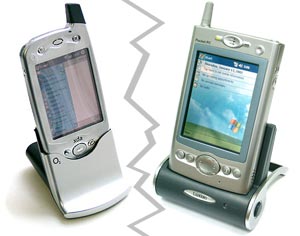
Here it is served. Promises about the GSM / GPRS-module for the Pocket LOOX, Nokia 9210, alas! for Symbian (I do not have anything against Symbian, but the Pocket PC still popular), numerous announcements of smartphones, as on Pocket PC, and at Palm, talk and rumors ... And now on the shelves 02 XDA, communicator OS Windows Powered Pocket PC 2002 Phone Edition (that's so exactly the name of this operating system). Stylish appearance, a crazy price ... Nevertheless, the communicator, developed by the British telecommunications company mmO2 (collected, of course, Taiwan), is already here - enough to lend a hand. It remains to decide whether to extend it. It is interesting that almost immediately after we saw the O2 xda, in our hands got his direct competitor - an unknown device Luxian based on the same operating system. Let's compare.

Box set
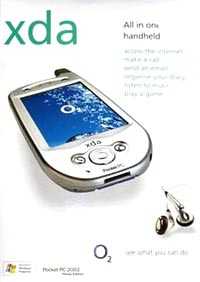
Communicators! O2 XDA and Luxian. Part 1 Hardware
O2 in the box (right side)
O2 xda should attract attention on the counter, laden with the latest models of phones, so the box is bright and fairly catchy. Bokovinki performed using elements of corporate design - a blue desperate drops of pure water (which obviously symbolizes bubbles O2 - oxygen). The inscription on the box says that the purchase will get us all: access to the Internet to make calls, send email, play games, listen to music. On one side of the box - very long list of features cars from which immediately begin to flow excessively. At the same box - a list of available accessories, with pictures. It includes: a portable keyboard, a car charger, battery, high capacity. Very good start. Ur, O2 (in the sense of the company)! The back of the box shemka, showing that some of the buttons respond. Hello to everyone who bites into the machine without reading the manual :-). That's the first surprise: where the finger as usual asking the record button - Volume control. Open the box. Here he xda, power adapter, a kind of trick (adapter), which allows you to connect power directly to your device (just like in iPaq'ah, starting with the 38th series), cradle synchronization naborchik hands-free, cover with hinged lid, fastening a belt, two benefits for the user (one thick - 110 pages) and a CD with software (ActiveSync 3.5 and a set of additional software). I must say that the only valuable program here - Citrix, client for remote PC control. In addition, complete warranty card and a spare stylus (most valuable vesh!). Only now that the same bonus items can not at all?
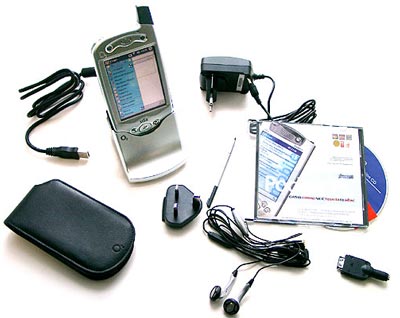
Communicators! O2 XDA and Luxian. Part 1 Hardware
Set O2 XDA
Luxian. A slight digression. Machine came to the editor are not included in the sale, and in the pod. Therefore, we describe the box, alas, we can not. Completeness of restoring the instructions, for example, the cover we have not. Incidentally, instead of from a disk with additional charge in the software in a box was a disc with a clip of "Tattoo" "Never Gonna Get Us". Looked, like, sad about the original disc. However, there is a chance that after a while the disc still appears. In search of the drivers climbed to the site Luxian, where he found a completely different device. That is not quite what it seems, of course, but obviously a different model. I wonder ... Climbed into the manual, found the link to the site a completely different company - Cesscom - Korean "innovator of mobile technology" (oh, how it sounds!).There found that modelka in my hands called Luxian UBIQ-5000G, and that there are two more series of similar devices: 2000 and 2500. Mysterious East! How much was there any devices on which we never heard! So, in a package instead of the box: a device cradle synchronization (USB, of course), hands-free, two instructions (much thinner than the O2 xda), power supply and jacket for the cards Compact Flash Type II. Very fortunate that one of bukletikov there is a section "What's in the box". It seems that we lack the second stylus, cover well, and the original disk with the programs.
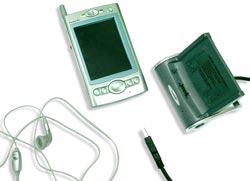
Communicators! O2 XDA and Luxian. Part 1 Hardware
Set Luxian (abridged version :-)

Communicator in hand

Communicators! O2 XDA and Luxian. Part 1 Hardware
O2 in all its glory
Now let us touch yourself machine. XDA makes a well-known Taiwanese company HTC, the same as that collected iPaq'i. Therefore, the quality is no problem there. Very stylish aluminum body with chrome buttons and asks in his hand - smooth, but clean lines, "solid" gravity "solid" colors, comfortable five-way joystick. Compress in warm embrace ... Nothing squeaks, is not going to fall off. In general, very high quality and stylish design. Immediately attracted the attention of plump antenna on the body. It seems a logical continuation of the front panel, and plump because it hid the stylus. By the way, not only beautiful but also very practical solution - no need to fumble with your fingers on the rear panel to nashupat "stick". The stylus is fitted properly, be removed without effort, but at the same time does not appear that he would soon fall out by itself. Stylus itself is not too long (just on screen size) and is made of aluminum and the same gray plastic, as an antenna. Quite heavy in the hand is convenient, as if he - the sixth finger. Plastic part unscrewed revealing gaze "reset tool" - a thin metal rod with which to make the restart. The idea of ​​course is good, but not very clear as to press the reset button can be the end of the stylus and work. Connector for external antenna and a slot for a SIM-card covered dense-dense, hard rubber shrinking. Basically, it looks pretty safe, except that the piece to cover up SIM-connector, one part attached to the body and of itself, so tight, that is of concern to tear it all. I, fortunately, not pulled, and indeed, such concerns appear during testing, when all the time to change SIM cards, in ordinary life - stuck and forgotten. But when I pull out SIM-card, very afraid for her integrity - a very tight lock and SIM cards for withdrawal of scratches on the metal. But like a living yet. The same plug and the hole covered up to connect hands-free. Incidentally, I did not notice one drawback. And did not notice until he returned SIM cards in your phone and decided to just listen to music on the xda. Connectors for headphones do not. However, in the hands-free two headphones, the quality, of course, pretty ugly, but for music on a PDA will do.
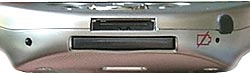
Communicators! O2 XDA and Luxian. Part 1 Hardware
Connector for SD at XDA in an unusual place
Plug connector is not covered for "insert" in the cradle (which is logical), and the connector for card SD / MMC, I was searching for a long time. Written on the same box that is! Where did he go? No top, left no ... That's what stereotyping. All the PDA it from the top or left, while mmO2 had put him down next to the communication connector. It stub, which is removed by simply pressing on the edge.Just click until a card is inserted. There are no surprises. Hide the stub in a safe place! And then I lost it immediately, and then frantically searching for - to return to the same machine. The left-top on / off button and volume control, the same infrared. Use it to except for exchanging electronic business cards and control home appliances. All that is needed for the wireless Internet is already in the body. Button recessed into the body to eliminate the possibility of accidental operation. In addition, the bottom panel reset button and hard reset (disconnect battery). Unusual location of the front panel buttons: on the sides of the joystick only two buttons: "Raise up" and "off" (the first and still runs the Phone application), above, these buttons are located symmetrically with two more. By default they launch the calendar and contact list. Change the "bind" the first two buttons can not. Instead, they highlighted - green and red, respectively. Very nice :-) All the buttons, once again, sunk into the body to make sure we do not push them. Long press the button Power, like many PDA turns on / off the backlight. Meter as, say, the iPaq is not. Moreover, there is no backlight adjustment! Not very well, but this is the only level bright enough. Long pressing the "off" you can generally turn off the phone portion of the device and keep yourself in the hands of an ordinary PDA. In the Phone pressing the joystick left or right outputs, respectively, the speed dial menu and list of recent calls. Nonremovable, rechargeable battery, at the request must provide 3.5 hours of talk time and 150 hours of standby time and 15 hours in PDA mode. Well-at ... Uh-uh ... I read a book on the subway, listened on the way to the underground music, a couple talked on the phone at home still half an hour played with worms (ie, snails), then that battery, and said that there are already wants. But in general, for a day is enough. But the journey will take the charger.
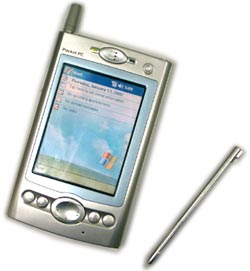
Communicators! O2 XDA and Luxian. Part 1 Hardware
On the podium Luxian. O2 nicer :-)
Luxian. In general, at first glance, the same silver pryamougolnichek, but the difference between the combination of Britain and Taiwan and Korea are still visible (this, of course, is exclusively about communicators on Pocket PC 2002 Phone Edition!). Silver, but plastic. With a blue-turquoise inset in the middle. Generally, the colors Luxian UBIQ-5000G (hereinafter Luxian, just Luxian) reminds NEC MobilePRO. Similarity and convex "chubby" buttons on the front panel. To avoid accidentally pressing, they are placed in a small groove. The joystick has a "fifth position" (action), rather rigid and precise, but with a few pimples on the surface, from which I was tickled :-). A set of functions of the buttons more neprivychen than the xda, despite the fact that they are arranged in a row, as we are accustomed. Two "phone" button with the same features as the XDA. Is that a long press on "Raise up" during the conversation did not include "speaker (speakerphone), which in Luxian not. Plus a button to call your contacts, plus the start button Pocket Internet Explorer. Indeed, all focused on wireless communications and, perhaps, it is quite logical. The power button on the front panel - right-top. Too recessed into the case. By the way, random shutdown PDA absolutely critical - when an incoming call it still turned on. Accidental inclusion, probably even more frustrating because it works as part of the screen will consume valuable battery power. Latest from Luxian removable, very capacious - 1560 mAh, 60 mAh more than the xda, but lithium-ion rather than the more modern lithium-polymer. Therefore, the claimed characteristics (the duration of work), even slightly less than the xda. In practice, however - the same thing. Day you can work freely and is very active, but the second is not enough. Slot for SIM-card under the battery. There are two separate connectors - for some headphones for hands-free, which is in contrast to the xda, mono.In the two remaining hands-free are very similar: Earphone (s), wire, clothespins, a microphone with a button that can answer the call and finish it. Both fall out of my ears, but it's my ears :-) unusual volume buttons clearly more convenient than on xda. There she works in one direction only - that is doing louder and louder, and then just completely turn off the sound, and so the circle. Here as follows, in two parts. And zde have a scroll wheel, which is absent in the xda. Convenient, but it was too machine itself resembles a brick. Stylus is not in antennke (the subtle and incomprehensible), and the right side of the body, as usual. The very strange, a sort of clear brilliant (the impression of solidity does not), but with excellent PTFE tip. A pleasant trifle: the power cord can plug into the machine without any adapters. Now, most importantly, the expansion slots. They are not. There are only a jacket for CF Type II. When he tacked on, the size and design of the device as a whole very much beyond the pale. Yes, and weighs Luxian, even without a jacket fastened for cards larger than xda. I'm sorry, Luxian, but I can not share my impressions: the entire editorial staff, approached the table, grabbed a hand clipper and the reaction was completely unchanged. "What a brick?" They asked.
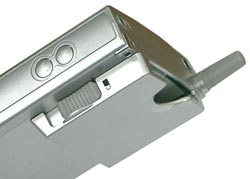
Communicators! O2 XDA and Luxian. Part 1 Hardware
Horrible CF-pocket, and volume buttons
But the indicators on the front two. One for displaying the charging status and availability of the network, another for reminders and missed calls. A very important point - in Luxian, in contrast to the xda transflective screen, as Rover P3 and iPaq 3900. That is the type of the same. There is a brightness adjustment, but also at the maximum screen is not too bright. In the room I would not give it priority in comparison with the old and reflective, but very bright and crisp screen xda. On the street Luxian still be seen better. Yes, and flowers at Luxian more - the "standard" 65 thousand in 4096 against the xda (the latter, obviously, in order to save resources akkusulyatora. This is an important shortcoming, given that not only xda phone, and PDA. For example, to view photos from your digital chamber for 12-bit screen is not very ... When you work in the system, honestly, no difference. Another difference, but not in favor of Luxian. xda-side a built-in expansion slot - the card can still write more than the internal memory. identical processors, 206 MHz StrongARM. Cradle of both devices have liked. xda have that beautiful, compact and stylish. inserting a communicator cradle will decorate your table. Luxian have that has a slot for charging extra batteries and opportunity to adjust the angle of your device in the cradle. Why is it necessary, it is not clear, but fun.
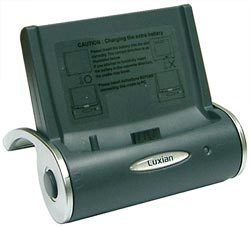
Communicators! O2 XDA and Luxian. Part 1 Hardware
Cradle of Luxian like a rocking chair
Live cover only seen from xda. And enjoyed. Not that I was thrilled (he once sat crooked), but give up due mmO2, the company has taken care of consumers. Machine can be hung on the belt and quite comfortable to wear. The cover is held on a small magnet, and to remove the device from his belt, you need to press the lever - do not just fall off. Case Luxian only saw the picture, but, as I understand, this is the usual pocket, and what to do with it, is unclear. Point for the xda. Speaker, such as louder in Luxian (in any case, clicking on the screen accompanied by a specific crash), but here the voice of the interlocutor rather quiet, and the interlocutor (as they told me) hears the tube quite distinct hiss. From xda such problems were observed. And lastly, what about the "iron" - vibrating. Both devices have, both during the call quite dexterous creep of vibration on the table.The authors, translation:
CESnoe, noble!

CESnoe, noble!
From 9 to 12 January 2003 in Las Vegas was the largest exhibition of achievements of IT-sector Consumer Electronics Show. By tradition, the participants began their working year to present their most important products. Not least among other occupied mobile line of thought, materialized in the form of various handheld PCs, phones, smartphones, communicators, high-tech toys, the most incredible peripherals and accessories. To 116 thousand meters of exhibition kvardratnyh paviolna settled about 2500 companies that have come and come to see about 117,000 people from 128 countries. We are, unfortunately, among those lucky ones have not appeared, so we had to settle for other people's photographs and stories of eyewitnesses, from which, hopefully, pictures of the exhibition is not lost in their juiciness ...:) turn!
CESnoe, noble!
On the question of interspecies raznooobrazii. What are the only hybrids did not come across at CES: Tablet and PDA and PDA-shny tablet, and PDA + Cell and Cell + PDA (which is not quite the same thing:) But this machine relating to a class of sub-notebooks - are no longer PDAs , but not a laptop - I personally liked the most. Probably not the least role in my choice has played a constant need for something to write - from accidentally nastigshih thoughts to the finished product for publication.
CESnoe, noble!
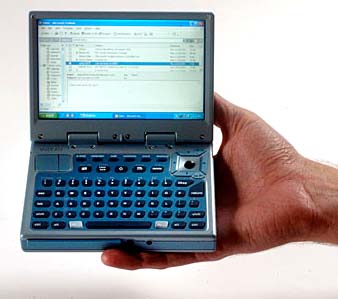
Indeed, Vulcan Mini PC will be perfect to meet the challenges of writing text out of the office or at home, as has a comfortable keyboard, boasts a compact size and the power of desktop PCs. When the device is less similar to that makes him look like a keyboard handhelds. However, do not forget that it "lives" a real desktop with all its consequences: a large screen (5.8 ") with a resolution of 800 x 400 pixels, hard drive, 20 GB, Windows XP operating system interface and USB 2.0. According to the latest PDA models Vulcan Mini PC is equipped with three wireless modules - Wi-Fi, Bluetooth and cellular communications (to choose from there are CDMA and GSM / GPRS). It is curious that in its rich features and compact size Vulcan Mini PC is not too expensive - $ 1200-1500.

On the stand Sony

Go to the American show Sony timed presentation of its new model - Sony CLIE PEG-NZ90. This PDA from Japanese megacorporations no longer seems an event. The point, surely, is that last year handhelds from Sony bred like rabbits: no time to even straight from the tin Sonya (for example, NR70V) to get to Russia and to acclimatize, "spoke in Russian," as they once were removed from the production and was the world another miracle practical Japanese thought.
CESnoe, noble!
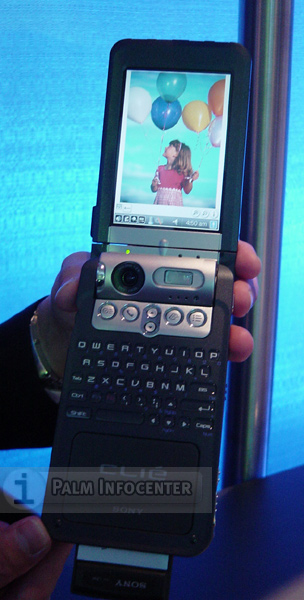
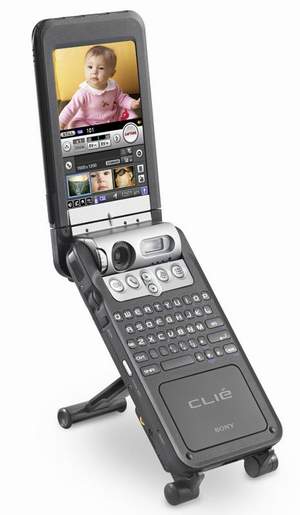
But back to the NZ90. In fact nothing new, except for novation atypical for the usually fine "Japanese women" sizes. Able to play sound, music, play with the owner and so forth, but has at the same weight and dimensions of travel iron. Want to mention separately, perhaps only a built-in camera: it is now equipped with 2-megapixel sensor (maximum resolution - 1600x1200 pixels), as well as built-in flash, autofocus and all the other parts of this digital device. To date, this is probably the best of all the built-in PDAs, smart phones and mobile phone cameras.Then Sony, as always ahead of the rest! With regard to wireless capabilities, the novelty is equipped with Wi-Fi (802.11b) card slot, for which then can be purchased optional card and integrated Bluetooth. Here as well. And finally, the weakest point of any multimedia combine - battery life. Agree, uncharacteristic for Palm'ovyh problem, but nevertheless ... NZ90 is powered by a lithium-ion battery called SmartLITHIUM. Silenok this "umnyagi" by the developers, enough for about 10 days of average use (30 minutes per day with backlight off), that is about 5 hours of continuous operation. In fact, so even with the backlight on even less.
CESnoe, noble!
The fair for to tell you about a software set new items, which includes proprietary tools from Sony (CLIE Viewer, CLIE Album, Movie Player and PhotoStand), as well as program Picsel Technology's viewer application, which lets you view documents in various formats, including Microsoft Word, Excel, PowerPoint, PDF and image files in native performance without conversion. Alas, the cost of this "Conki" too nepalmovaya - $ 800 + an additional communication module Wi-Fi (802.11b) PEGA-WL100 for $ 150 + extra Cradle PEGA-UC90 and spare battery PEGA-BP500 for $ 80 each. Total - $ 1,110 per set. There is a wish? I am sure that there are any ...

Cputnikovy PDA from Garmin

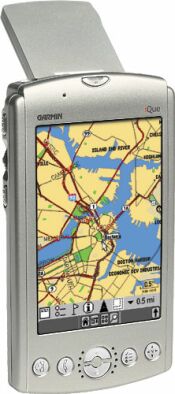
And again the question of interspecies raznooobrazii. So we waited a hybrid handheld satellite navigator! It's funny that even before the presentation at CES Garmin iQue 3600 (as it's called) received an award in the Best Development of the Year. "
CESnoe, noble!
So, this is the first of its kind on the handheld, Palm OS 5 with an integrated GPS-receiver (Global Positioning System - Positioning System). Equipped with new generation processors Dragonball MXL clocked at 150 MHz, Motorola and beautiful clear 16-bit color display with a resolution of 320x480 pixels (recall that the so-called hi-res +, or the highest resolution that can boast of today CCP). On board, Garmin iQue 3600 32MB RAM (for expansion of this volume uses a slot standard Secure Digital). In addition, for ease of management machine it supplied the scroll wheel (like the Jog Dial for Sony). Complete software via built-in speaker will tell the traveler where he directed, to adjust the route, so get lost with this device will not work. By the way, the appearance of the usual "napominalok" or "text stickers" can be accompanied by not only the signal, but also at the user's handheld vibration.
CESnoe, noble!
On the shelves of Garmin iQue 3600 will appear in the second quarter of this year at $ 589.

Clever and talented youth CES'2003

A wide variety of visitors at the exhibition pleased "smart" phones, thus proving that 2003 should be lifting them. Some independent experts are predicting that within five years, these hybrids are completely displace ordinary cell phones. What we do not mind - let phones slightly "poumneyut.
CESnoe, noble!
Wits their cell phones and PDAs at the last show taught Palm, Kyocera, Samsung, Hitachi, as well as several lesser-known Taiwanese manufacturers.Among the most interesting specimens should mention, first of all, not just come to us in the news Palm Tungsten W. Although the manufacturer and new product positioning as a wireless PDA, but it is a device that works in a standard GSM / GPRS, has built a mini-keyboard, 16 MB memory, color screen with 320 x 320 pixels and a slot SD. Manages all this "wealth" Palm OS 4.1. The first country where he began to sell this palmovy telefonchik became Singapore. Now with the contract for the connection can be purchased for $ 300, but simply because - for $ 575. "Single Song" - a smartphone from Samsung. Nimble Koreans decided to kill two birds with one stone and built vehicles, buying licenses for OSes for them in two ostrokonkuriruyuschih companies - Palm and Microsoft. More information about each of them.
CESnoe, noble!
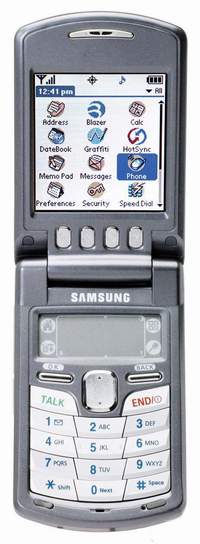
True, both models may be of interest to us, rather, in theory, as produce their smart phones samsungovtsy only for the U.S. market and, hence, for CDMA-cetey. First, SPH-i500, outwardly looks like an ordinary clamshell. However, opening it, you'll see on the upper half touchscreen, and the lower area of ​​graffiti and backlit keyboard. This smartphone based on Palm OS 4.1 equipped with a processor Motorola Dragonball 66MHz, color display with a maximum supported resolution of 160x240 pixels, 16MB memory for user data and the rest of the standard for handheld palmovyh filling.
CESnoe, noble!
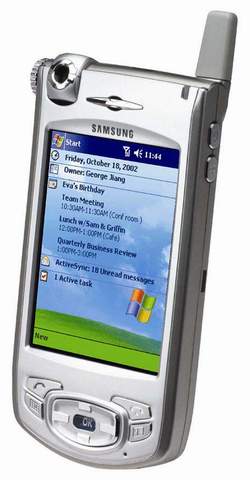
The second new product announced by Samsung, SPH-i700, interesting, perhaps, the only built-in camera capable of shooting with a VGA-resolution. In general, a typical PPC-Smartphone, designed for CDMA-networks.
CESnoe, noble!
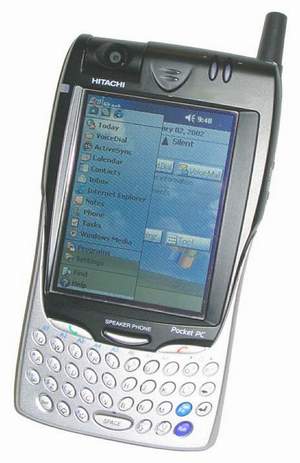
Generally speaking, all "hybrids" (PDA + Cell), based on PPC Phone Edition clovno twins, because as long as they produced not so much. Take, for example, Multimedia Communicator from Hitachi, which differs from the 700 to the Samsung except that the presence of the keyboard, unless, of course, does not think about design. Curiously, there are no standard device for the Pocket PC buttons. A set of keys of this device is typical for smartphones ...
CESnoe, noble!
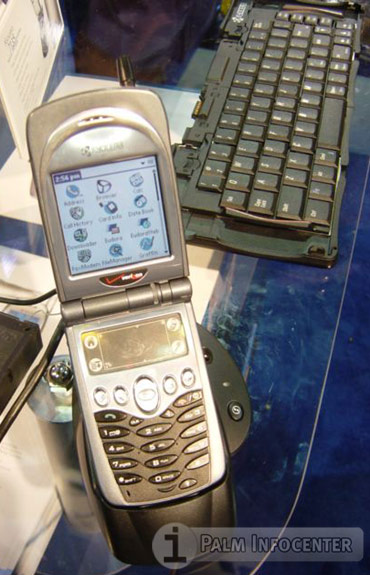
Done a lot of noise and another CDMA-umnyaga - Kyocera 7135. It's pretty cute "musical shell" with the following characteristics: an operating system Palm OS 4.1, Motorola DragonBall processor 1933 MHz, and a color display with a resolution of 160x160 pixels, built-in mp3-player, expansion slot standard SD / MMC. Already in full for sale in the U.S. mobile operators for $ 499. By the way, all of these new products from Samsung, Hitachi and Kyocera - third-generation phones operating in the network standard CDMA2000 1XRTT data rate 170 kbit / c.

Mobile small things

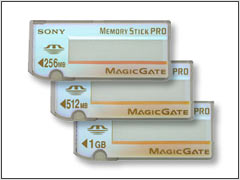
This stuff at CES, as any self-respecting exhibition of this scale was presented to your heart's content. Let us dwell on the "hot" - the new cards from Sony - Memory Stick Pro 256MB, 512MB and 1GB. (In the future they increased to 30GB.) Speed ​​data to a PC or PDA with them is quite high - from 15Mb / s to 20MB / sec. In addition, the "sticks" extremely reliable, that is, in case of loss or theft can not be afraid of information contained in their memory. "Read the" Memory Stick Pro outsider will not be able, thanks to technology Access Control Function, and proprietary features MagicGate protect data during transmission or reproduction of various content.
CESnoe, noble!
In the near future should see patches to support the new standard in the NX series handhelds and NZ. With other PDA card will not work. Their cost would leave $ 190, $ 440 and $ 880 for 256MB, 512MB and 1GB, respectively, and they will be available very soon, in February.
CESnoe, noble!
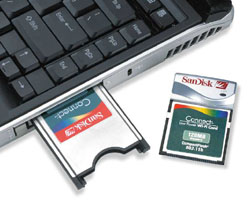
Especially on the card front excelled during the exhibition, the company SanDisk. She was guided by the following considerations and the wishes of users. We want to use wireless Wi-Fi, but it would be desirable and to expand the memory of our PDA using flash-memory card standard Compact Flash or Secure Digital. Unfortunately, if we are not in the hands of top-class machine (which, incidentally, and is worth a lot of money) on something has to give up - just do not have expansion slots. It seems, SanDisk has eliminated this trouble by introducing the line cards with integrated transmitters Wi-Fi, which is also a memory card. Thus the company has entered the rapidly growing market for wireless technologies, where Wi-Fi, also known as Wireless LAN, like becoming the undisputed leader. For example, Gartner Inc. reports that in North America now than two million people use standard 802.11b (this is the Wi-Fi) for wireless access, and the following year their number has doubled.

... And a little Linux'a

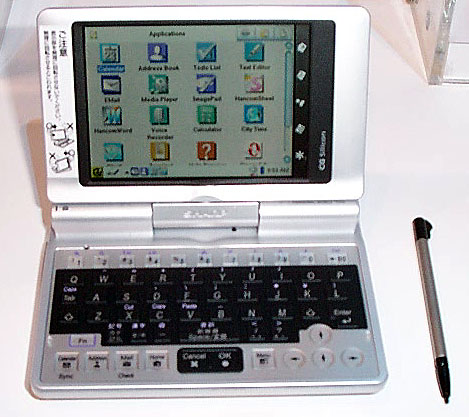
At the end of this short report about the big event called CES mention another device - Zaurus SL-C700, which in the opinion of many amateurs and professionals, has earned the title of best in the category of "handheld computers and wireless mobile devices in the exhibition.
CESnoe, noble!
As can be seen on the pictures, the novelty is the semblance of a miniature Tablet PC. Display Zaurus SL-C700 in general deserves a separate story, through the use of proprietary technology Sharp CG-Silicon ("e-filling on the substrate). The resolution of this screen is 640x480 pixels! - An unprecedented value for handhelds.