PalmOne Tungsten T5: performance on the move

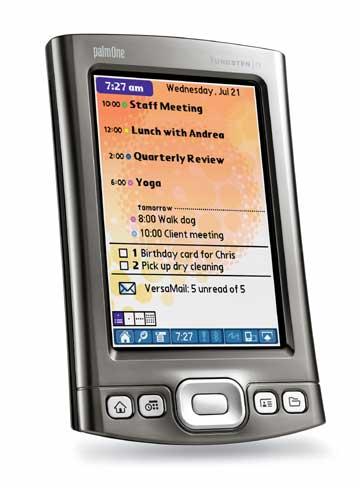
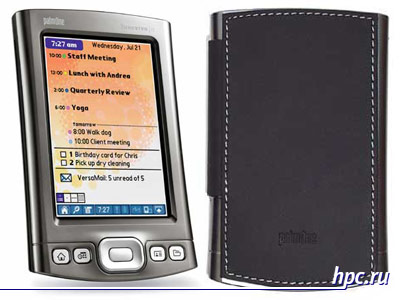
palmOne Tungsten T5 - another brainchild of the producer deserved PDA - the model is just as controversial, however much awaited. I must say that on the palmOne Tungsten T5, released almost simultaneously with the release of a series of next-generation handheld Pocket PC, the platform advocates pinned great hopes, which, unfortunately, is not quite true. Of course, we can not say that the beloved producer greatly disappoint them, but the revolution in the PDA structure, which for so long talked-dreamed of users who do not cluchilos. In front of us until all the same OSes Garnet (in some form refreshed), familiar design, improved technical specifications, well-chosen set of software and a few unusual organization of memory, which became the main fichey Tungsten T5. We present you the review of the PDA.
PalmOne Tungsten T5: performance on the move

Design palmOne Tungsten T5

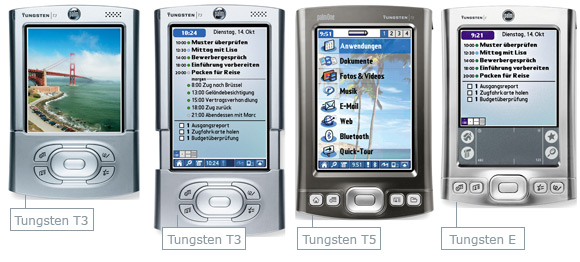
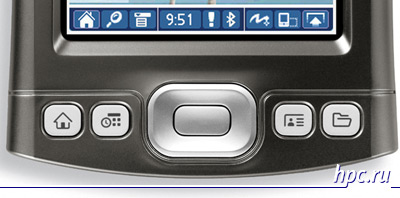
Externally, the new Pocket PC is strongly reminiscent of palmOne Tungsten E, which confirms originally appeared in the online rumors about the upcoming Tungsten E2. On the relationship of a series of palmOne Tungsten T, in turn, recalled only the big screen. At this superficial similarity ends there. Slider that causes the most contradictory feelings among the users anymore. Due to the removal of this structural element, PDA a little "grown up" in length (7 mm compared to the Tungsten E). Width and thickness are practically unchanged. In addition, due to increased size machine potyazhelela on frivolous 14 grams. In general, compared to the Tungsten E, minor design changes. The body is made of the same plastic. Remain unchanged and controls. It's D-Pad and four reprogrammable hardware buttons.
PalmOne Tungsten T5: performance on the move
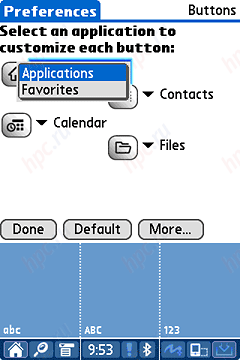
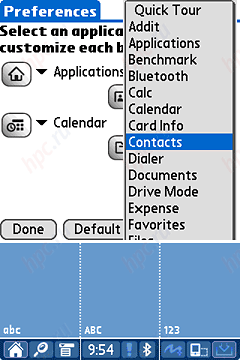
And, on the first button (with the image of the house) standard can "hang" only two applications - Applications and Favorites
PalmOne Tungsten T5: performance on the move
Selecting applications for the remaining three buttons - much richer.
PalmOne Tungsten T5: performance on the move
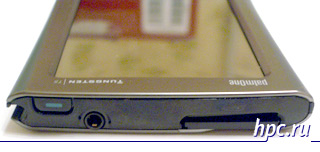
On the top panel is a slot for SD / MMC card with support for SDIO, so you can use peripherals that format. There are infrared port, headphone jack and power button.
PalmOne Tungsten T5: performance on the move
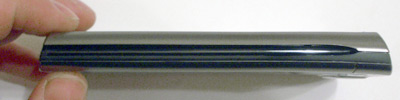
But not a single indicator light is not.As in all recent models of palmOne, the lateral ends totally exempt from controls. On the right is available only to the stylus holder.
PalmOne Tungsten T5: performance on the move
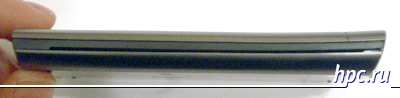
On the left - attachment to the protective cover.
PalmOne Tungsten T5: performance on the move
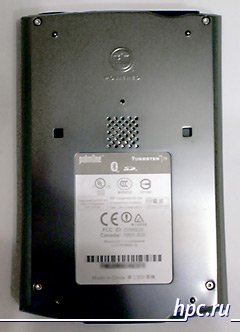
If you remove the stylus and try to take your computer in your hand, the thumb or other fingers (depending on where in your hand you hold the device) will rest against the sharp edge of the pencil box, sensation - not a pleasant one. Perot Tungsten T5 is absolutely similar to that used in the Tungsten E. It is all-metal with Teflon tip and twist-off plastic cap, which is a thin plastic needle to press the reset button. Reset button - on the back panel, next to the speaker.
PalmOne Tungsten T5: performance on the move
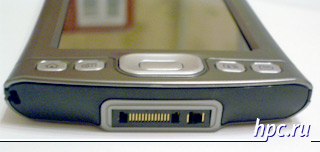
In addition, the updated interface connector. This is not mini USB, as the Tungsten E.
PalmOne Tungsten T5: performance on the move
And not a standard symmetrical Palm Connector, as a Tungsten T3.
PalmOne Tungsten T5: performance on the move
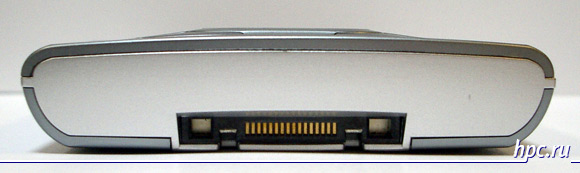
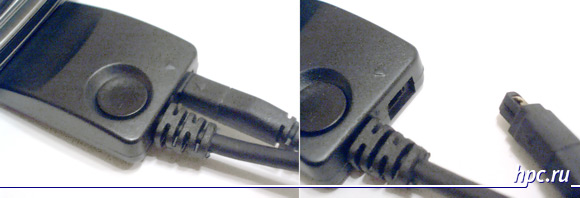
Connector was strongly reminiscent of the interface port on your mobile phone SonyEricsson. It is divided into two parts - a comb of contacts designed to transmit data, the second - to power the device.
PalmOne Tungsten T5: performance on the move
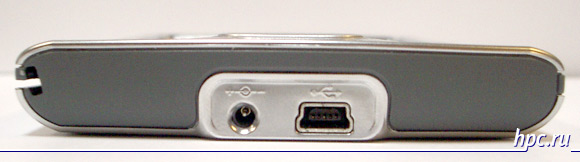
By jack can be connected to a special adapter with a USB cable. In the adapter provides connector for AC adapter and the hardware button synchronization. As you may recall, on the cradle palmOne has most of the first series has always attended such a button. So to reprogram one of the PDA hardware buttons for launching HotSync is not necessary.
PalmOne Tungsten T5: performance on the move
The power adapter can be connected directly to the interface connector, however, did not succeed podcoedinit USB cable. On the other hand, if you only need to charge the battery, you will not have to carry a sync cable. Upset about the lack of built-in voice recorder. It is a pity, because for business people or, for example, journalists recorder - irreplaceable thing. PalmOne decision not to embed the recorder in Palm Tungsten T5 has caused some serious debate in the forums and actually rejection users.

Complete Tungsten T5

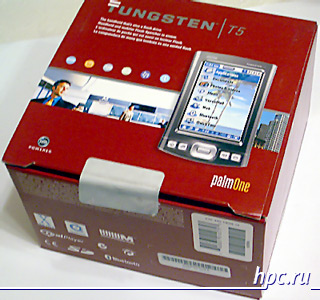
Many believe that the package, which sold a PDA, has absolutely no value. Whether it's a cheap plastic blister or Mighty durable cardboard.Nevertheless, the box - this is the first impression of the product. In his "briefcase" Tungsten T5 looks solid and enjoyable, as befits a product of this level. Fortunately, the box failed due the quality of cardboard.
PalmOne Tungsten T5: performance on the move
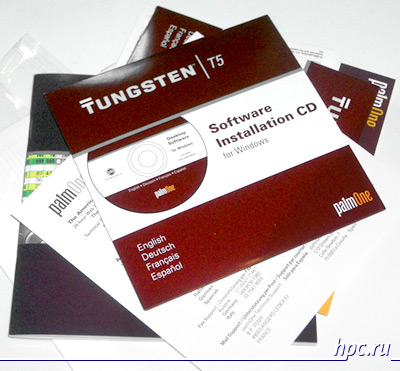
Inside the box you can find the AC adapter, interface cable with an adapter, protective cover, two CDs with software (one for Mac, the second for Windows), lots of declarations, stickers and graffiti warranty.
PalmOne Tungsten T5: performance on the move
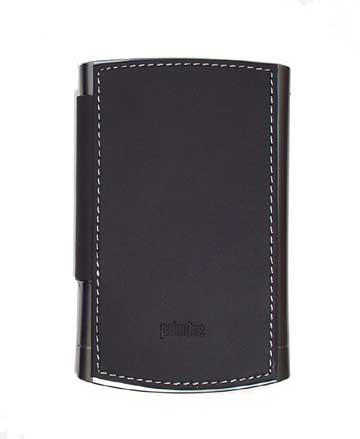
Protective cover similar to those that were on the Palm-oh 500 series. Mounted it on the right sidebar and special inconveniences in work does not deliver. At least, with its direct functions (display protection from mechanical damage and contamination), it copes well - PDA may be safely worn in the pocket of a suit.
PalmOne Tungsten T5: performance on the move
However, I can not say that the T5 cap has fallen to my liking. It looks a bit serious, is pressed against the display is not full, then it strives to unfold. Besides, with a small external pressure, the stress immediately transferred to the body so that you can accidentally press the hardware button. Much more convenient and more sensible it would probably realize a small latching mechanism, such as the HP iPAQ hx4700.
PalmOne Tungsten T5: performance on the move
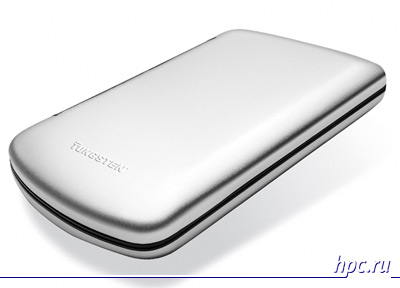
Those for whom the structural reliability protective cover crucial, can be purchased separately aluminum case, which will serve a good service. Moderately strong, fairly compact and easy to measure - just what is needed for users with active lifestyles. However, with the task of protecting the CCP, I think, normally cope and the usual leather case, sewn from third parties, for example, Xigma or Krusell.

Iron fillings palmOne Tungsten T5

Processor

Remember the song "... and instead of a heart flaming engine ..."? So this is not about domestic aviation, but about a new processor palmOne Tungsten T5. The developers decided to provide the CPC one of the most modern at the moment of processors for mobile devices - Intel PXA270 clocked at 416 MHz. About how much is good, a little later.

Memory

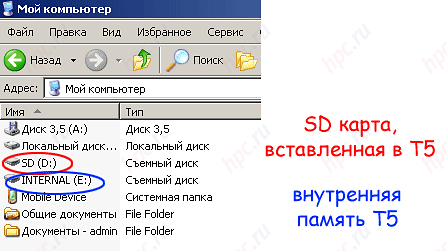
Internal memory - is a separate matter of pride developers. Firstly, its a lot - 256 MB, of which 215 MB user available. Secondly, it is completely non-volatile, that is not in the drive SDRAM chips. But it's not ROM in its pure sense, since the memory performs the functions of RAM and features a flash drive. Engineers from palmOne gave her the name of Flash RAM (made on the basis of technology NAND Flash), that is a nonvolatile rewritable RAM. Simply speaking, you need not worry that the battery on your PDA have been charged at all times - the data is not lost even in a fully discharged typewriter. In addition, several lower power, because they do not need to update the state of RAM, as in most other PDAs.Conventionally, the memory is divided into two unequal parts - 161.2 MB and 63.8 MB. A smaller part is used in the same capacity, which had been involved in the memory of earlier models, but only for the storage of installed programs and data. Moreover, 10 MB of it removes the needs of the operating system. Much is known as "internal" and serves as a flash drive. These 161 MB can be used as an ordinary USB flash drive. Enough to switch the handheld into a special mode and drive mode cinhronizirovat with your desktop PC, and with the internal memory can be operated with the usual additional removable drive. Flick of the wrist Palm turns into an elegant (but rather cumbersome) USB flash drive. And if at this point in your Pocket PC is an SD card, then it will appear as additional drive. Speed, however, leaves much to be desired: USB 1.1 - it's still not USB 2.0.
PalmOne Tungsten T5: performance on the move
I'm sure many of you have already calculated that 161.2 MB 63.8 MB = 225 MB, but not 256 MB. The question arises: where are the remaining 31 MB? It's very simple. These same 31 MB are reserved for the work area (the so-called Heap), which serves to temporarily store applications and data during their execution. Decent size Heap area allows, for example, painlessly opening volume office documents and load large pages in the browser.

Communication

A computer equipped with wireless Bluetooth Class 1.1, which allows you to connect to other devices that connect to the Internet (using, for example, a mobile phone with features GPRS), check e-mail messages, conduct wireless synchronization with your desktop computer, etc.
PalmOne Tungsten T5: performance on the move
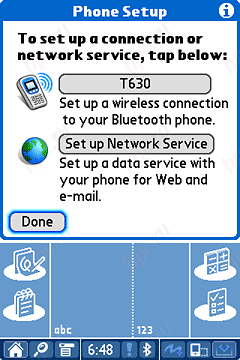
Computer pretty quickly "discovered" mobile phone SonyEricsson T630. True, the list of identifiable devices T630 model is not there, but when choosing T610 no connection problems have arisen.
PalmOne Tungsten T5: performance on the move
The only perhaps disadvantage is the inability (with built-in Bluetooth Manager) cross Tungsten T5 with a Pocket PC computer. For example, iPAQ H1940 his finds, but connect the data exchange can not, because it can not find appropriate services. Sorry. To exchange data had to be used as an intermediate carrier laptop. Another omission palmOne engineers regarding kommmunikatsionnyh features new items - no built-in Wi-Fi. However, the developers justify by the fact that to achieve the desired functionality by simply acquiring the WLAN transmitter separately on SD-card, but, first, a slot usually occupied by a corresponding expansion card memory, and, secondly, the integrated solution is always more convenient and efficient than separately purchased peripherals.

Display

High-resolution screen for the "top" models of family palmOne has long since become standard. Is no exception and the new palmOne Tungsten T5. T5 has a diagonal matrix 3.9 "- at the latest VGA Pocket PC, but inferior to the number of points in 2 times (320 to 480 against with 480 by 640 pixels).According to the magazine "Consumer: computers and software, which has developed a special technique for measuring the quality of the original displays, handheld computers, the maximum brightness of the display palmOne Tungsten T5 is 182 cd/m2 - is one of the most brilliant displays of PDAs on the market. The brightness of one of the latest Pocket PC PDAs - HP iPAQ h4700 costavlyala total of 150 cd/m2 and a maximum brightness of the display T3 was generally more than 2 times lower than - 77 cd/m2. Minimum level of brightness T5 - 62 cd/m2. As with all the latest models from palmOne highlighting ways staff can not turn off. The minimum level of brightness, in turn, greatly overstated. Normal matrices for handheld computers is considered a value of about 10-20 cd/m2, the magnitude of 35-40 cd/m2 - this is a sufficiently high level, and 62 cd/m2 - heavily overvalued rate. That there is something to compare, is such an example. The fact that the T5 is called the minimum brightness, a younger model Zire 31 is the maximum. So overvalued minimum backlight level - a significant disadvantage for two reasons. First, it reduces battery life. For the normal perception of the text would have sufficed 1910 cd/m2 brightness at a T5 would be spent on 20-40% longer than sixfold unrealistically high numbers. Secondly, too bright matrix interferes with comfortable perception of information (reading, watching videos) in complete darkness. Quickly tired eyes, and indeed there is a risk to plant a vision. Therefore, lovers of night reading we recommend include additional light sources, at least a table lamp or floor lamp. However, in the presence of background lighting shortcomings of high brightness backlight leveled. Accordingly, when reading in office lighting or in the subway for the eyes can not particularly worried. Already at the lowest level illumination the contrast reaches 1:60, which is more than enough for comfortable perception of information from the display in almost any lighting conditions, apart from direct sunlight. Outdoors (bright sunny day) can only read the text on the maximum level of illumination (1:5). Comfortable working in this mode, however, can not be called as required for the normal perception of the contrast does not lower than 1:8. Adjust the brightness via status bar (for details - just below). Brightness switch has 28 positions, almost as much at T3. The only drawback - the inability to switch the backlight levels using hardware buttons. Also a little upset at the lack of brightness adjustment of a scale, which is why it seems that the adjustment is continuous. However, it is not so, setting up a discrete, but to understand at what level it is, we can only roughly.

Lock hardware buttons

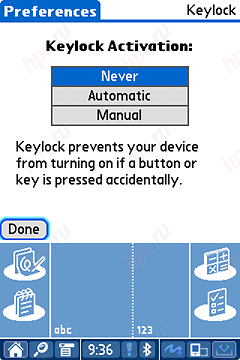
In the Tungsten T5, as well as in T3 provides the function of locking hardware buttons. The menu Prefs / keylock implemented a choice type of lock - never, "automatically" (as soon turn off the computer) and in manual mode. " In manual mode, blocking is enabled by holding the power button for 2 seconds.
PalmOne Tungsten T5: performance on the move
After that, the CPC will not respond to keystrokes. To unlock it, you will have to press the power button and confirm the release of the lock by pressing keys on the display.

Runtime

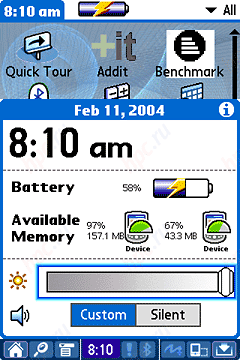
Charging time the computer is approximately 2.5 - 3 hours. Unfortunately, as with T3 at our hero is no light indication of the charging process and the degree battery charge. The only way to find out how fed battery, and, in general, whether charging - is to include PDA and select the icon with the clock in the Status Bar.
PalmOne Tungsten T5: performance on the move
It shows battery level and status (charged or not).Battery life was measured by a standard technique in several modes:
  • in read mode program MobiPocket Reader with automatic scrolling speeds 26-28 characters per second
  • during playback of mp3 files from internal memory program RealOne Player (display off)
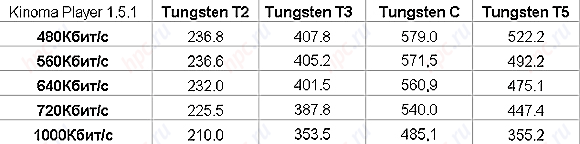
  • a video playback program Kinoma Player (320x320) test movie with a flow 640Kbit / s of memory
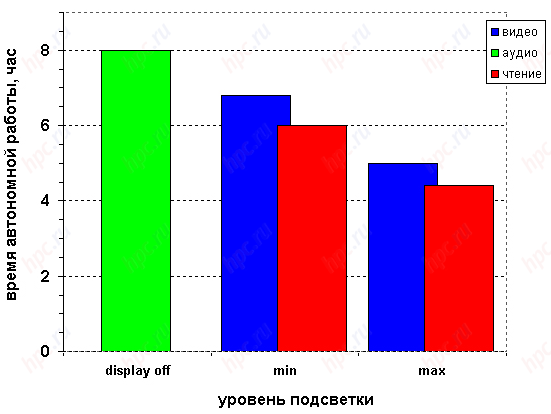
While working in all modes was measured before the first warning. According to the charging indicator, the first warning of low battery comes with 10% residual capacity. The results were as follows.
PalmOne Tungsten T5: performance on the move
Work in read mode depletes the battery for 4 hours and 25 minutes at maximum illumination, or for 6 hours with a minimum illumination. Playing video lasts 5 hours at maximum illumination of up to 7 hours on low. MP3 playback can last about 8 hours. If we compare our hero with their predecessors (T2, T3, Tungsten E and Zire 72), the runtime PDA demonstrates quite decent, but against the new Pocket PC handheld from the top looks like palmOne palely. For example, the flagship of HP - iPAQ hx4700 - capable of playing MP3 music and 16 hours, that is two times longer than the T5.

Performance

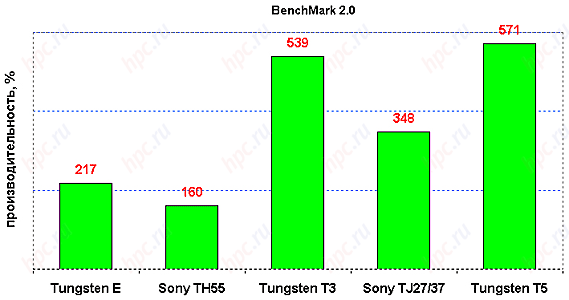
In recent years a tendency to equalize the technical characteristics of the family computers, Palm and Pocket PC. Of course, full equality yet. Processors with a frequency of 512 MHz and 624 MHz Palm OS handhelds is not used, but the PXA270 with 416 MHz already taken on board. A memory? 256 MB - a very decent size. Communication opportunities are also almost the same level, if we forget about the lack of T5 Wi-Fi-module. The reality is that the mere listing of technical parameters of a modern PDA is not enough to determine its capabilities, capacity and ease of use. Fundamental differences, of course, hidden in the operating system. Unfortunately, the universal means to adequately compare computers with different operating systems yet. The results of benchmarks can be guided only in one of the families of the CCP. Interspecies comparison is possible only in highly subjective form. Tungsten T5 slightly faster than the T3 (6%), 1,6 times more powerful than the Sony TJ27 and 2.6 times more productive compared to the Tungsten E.
PalmOne Tungsten T5: performance on the move
Subjectively, we can say that no significant "brakes" when the computer is not observed - not working with PIM applications, or when working with documents or video playback. Productivity at work was measured with a video already have become the standard method of using the built-in Kinoma Player test.
PalmOne Tungsten T5: performance on the move
The results are very, very decent - at the level Tungsten C. At least 30% faster than the T3, and almost two times faster than that of T2.

Software palmOne Tungsten T5

Embedded applications

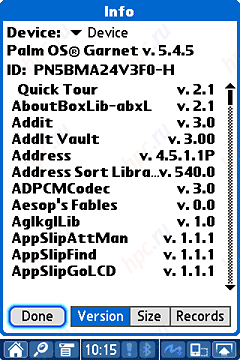
Operating System for Tungsten T5 and the old and new simultaneously. More precisely, it is the same Palm OS 5, as with all PDAs, released by palmOne in the last 1,5 years. Differs only version - Palm OS 5.4.5.
PalmOne Tungsten T5: performance on the move
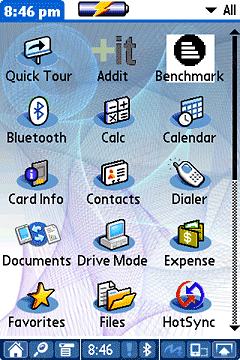
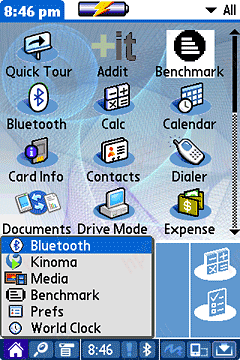
However, from the previous edition 5.4.5 is not only a serial number. Changed set of software, stitched in memory, and were ground has previously used techniques and components. Thus, among the major programs Tungsten T5:
  • Quick Tour
  • Calc 1.0
  • Calendar 1.2
  • Contacts 1.2
  • Dialer 2.0.1
  • Documents-to-go 7.000 (806)
  • Drive Mode
  • Expense 4.5.1P
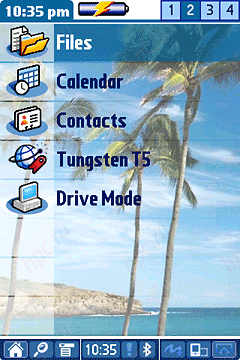
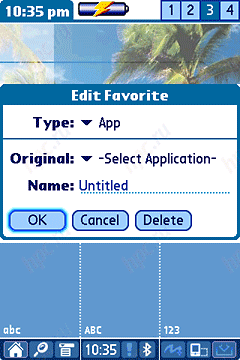
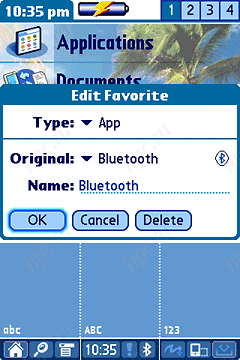
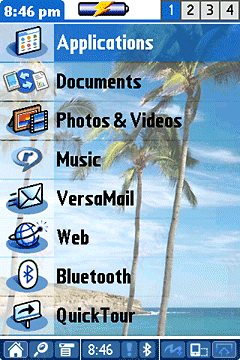
  • Favorites 1.0 - a program to create your own Application launcher. You have four tabs, each of which has 8 fields.
PalmOne Tungsten T5: performance on the move
Each cell can assign your own name and assign the application.
PalmOne Tungsten T5: performance on the move
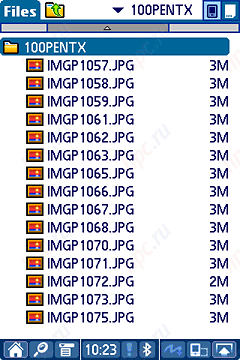
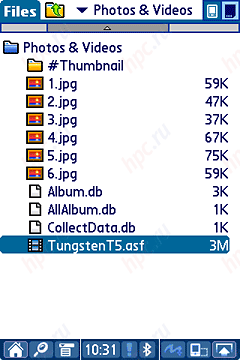
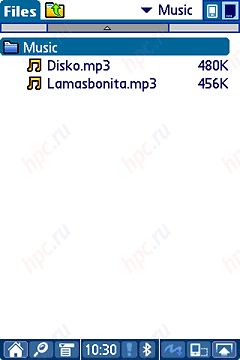
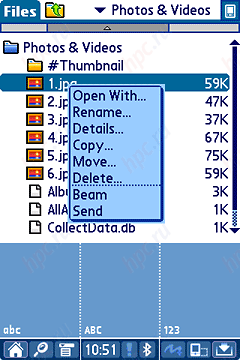
  • Files 1.0 - a complete file manager with "older" features.
PalmOne Tungsten T5: performance on the move
With it you can not only view the data files, but launch the program. For known file types (if you select a file) will automatically launch the appropriate application. If you select a file with a digital photo, then activates the program Media, if the MP3, then RealPlayer, etc.
PalmOne Tungsten T5: performance on the move
And, finally realized Tap-n-Hold principle of file operations. If you hold the stylus on the file, then the result will be a familiar menu, file management, which includes items "rename", "Open with ..." etc.
PalmOne Tungsten T5: performance on the move
  • Memos 1.2
  • Note Pad 2.3
  • SMS 4.5.1P
  • Tasks 1.2
  • Word Clock 2.0.
Ranked Among the communication programs are present:
  • Bluetooth - a wireless software settings, the Bluetooth adapter
  • Versa Mail 2.7.1
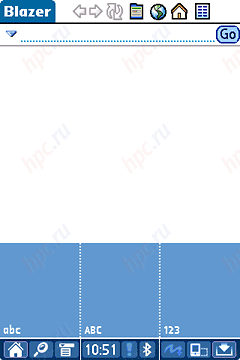
  • palmOne Blazer 4.0 - Internet browser with a familiar user interface of Windows Internet Explorer. There are buttons Back, Forward, Refresh, Home, History and Bookmarks.
PalmOne Tungsten T5: performance on the move
This browser supports the technology and formats: HTML 4.01, xHTML 1.0, cHTML, WML 1.3, SSL 3.0, HTTP 1.1, JavaScript 1.5, CSS 1.0 and 2.0 (partial), GIF (including animated), JPEG, PNG, BMP, Cookies. Of the multimedia software from T5 Immersed:
  • RealOne Player 1.6.0 - program for listening to audio
  • Media 2.00.50 - for watching video and digital images. In addition, the application allows you to sort the images, organize them into albums, copy, straighten on Bluetooth, SMS or email and make the images of graphic notes.
PalmOne Tungsten T5: performance on the move
System and utilities:
  • Card Info 4.5.1P
  • HotSync 5.0P
  • Preferences 1.4
  • AddIt (bluefish 3.59) - find and download applications from the network.
As with the Tungsten T3, PIM applications "fifth" can directly sync with the program Outlook (can not praise palmOne for attention to multi-million users of the program), and about Palm Desktop willing (or rather unwilling) can now be forgotten. Need only install the program Microsoft Outlook Conduits with supplied with a PDA disk. As far as a powerful office suite, Documents-to-go 7, then he is now "sewn" by default.

Additional programs

Peruse installed on a desktop computer software:
  • palmOne Desktop 4.1
  • File Transfer
  • Microsoft Outlook Conduit
  • Quick Install
  • DataViz Document To Go Desktop
  • RealPlayer Desktop
  • Web link to Audible
Additional software installed on the PDA:
  • Phone Link Updater
  • DataViz Document To Go Conduit
  • Adobe Acrobat Reader
  • eReader
  • Solitaire
  • Web link to VPN
  • Web link to Websphere Everyplace Micro Environment
  • AOL Mail access software.

Status Bar

PalmOne Tungsten T5: performance on the move
Innovation of this control can not be named. Status Bar for the first time appeared at the Tungsten T3. It is a line that is located at the bottom of the screen (like a desktop system tray), consisting of icons most frequently used applications on your computer.
  • Home - this button to call the application list, press again which starts the Favorite. Long-term retention of the icons is a list of six recently run applications.
PalmOne Tungsten T5: performance on the move
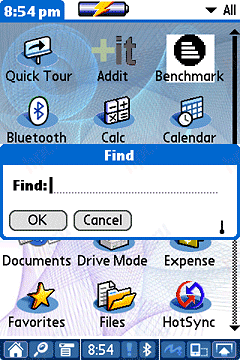
  • Find - a standard search function.
PalmOne Tungsten T5: performance on the move
  • Menu - Call menu in the application.
  • Clock - system information.
PalmOne Tungsten T5: performance on the move
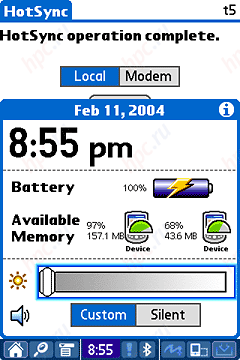
This window shows a lot of useful information: battery level (in percentage), status (plugged in or not), free volume only internal memory (also in percentage), backlight brightness control, sound mode selection.
  • Attention Manager - Manager reminder, here is information on all the reminders that can be done in the standard PIM applications (Calendar, Note Pad, Tasks), the program Word Clock.
  • Bluetooth - Call Manager Bluetooth.
  • Full Screen Wright - mode handwriting in any area of ​​the display. True, when you enter must comply with entry rules, as usual Graffiti 2. Need to mentally divide the screen into two parts by a vertical bar. In the right pane, you can enter numbers on the left - the capital letters, on the border of two areas - capital letters. Moreover, the same principles I work and landscape display.
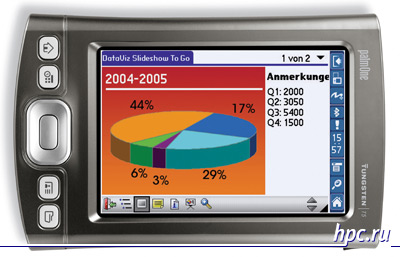
  • Rotate Screen - switch to landscape and portrait mode display orientation.
PalmOne Tungsten T5: performance on the move
  • Input - display the input area.
PalmOne Tungsten T5: performance on the move
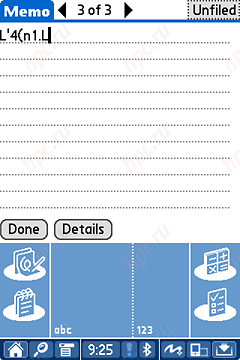
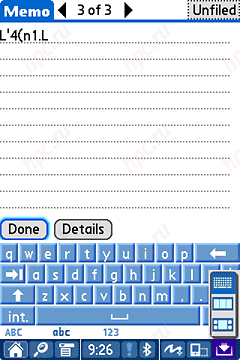
If you hold the stylus on this icon for a second, then a list of virtual input panel (classic graffiti, graffiti with three zones, and keyboard).
PalmOne Tungsten T5: performance on the move
Because of the presence of a permanent status bar the actual display area is the size of 320h448, not 320x480.

Price and buy palmOne Tungsten T5

The network of shops "computer in the palm" palmOne Tungsten T5 can be purchased for $ 399. Despite improvements in the technical parameters of handhelds from this manufacturer, their initial cost depends on positioning. Recall that the ex-flagship palmOne Tungsten T2 and T3 also began their way to the market price at $ 399.

Results

Cons

  • a strongly overvalued minimum backlight
  • lack of Wi-Fi
  • no voice recorder
  • inconvenient design lid
  • not very good stylus holder.

Pluses

  • High-quality display with a resolution of 320x480
  • Built-in Bluetooth Adapter
  • high performance
  • large amount of internal memory
  • the whole internal memory - volatile
  • the possibility of using the computer as a USB drive
  • availability of hardware button HotSync
  • low cost
  • synchronization with MS Outlook or Palm Desktop for choice.
The main competitors palmOne handhelds on the market have always been handhelds from Sony and representatives of the camp competitors, Pocket PC. This year, Sony withdrew from the PDA market, and only by inertia holds 9% of the total pie. PalmOne company has currently a third of all users of handheld computers for several losing conglomerate Pocket PC. For all the seeming backwardness of the technical parameters of products from palmOne direct competitors, of course, that part of its audience the company to maintain and increase. It is safe to say that the share of tangible user techniques for working with Palm OS PDA closer and clearer than with the Pocket PC. Unlike last palmovye less universal, but seriously sharpened by the particular solution of problems. The authors, translation:

HP iPAQ h6340: Attempt No. 2

From the Editor: Before the formal review HPC.ru on PDA-communicator HP iPAQ h6340 offer you the story of our constant readers Dmitry Druzhinin, kindly provided to us for publication. This material is written by seasoned professional enough and opens wide the advantages and disadvantages device from HP. We hope that an informed point of view, the author will help you learn more about a new PDA and make for themselves the necessary conclusions. Editorial HPC.ru. To date, communicators cease to be by some high-tech toys, "a show of force, moving into the category of devices that consumers demand. Company hp, one of the leading players in the PDA market, in 2002 attempted to enter this market by launching "limited edition" model HP Jornada 928, proudly called WDA - wireless digital assistant. It was a trial balloon, which the company, moreover, intended to run in the European market - the communicator supports GSM 900/1800. But then followed a merger with Compaq, and HP Update there were more pressing problems than progress rather "niche" devices, especially as the Jornada line was phased out, replaced iPAQ. Completely abandon the idea of ​​"all-in-one" company is not going, though supporters and opponents of such devices in the management of PSG (personal systems group, the CCP - their patrimony), seems to have prevailed alternately - confirmation of this is the model of the hp iPAQ 5150, possessed useless SIM-card slot, which has puzzled many owners of this gadget. In the end, long-suffering fans of high-tech devices from HP was rewarded - first communicators h6300 series appeared in the roadmap of the company, and later embodied in hardware on the shelves.

Supplied with HP iPAQ h6340

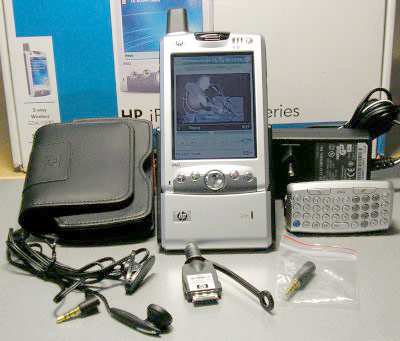
Ascetic hp iPAQ h6340 include language does not turn - opening the box, once you see that device in front of you high-end equipment is designed to trifles. In addition to the communicator HP iPAQ h6340 can be found here:
HP iPAQ h6340: Attempt No. 2
  • Cradle with two compartments: PDA and a spare battery (the LED on the front panel of the cradle is intended to indicate its status)
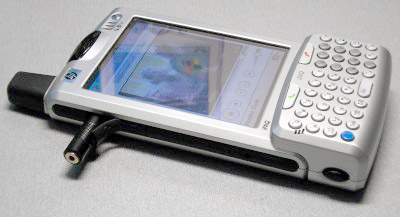
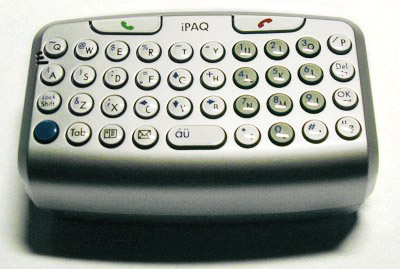
  • Miniature 41-key QWERTY-keyboard, tacked on to the bottom of the PDA, which also made the function keys, including calling and hanging up
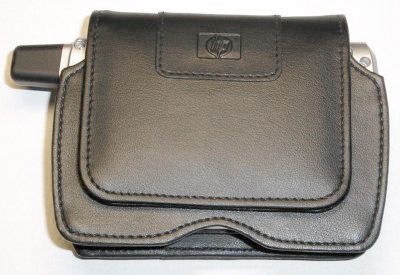
  • Stylish leather holster, effectively staring at the waist
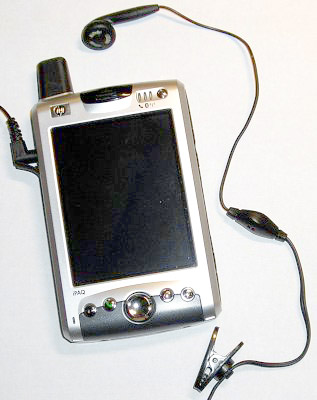
  • Wired mono headset that ends with "Jack" 3.5mm
  • 3.5mm to 2.5mm adapter designed for connecting to your device set with more commonplace in the mobile world connector
  • Universal (110/220) Power Supply
  • Adapter to connect the power supply to the PDA on the road, without a cradle
  • Naturally, the user manual (in English) and iPAQ Companion CD with MS Outlook, ActiveSync and the bonus software from the manufacturer (in our case - and also CD with language)

Design of HP iPAQ h6340

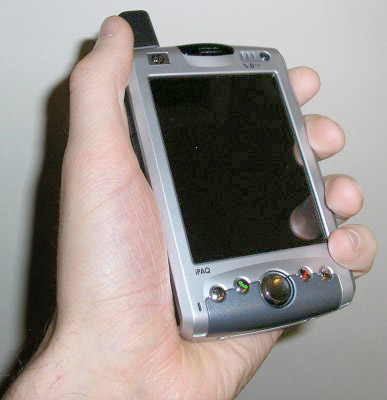
HP iPAQ h6340 has a color scheme common to the iPAQ h-series - silver casing with black inlays. However, the "corporate" style of performance from the latest handheld computers hp in this series - much Rounded down body - here is weak. On the contrary, we can say the device conservative in form and slightly inclined to Cubism, but, nevertheless, it looks more solid and rigid than cumbersome. In the men's hands, of course:)
HP iPAQ h6340: Attempt No. 2
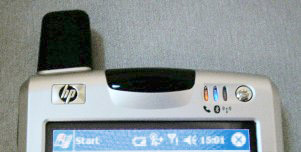
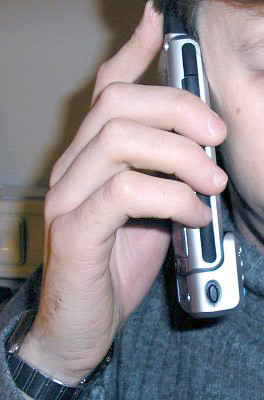
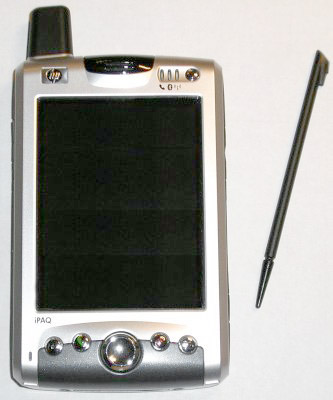
The speaker on the top antenna visually lengthens the PDA, making it sleeker and allows fair to assume that the device is equipped with wireless interfaces. Unlike many smartphones, the front panel HP iPAQ h6340 is not overloaded with controls.Their arrangement is standard for Pocket PC - the bottom is Round Four-joystick, a pressure-sensitive, and almost in a row with four buttons - two are common to most PDA function, responsible for launching the mail client and address book, and here are two the remaining are used for the call (or answer an incoming call) and rebound - they bear the appropriate icon.
HP iPAQ h6340: Attempt No. 2
Thus, by default, to invoke the scheduler, or return to the Today will have to use a stylus or a finger (those who want, of course, may reassign the functions of the buttons HP iPAQ h6340 with the standard applet in the settings menu). At the top of the panel, the center is one of the speakers, who during the conversation is just around the ear. The right of it - three LEDs indicate the status of all wireless interfaces, GSM / GPRS, bluetooth and Wi-Fi, for them - on / off button device.
HP iPAQ h6340: Attempt No. 2
Since the HP iPAQ h6340 - PDA, the microphone can be found where expected - at the bottom of the CCP, some buttons. However, it is referred to the left, that automatically means left-handers are much less comfortable talking directly with the device itself. Situation may correct wire hendsfri, delivered.
HP iPAQ h6340: Attempt No. 2
Those who bothered to mess of wires, thanks to the support interface device bluetooth, can use wireless hendsfri, which, unfortunately, is not offered by the manufacturer (there are only headphones of this type). Most likely, every owner of the CPC considered this method of conversation and will - standard wired headset is not eternal, it is not offered separately (and in general - do not come across a headset for phones with jack "jack 3.5 mm). You can use any headset with a "Jack" 2.5 mm, the benefit of an adapter is included, but in terms of usability and aesthetics of such a solution is at least debatable.
HP iPAQ h6340: Attempt No. 2
But back to the design. The sides of the PDA include insertion of the dense rubber, in addition to aesthetic and bears a purely practical load - a device rests securely in your hand.
HP iPAQ h6340: Attempt No. 2
Bottom left is a hole, hiding the button Reset, top left - a voice recorder button, and above it under the rubber plug is a connector for a headset / headphones.
HP iPAQ h6340: Attempt No. 2
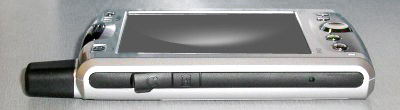
On the right side are (from top to bottom): the volume buttons + / -, slot SD (supports MMC and SDIO) and surprise (!), Another button without any markings. By default, it is responsible for running the utility that manages the work of wireless connectivity (GSM + GPRS / bluetooth / Wi-Fi).Without documentation of its existence is not easy to guess, and in my case it happened quite by accident when browsing applet responsible for the buttons (in which, incidentally, will not be able to remap buttons for volume control). Buttons recorder and volume control are located so that it is very convenient to use them, they would have been particularly useful for scrolling in the programs that are intended to be read. However, Haali Reader they are not "seen", so adjust them for the performance of any functions other than the basic, most likely will not be easy.
HP iPAQ h6340: Attempt No. 2
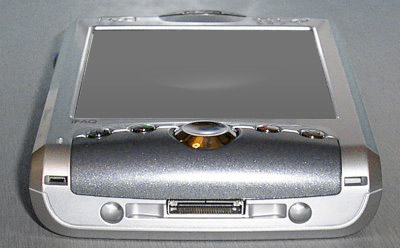
At the bottom of the PDA is only a connector for mounting in a cradle / connection extensions, which, however, it is logical, since the low HP iPAQ h6340 can often be completely hidden snap-on keyboard. In the fastened state of the keyboard as close as a button located on the front panel of the CPC and the microphone (located there). Therefore, the keys on it are duplicated and placed duct (!) To voice easier to reach the microphone. So you can talk with an attached keyboard, though at the risk to attract attention - very much an unusual sight.
HP iPAQ h6340: Attempt No. 2
All the buttons are rather convex, good tactility - the moment you clearly felt. Since the number of keys is small, most of them are multifunctional. When you click on the modifier, highlighted in blue, the alphabet keys turn into the cursor, character, digital, control, etc., and change the operating mode can be fixed.
HP iPAQ h6340: Attempt No. 2
Of course, the buttons too small, and in order to learn how to type spore, one would have to sweat. However, a huge minus the keyboard - the lack of Cyrillic on the buttons, making it virtually useless to those who wrote the "great and mighty." Labels on the keys of this size has not yet been invented. Another minus - no backlight, yet the CCP - not a desktop system, and they have to use at different levels of illumination.
HP iPAQ h6340: Attempt No. 2
Upper end of the HP iPAQ h6340 includes infrared port, default to the right, closer to the rear of the CPC, is the stylus holder. Stylus itself - small, plastic, but in the hand is convenient.
HP iPAQ h6340: Attempt No. 2
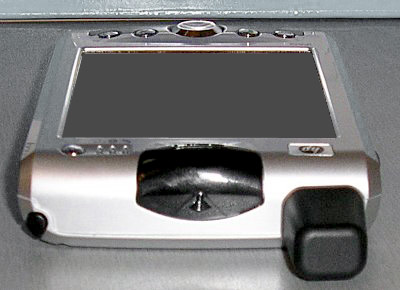
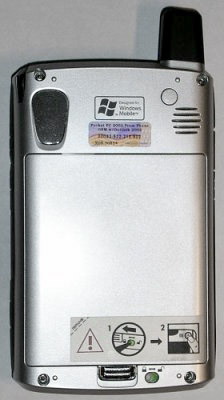
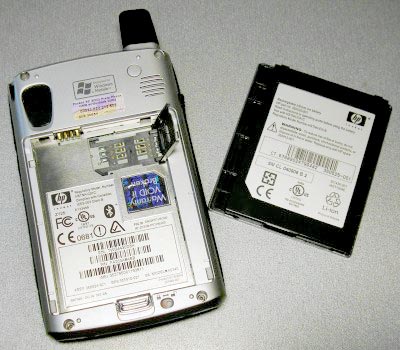
The back side at the top is the most mysterious element of the first design PDA - plastic insert gray. Had to listen to a variety of assumptions about her appointment, before a page with detailed specifications of the communicator has helped to establish the truth. At the site of insertion in the model h6315, which has the same design is eye lens built-in camera (a "secret" button, as described above, just cause the application to control the camera). In addition, on top of the back of the HP iPAQ h6340 is the second speaker, louder than the front. With his help reproduced signals an incoming call, the triggered reminders and alarm clock, etc.Under the antenna near the speaker is a rubber cap, made in a tone with a body color and how to cover up the jack for connecting an external antenna. However, in describing the device (see link above) about it does not say anything. Below is the battery, simultaneously performing the role of the posterior wall of the communicator. Noteworthy for its attachment - in addition to the latch, which is already tightly holding the battery, PDA has also a lock, the locking latch in the closed position. Moreover, the translation lock in the open position electrically disconnects the mains from the main battery, that is, you must first close the lock, and only then include PDAs. On this score there is a mnemonic warning on the label side.
HP iPAQ h6340: Attempt No. 2
Under the battery is SIM-card holder. The design of it quite easy and requires no additional tools for installation or removal, and in addition a reliable and time-tested (the same used in many models of mobile phones, for example, Motorola CD 920/930).
HP iPAQ h6340: Attempt No. 2
Finally a few words on a case-holster. PDA quickly and easily placed and removed with one hand, the valve has a magnetic mount, but is held securely. Under the flap are two pockets for SD / MMC cards. In addition, inside there is a gap, allowing you to plug and use a wired hendsfri in the stowed position, the valve closed.

Filling

Processor and memory

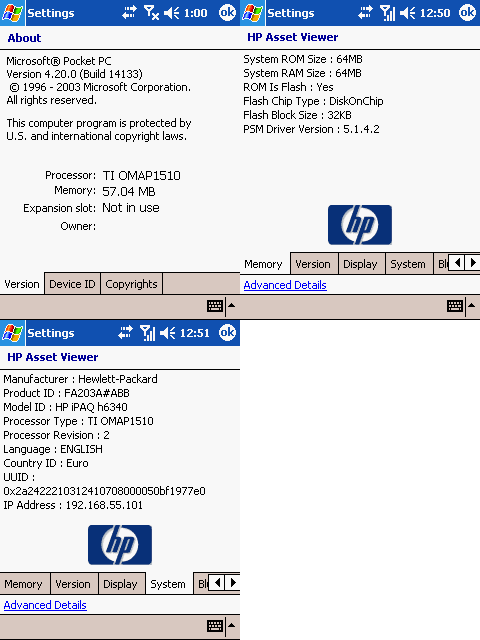
Mobile question of compromise between performance and battery life is always acute. Perhaps that is why the heart of the CCP became TI OMAP1510 processor 200 MHz, located by today's standards of performance even below average. However, be aware that too rapid discharge due to a powerful processor the battery would deprive both the possibility of communication with the outside world, so access to stored information - everything.
HP iPAQ h6340: Attempt No. 2
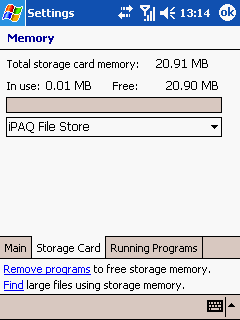
RAM, HP iPAQ h6340 has 64 MB of which user has access to 57 (the rest are busy running files, copied back to system speed and performance). The PDA has 64 MB of flash-rom, 20 of which are available as non-volatile memory for storing user data - iPAQ File Store.
HP iPAQ h6340: Attempt No. 2
On the one hand, the volume of non-volatile memory is not large (but more than enough for storing critical information contacts, mail, meetings, etc.), on the other - on the current value of SD / MMC card will allow without significant damage to the purse increase its volume until desired.

Display, video, sound

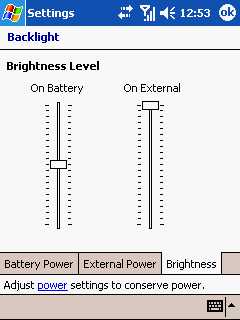
The PDA uses 3.5 "transflective matrix, which supports 65 thousand colors with QVGA resolution of 240x320. Installing the matrix of a higher class (VGA) would entail a rise in the price and so not a cheap device, as well as growth in energy consumption. In addition, there is another "but" - stitched on Windows Mobile 2003, which does not support this video mode for VGA screens, as well as opportunities to work in landscape orientation display. Perhaps in the future will be released an update to Windows Mobile 2003 SE, but at the moment it is not. Brightness Display can be adjusted quite smoothly (21 step) that allows you to set a comfortable level in almost any ambient light. The quality of the matrix display - at altitude.
HP iPAQ h6340: Attempt No. 2
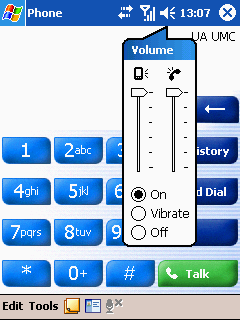
The level of the phone volume is sufficient to conduct a conversation in a noisy halt. Music playback quality on HP iPAQ h6340 subjectively good. It should be noted that the headset / speaker front and rear speaker volume levels are regulated separately.
HP iPAQ h6340: Attempt No. 2

Food and energy

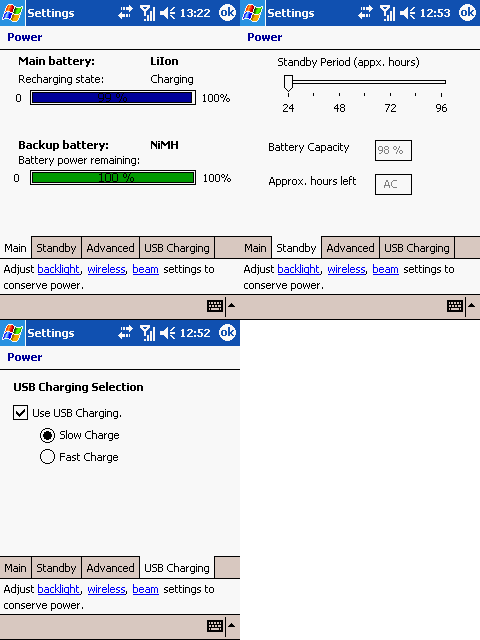
The device is equipped with Li-Ion Battery 1800 mAh, optionally available battery twice the capacity. In addition, a backup NiMH battery, which will replace one of the main battery to another without losing data. Proprietary power management applet opportunity PDAs from HP - configure backup battery. This setting is guaranteed to provide the time within which the device after the battery discharge will be able to save your data and programs that are in volatile memory. Like many new PDAs, HP iPAQ h6340 is also able to recharge the battery when connected to USB-port. In this case, of course, the charging time is increased compared with the process of charge from the regular power supply.
HP iPAQ h6340: Attempt No. 2
For measuring runtime package was used SPB Benchmark, which showed the following:
  • MP3 playback time on built-in speaker at max volume and the display is off - 17 hours 11 minutes
  • While playing a video with audio output to the built-in speaker for maximum volume and maximum level of backlight - 7 hours 50 minutes
  • While reading at the maximum backlight - 8 hours 14 minutes
  • While reading at the lowest level backlight - 17 hours 17 minutes
  • Waiting time when the GSM module and the display (backlight off) - 19 hours 57 minutes
Results, we can say excellent. Using a HP iPAQ h6340 processor with low power consumption coupled with high-capacity battery gives an obvious effect. The results again showed a significant contribution to power consumption makes the screen backlight. Keep in mind that in real life battery life with the active conduct conversations using GPRS to connect to the Internet and check email, bluetooth to sync with a PC and, say, WiFi for file sharing, will be considerably less. Nevertheless, one can argue that even with very intensive use for the whole day charge will last.

Performance

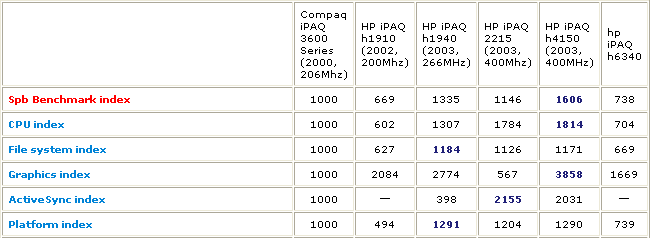
C using a package of SPB Bencmark held a general benchmark CCP, whose results are shown in the table. Also shown for comparison are the results of tests of other mobile devices from HP (click on image to see an expanded table).
HP iPAQ h6340: Attempt No. 2
Performance Communicator HP iPAQ h6340 predictably did not become champion, but, as mentioned above, for devices of this class factor battery life is more important. Nevertheless, I want a processor (or Video) worked quickly - sometimes begins to slow down your interface when switching between tabs, the disclosure of the menus, etc. Optimum seems the approach of using a processor to date, the average class: for example, Intel PXA 255 400 MHz and utilities, the regulatory clock. Notorious balance of performance and duration of works attract still a bit to move towards performance.These thoughts are visiting and watching the video (the tests were conducted using the media player BetaPlayer v0.04). Of course, to play cards with SD DivX-files copied directly from the CD, the performance will not suffice. Built-in BetaPlayer benchmark shows 42.25% of the required performance while playing "original" test file (480x386, bitrate 657 128). Recalculated for the "screen size" PDAs with proportionally lower bitrate file (316x240, 283 128), the results are also disappointing - 75.49%. Tolerable result was achieved when viewing 3 versions (300x230, 221 96) - although the benchmark and showed 84.35%, however, the view is almost ceases to irritate the "hunting". Conclusion: The video playback - not the strongest aspect of this device.

Communication capabilities

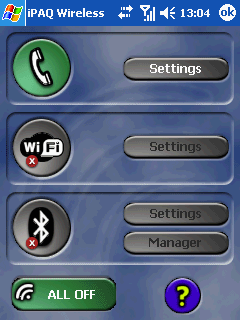
As mentioned above, for the management of wireless interfaces, responsible single utility iPAQ Wireless, started by tapping the icon in the lower right corner of Today.
HP iPAQ h6340: Attempt No. 2
Or by clicking on "classified" button, as described above.
HP iPAQ h6340: Attempt No. 2
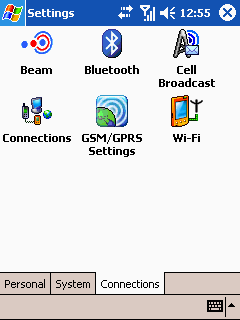
These and some other settings can be accessed from a bookmark Connections control panel.
HP iPAQ h6340: Attempt No. 2

GSM / GPRS

Since we are talking about the device, then we should start with the opportunities that the device gives the owner the use of cellular networks. As mentioned, HP iPAQ h6340 - PDA 4-band, range selection is done manually, using a utility located on the Personal tab in Control Panel.
HP iPAQ h6340: Attempt No. 2
Then "turn on the phone with the help of the above utilities iPAQ Wireless, is searched online, and offered to configure the connection to your ISP.
HP iPAQ h6340: Attempt No. 2
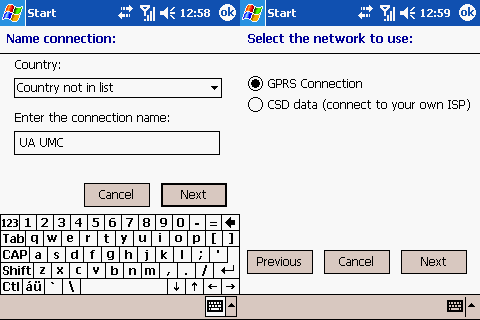
To make life easier in the database program "Connections Settings" contains installation for a large number of mobile operators in different countries, including for the Russian. If your carrier is not in the database - not a problem with the wizard, you can create a GPRS or GSM CSD connection to the user's preferences.
HP iPAQ h6340: Attempt No. 2
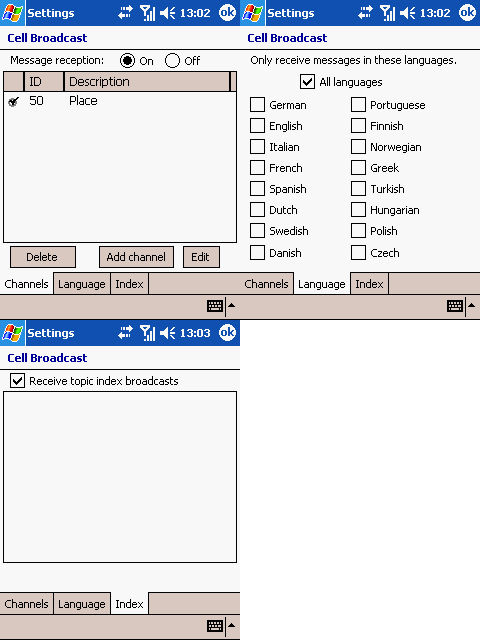
As a normal mobile phone, HP iPAQ h6340 has the ability to receive broadcasts in networks mobile operator should only configure the reception, calling the appropriate utility of bookmarks Connections control panel.
HP iPAQ h6340: Attempt No. 2
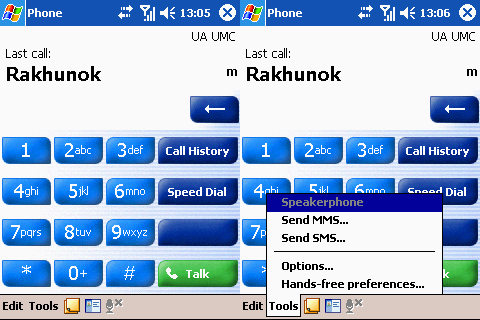
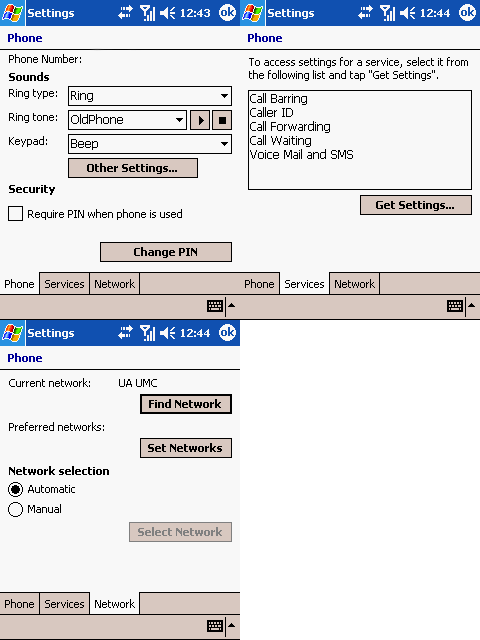
To control the functions of the phone uses the standard Phone program from the Windows Mobile 2003 Phone Edition.
HP iPAQ h6340: Attempt No. 2
Opportunities it has repeatedly been described, in a nutshell: exercise and receive calls (including those with a contact number), sending and receiving SMS and MMS messages, work with voice mail, save incoming and outgoing calls, record conversations statistics, call forwarding, selection type of incoming call alert (vibration / melody, or a combination thereof), choice of ring tones, profile support (including Mode Flight Mode, which turns off the transceiver), etc. Simply put it this way - the communicator can do everything, what can a modern cell phone. Want to underline the high sensitivity receiver HP iPAQ h6340. It so happened that in the room where testing was conducted, the level of the signal nearest cell operator UMC is very low. To properly take the call (for a variety of phones) have come out of the room, but with the h6340 can say almost without straining.
HP iPAQ h6340: Attempt No. 2

The device supports GPRS Class B (ie, for simultaneous packet data exchange and will not be able to talk), GPRS Multi slot Class 10 (ie 4 timeslot to timeslot, receiving and 2 on the transfer).

WiFi

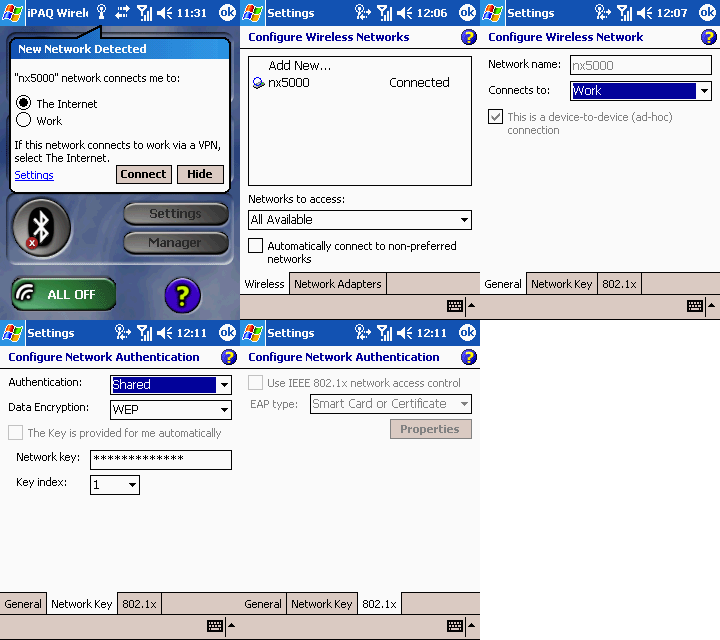
The device is equipped with a module WiFi, supports the work of standard 802.11b. The sensitivity of the module is very good - when communicating with a laptop hp nx5000 with built-in WiFi module from Intel through the 4 walls (brick + plaster) utility Intel PRO Set, running on the laptop shows the signal level as something between a "good" and "very good - 4 divisions of 5. Transfer to PDA file a capacity of 11 425 KB took 64 seconds back - 41 seconds.
HP iPAQ h6340: Attempt No. 2

Bluetooth

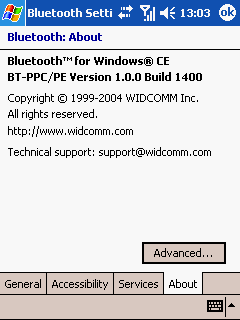
Bluetooth-module integrated in the device is made by Widcomm. It conforms to the specifications bluetooth v1.1.
HP iPAQ h6340: Attempt No. 2
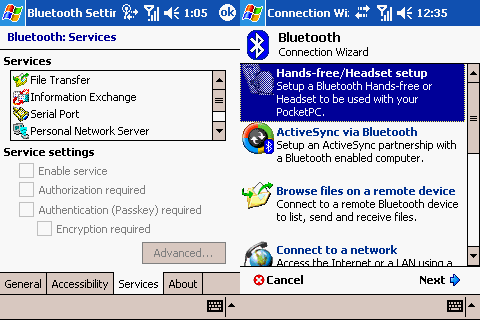
Since we are dealing with the communicator, the driver simply has to be integrated with support for bluetooth-profile hendsfri, which is observed. The rest - as usual, supported by all the standard features:
  • Explore a Bluetooth Device - search for devices with active Bluetooth adapter
  • ActiveSync via Bluetooth - synchronizing with a desktop computer or tbukom via Bluetooth interface
  • Browse file on a remote device - a connection to the remote device to control its data
  • Connect to a network - the network connection (LAN or Internet)
  • Join a personal network - the connection with one or more devices to exchange data
  • Exchange business cards. - The exchange of business cards
HP iPAQ h6340: Attempt No. 2
Services, which provides self PDAs:
  • File Transfer - content management PDA
  • Information Exchange - Exchanging business cards
  • Bluetooth Serial Port
  • Personal Network Server - a connection with one or more devices in the network
  • Dial-up Networking Server - the use of other devices, PDA as a modem for Internet access
  • Hands Free - the use of other devices like PDA Headsets
Able to verify work with hendsfri was not, but when you link with iPAQ h2210 Pocket PC and laptop hp nx5000, as well as transfer files and contacts, no problems.

Software HP iPAQ h6340

In a standard set of PDA programs in addition to components included in Windos Mobile 2003 PE by default, comes the following applications. ClearVue PDF (the link is a complete set of ClearVue) - PDF-viewer tethers, with the possibility of demonstrations, in the presence of card VGA-out, through the projector (unfortunately, the "Russian" files does not understand, and when displaying some "British" observed problems).
HP iPAQ h6340: Attempt No. 2
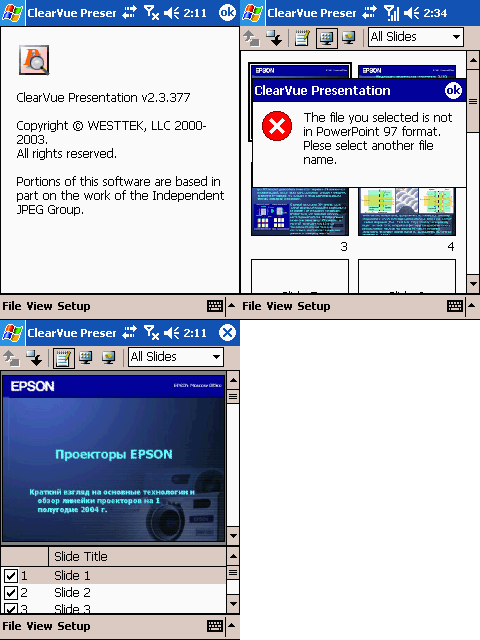
ClearVue Presentation (the link is a complete set of ClearVue) - a viewer of presentations in the format of PPT, with the possibility of demonstrations, in the presence of card VGA-out, through a projector. Files with Cyrillic characters are displayed correctly, but, to avoid problems, they should be in PowerPoint 97.
HP iPAQ h6340: Attempt No. 2
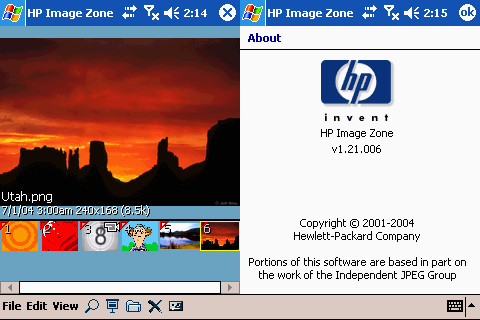
HP ImageZone - a program for viewing images and videos, organizing a slide show.
HP iPAQ h6340: Attempt No. 2
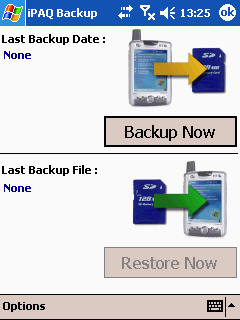
iPAQ Backup - a program for creating and maintaining backups of data and programs in the user part of the flash-rom or memory card. Created likely based on the popular Sprite Backup.
HP iPAQ h6340: Attempt No. 2
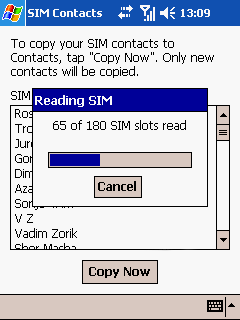
SIM Contacts - a program to read contacts from SIM-card and transfer them into a standard PDA address book.
HP iPAQ h6340: Attempt No. 2
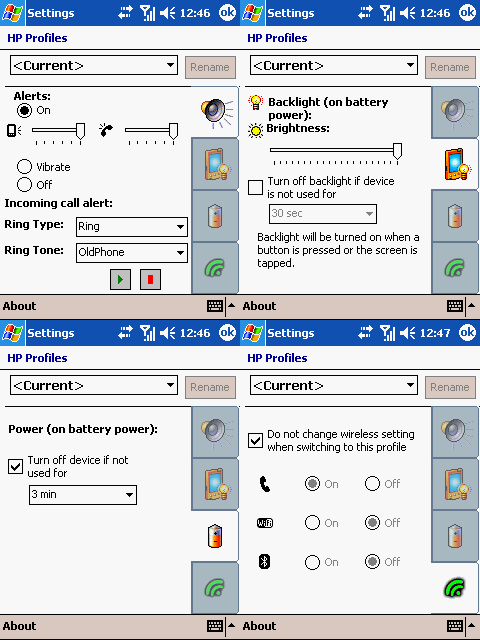
HP Profiles - a program to select and profile control of the CCP (signals, lights, wireless interfaces, etc.).
HP iPAQ h6340: Attempt No. 2
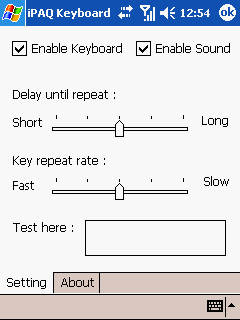
iPAQ Keyboard - program to configure the keyboard.
HP iPAQ h6340: Attempt No. 2
Frankly, for a device of this class set of "stitched" Software could be richer. At least, it could add the program to a fax.

Summary

MSRP for HP iPAQ h6340 ample for the European region is high - 699 euros for Russia and the CIS, it is thought it smaller - the study offers this PDA according www.price.ru showed the average price of around $ 720, in Ukraine (according to the price. ua) price of the same order. Frankly, on the one hand the impression that meeting the "imperative of our time", HP has translated into their hardware is not the most recent developments, if only to remind themselves on the market of communicators.On the other hand, despite the modest, quite frankly, performance, its main function - to ensure smooth and Qualitative communication with the outside world by all available means - a device to cope with "excellent". Therefore, the attempt number 2 should recognize a success. Forward to try number 3?

Cons

  • Poor performance platform (sometimes retarding interface problems when playing videos, etc.)
  • Useless in our environment Keyboard
  • Outdated OS
  • The large size

Pros:

  • Support for GSM / GPRS all ranges
  • Equipment of all wireless interfaces
  • High capacity battery provides long battery life
  • Product eminent manufacturer that provides a high level of service support
  • Affordable price (including communicators, of course:)
  • Rich equipment (headset, keyboard, cover)
  • Good sensitivity GSM-module
PS The lack of HP iPAQ h6340 Screen VGA-resolution and slots for CF memory card can not enlist in the active or passive devices, as can cause arguments pro and contra. The same applies to the design - every man to his own taste. The author thanks the company "SPETSVUZAVTOMATIKI" for the CCP. The authors, translation: